LAUNCH
X-431 PRO5 User Manual
11
4 Initial Use
4.1 Diagnosis Flowchart
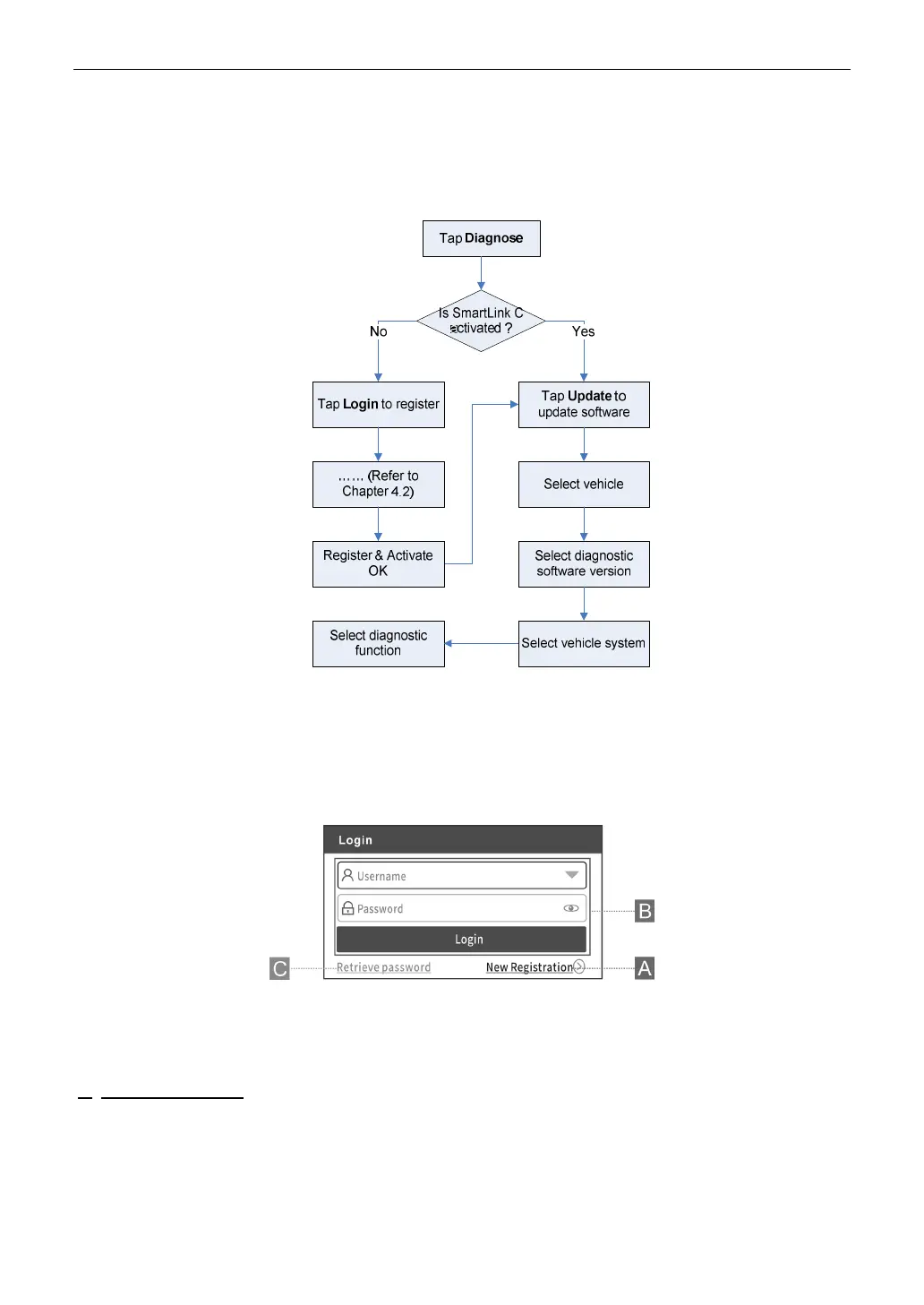
For new users, please follow the operation chart shown as below to get familiar with and start using this tool.
4.2 Getting Started
4.2.1 Register & Update
For initial use, the registration is the necessary first procedure to activate the tool.
Tap the application icon on the home screen to launch it, and then tap
Login
on the upper right corner of the screen
to enter the following screen.
(If you are a new user, follow A to proceed.)
(If you have registered to be a member, go to B to login the system directly.)
(In case you forgot password, refer to C to reset a new password.)
A. If you are a new user, tap
New Registration
to enter the sign-up page.



 To Next Page