LAUNCH
X-431 PRO5 User Manual
2
SmartLink C Device – the device for accessing vehicle data (See Chapter 1.3.2).
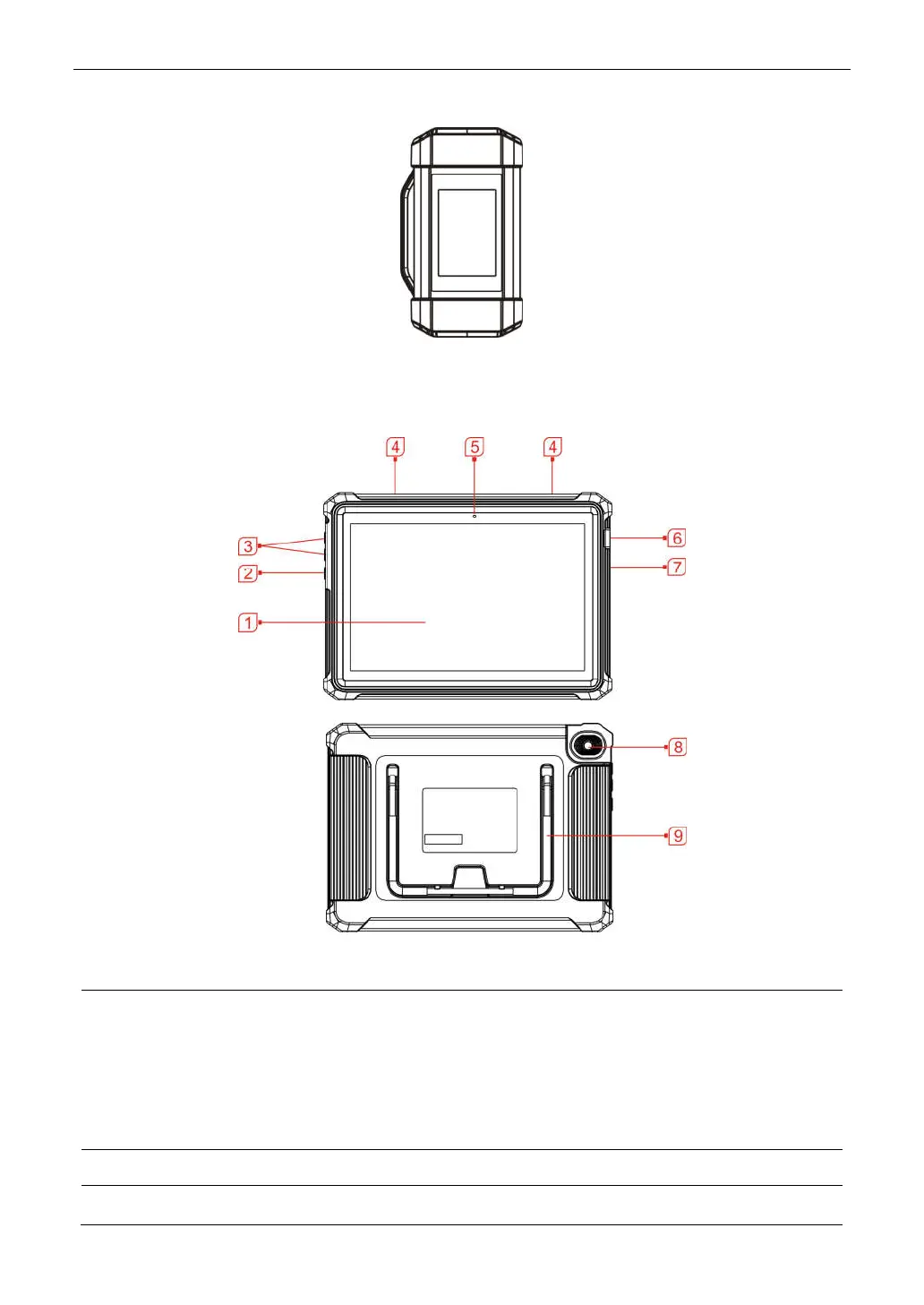
1.3.1 Display Tablet
The tablet acts as the central processing system, which is used to receive and analyze the live vehicle data from the
SmartLink C device and then output the test result.
1 LCD Screen Indicates the test results.
2 POWER Key
In Off mode, press it for 3 seconds to turn the tablet on.
In On mode:
• Press it once to activate the LCD if the LCD is off. Press it once to
turn off the LCD if the LCD lights up.
• Press and hold it for 3 seconds to turn it off.
• Press and hold it for 8 seconds to perform forced shutdown.
3 Volume +/- Adjusts the system volume.
4 Speakers



 To Next Page