LAUNCH
X-431 PRO5 User Manual
39
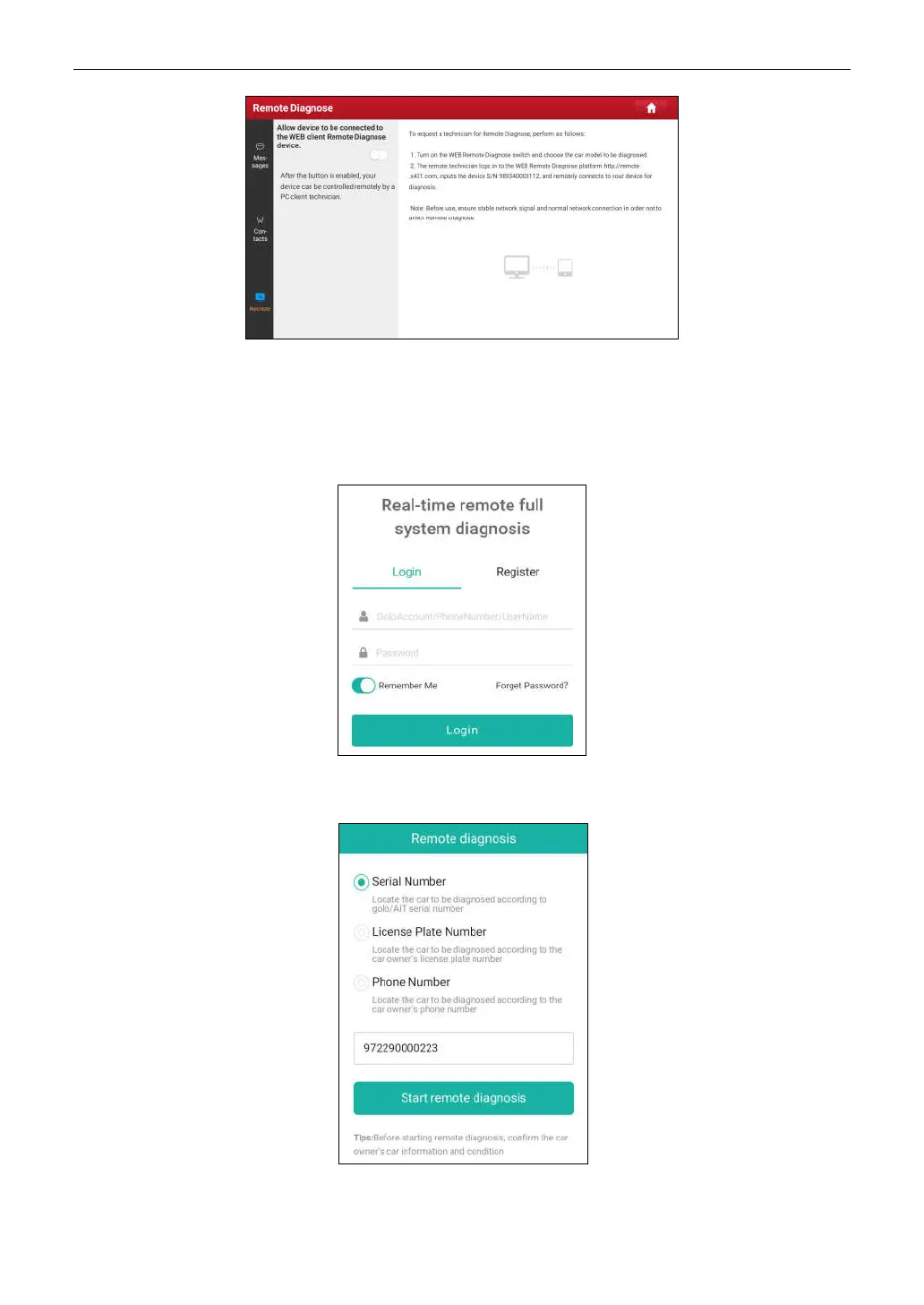
1. Slide the switch
Allow device to be connected to the WEB client remote diagnostic device
to ON so that the
partner can find and connect to this device while using the PC.
2. Notify the partner of the PC client website http://remote.x431.com. When the partner accesses the link, the PC
displays as below:
*Note: Before processing remote diagnosis, please make sure the tool is properly connected to the vehicle.
3. Tell the partner to input his own official technician account and password, and then tap
Login
to navigate to the
following figure.
4. Tell the partner to check the box
Serial number
and enter the Serial Number provided by you, and then tap
Start remote diagnosis
to control your device remotely.



 To Next Page