LAUNCH
X-431 PRO5 User Manual
19
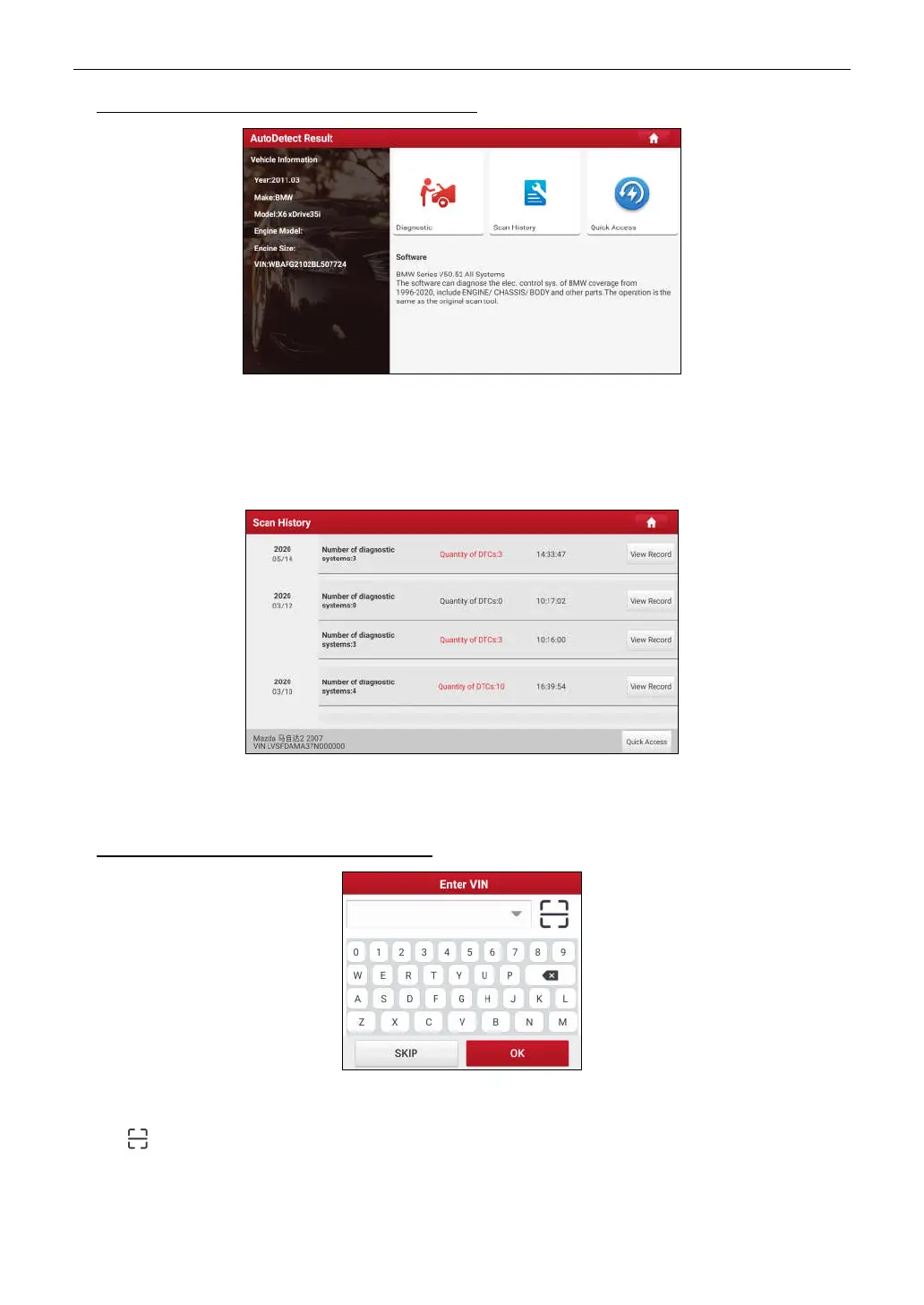
A. If the VIN can be found from the remote server database, the following screen will appear:
• Tap
Diagnostic
to start a new diagnostic session.
• To perform other functions, tap
Quick access
to directly go to the diagnostic function selection screen. Choose
the desired one to start a new diagnostic session.
• Tap
Scan History
to view its historical repair record. If there are records available, it will be listed on the screen
in sequence of date. If no records exist, the screen will show “No Record.”
• Tap
View record
to view the details of the current diagnostic report.
• To perform other functions, tap
Quick access
to directly go to the diagnostic function selection screen.
Choose the desired one to start a new diagnostic session.
B. If the handset failed to access the VIN information, the screen will display as below:
• Tap the input field to directly, tap
OK
. If the VIN exists on the remote server, the system will enter the diagnostic
function selection screen.
• Tap to launch the VIN recognition module.



 To Next Page