LAUNCH
X-431 PRO5 User Manual
23
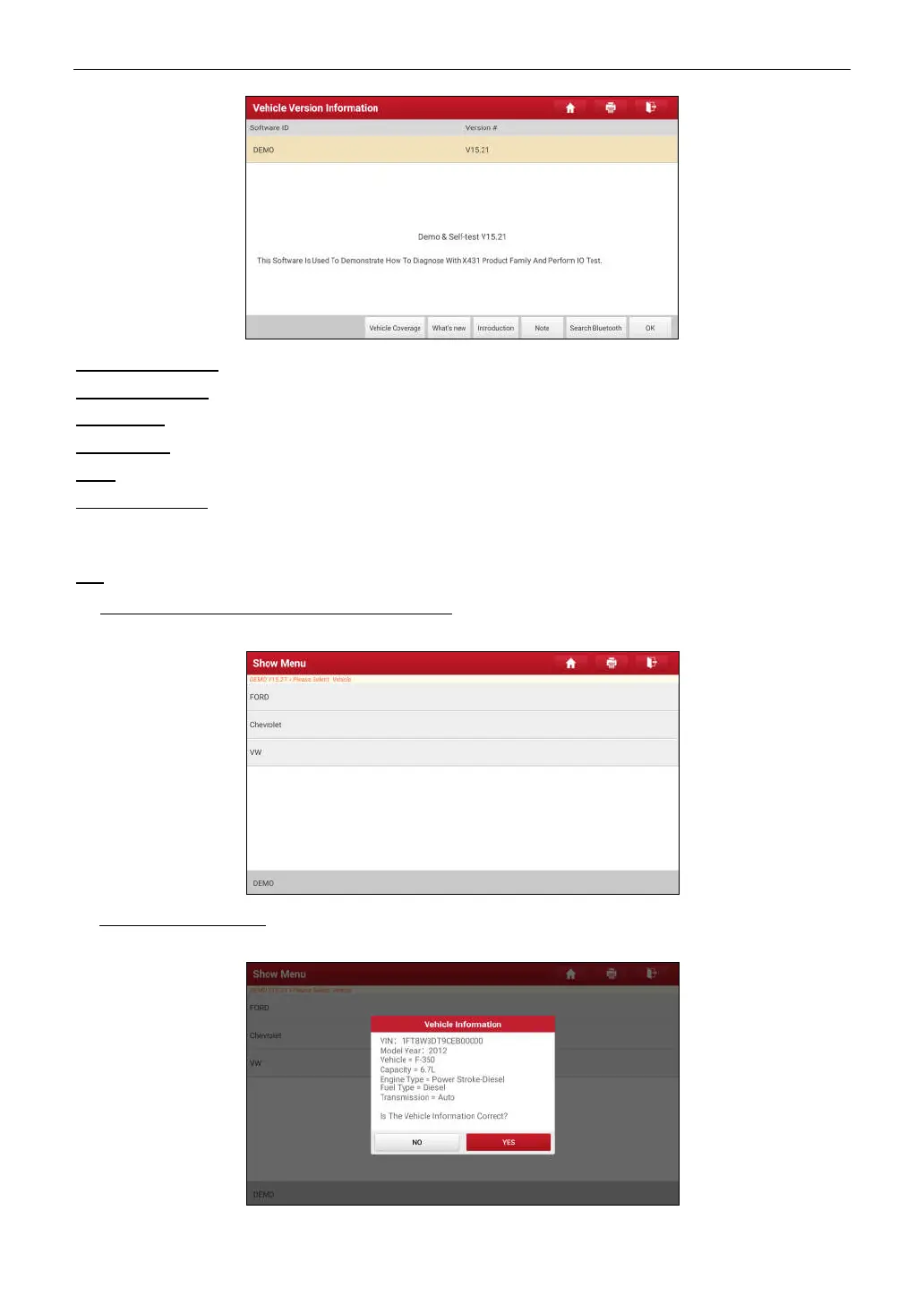
On-screen Buttons:
Vehicle Coverage:
Tap to view the vehicle models that the current diagnostic software covers.
What’s new:
Tap to view the optimized items and enhancements.
Introduction:
Tap to check the software function list.
Note:
Tap to read some precautions on using the current diagnostic software.
Search Bluetooth:
Tap to search for the available VCI. After the VCI is successfully activated, it will be bound to
the user account and paired with the tablet automatically.
*Note: No Bluetooth connection is required for DEMO program.
OK:
Tap it to go to next step.
2). Select vehicle model (varies with different versions): Select the desired vehicle model. Here we take
Ford
for
example to demonstrate how to diagnose a vehicle.
3). Read vehicle information: After reading the vehicle information, double check if the vehicle information is correct
or not. If yes, tap
Yes
to continue.



 To Next Page