LAUNCH
X-431 PRO5 User Manual
37
These options are defined as follows:
Actions Results
Request control remote device
Request to control the partner’s device remotely to help him diagnose the
vehicle.
*Notes:
Remote diagnosis has the same diagnostic steps as manual diagnosis.
In process of remote diagnosis, tap the button to send a voice message.
Once vehicle diagnosis is complete, a report will be created. Input your comments on
this report, and then tap
Send Report
to send it to the partner.
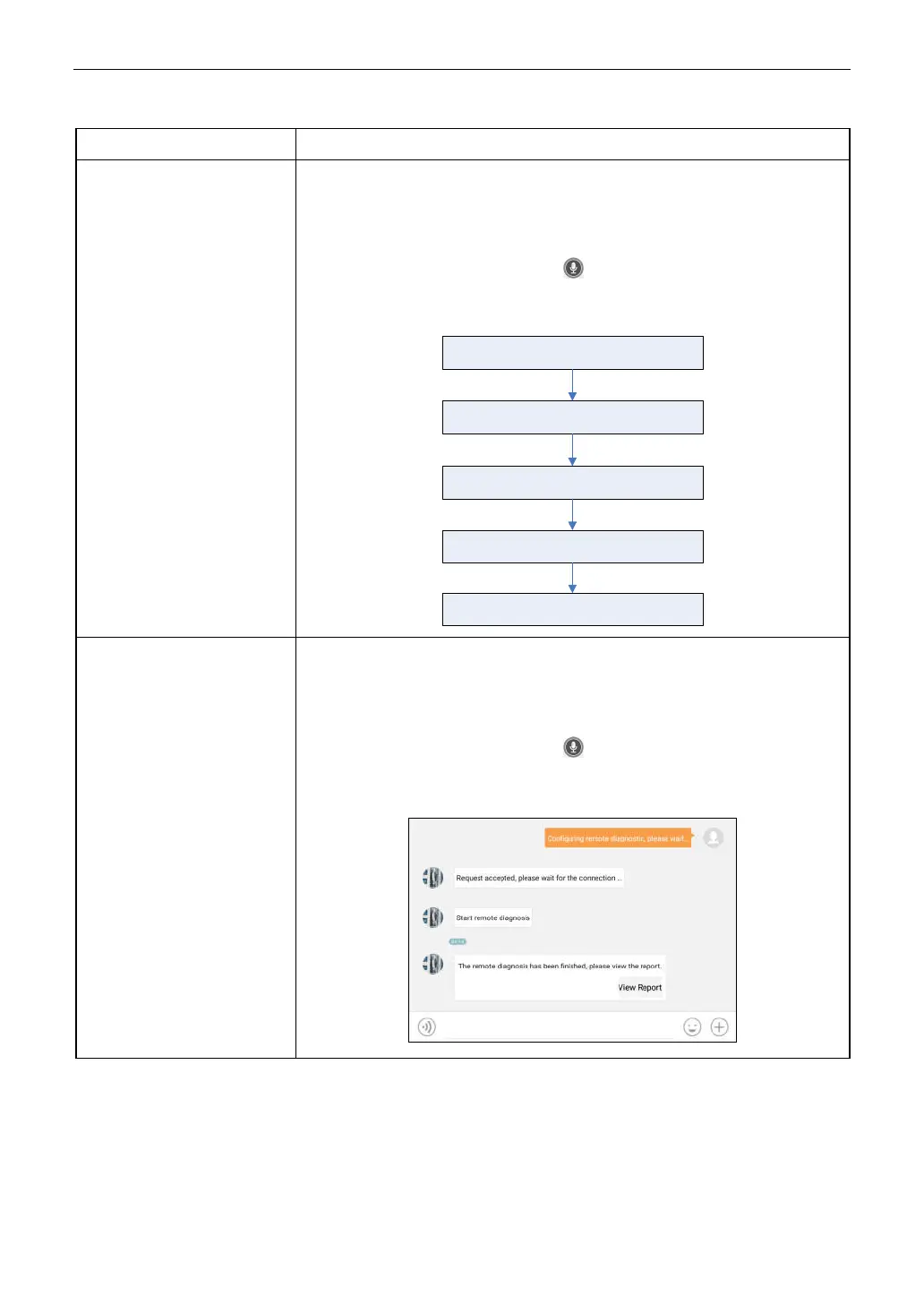
Tap “Request control remote device”
Wait for partner’s confirmation
Start connecting after request confirmed
Start Diagnosis
Generate diagnostic report
Invite remote diagnostic
assistant
If you need support, just use this option to invite a technician to perform a remote
control on your tool.
*Notes:
Remote diagnosis has the same diagnostic steps as manual diagnosis.
In process of remote diagnosis, tap the button to send voice message.
Once you received the report from the partner, tap
View Report
to view its details.
All diagnostic reports are saved in
User Info
->
My Reports -> Remote Reports
.



 To Next Page