Press the MENU button (8) to access the QUICK MENU that allows the following operations:
- Change the language
- Activate/deactivate the cup warmer (according to the model)
- Wash the brew unit
- Set the rinse cycles
- Descale the machine
- Activate/deactivate the stand-by mode (to activate the energy saving mode)
BUTTON DESCRIPTION
0
1) Hot water dispen-
sing
Press this button for 1 second and the machine immediately dispenses hot water.
0
2) Steam dispensing
Press this button for 1 second and the machine immediately dispenses steam.
03) Manual dispensing
button
Press this button to dispense a quantity of product that the user can manually
control (the user must stop the dispensing by pressing again the button).
04) Long coffee button
Press this button and the machine dispenses a long coffee (dose programmed by
the service provider).
05) Espresso button
Press this button and the machine dispenses an espresso coffee (dose program-
med by the service provider).
06) Double espresso Press this button and the machine dispenses a double espresso.
07) Rinse Press this button for 1 second to carry out a rinse cycle of the internal circuits.
08) MENU Press this button for 1 second to display the user menu.
09) LCD display
Displays the machine status and alarm signals, and guides the user to operate the
machine.
10) Stop Press this button to stop coffee or steam/hot water dispensing.
11) Language Press this button for 1 second to display messages in the desired language.
10
Manual code 10083445 / Rel. 0.00 / April 2010
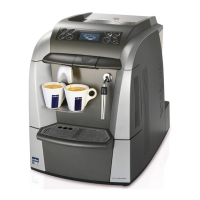
Maintenance manual for technical assistance LB 2300-2301-2302-2311-2312




 To Next Page