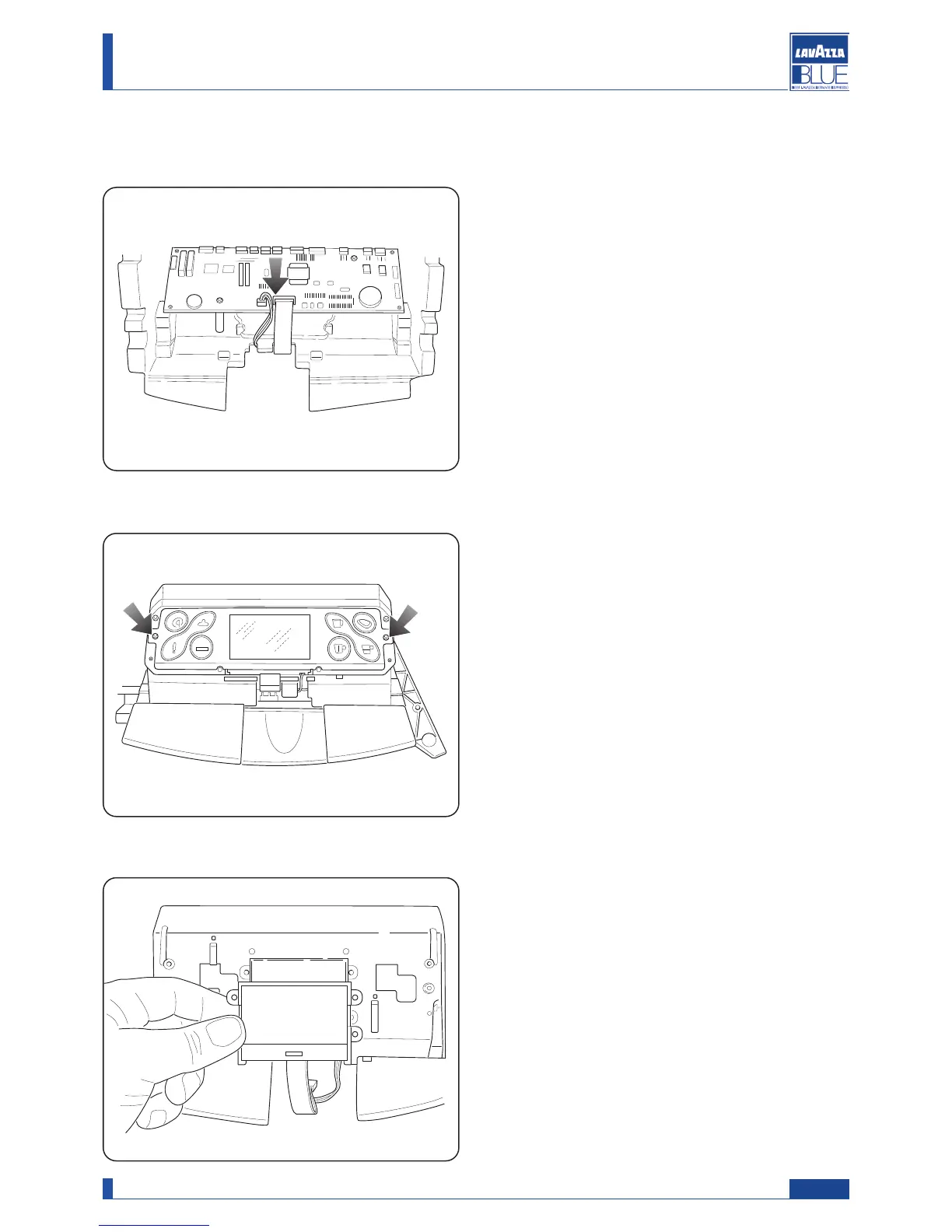
11.21. Display disassembly
Disconnect the two indicated connections.
Detach the flat cable that connect the two capacitive
boards and loosen the indicated screws to access the
keyboard boards.
Remove the display and replace it.
65
Manual code 10083445 / Rel. 0.00 / April 2010
Maintenance manual for technical assistance LB 2300-2301-2302-2311-2312




 To Next Page