6300 Rev H User’s Manual
125-9106A Page 26
Qc mmHg 0.01
Pt kpa 0.001
Qc kpa 0.001
EPR 0.001
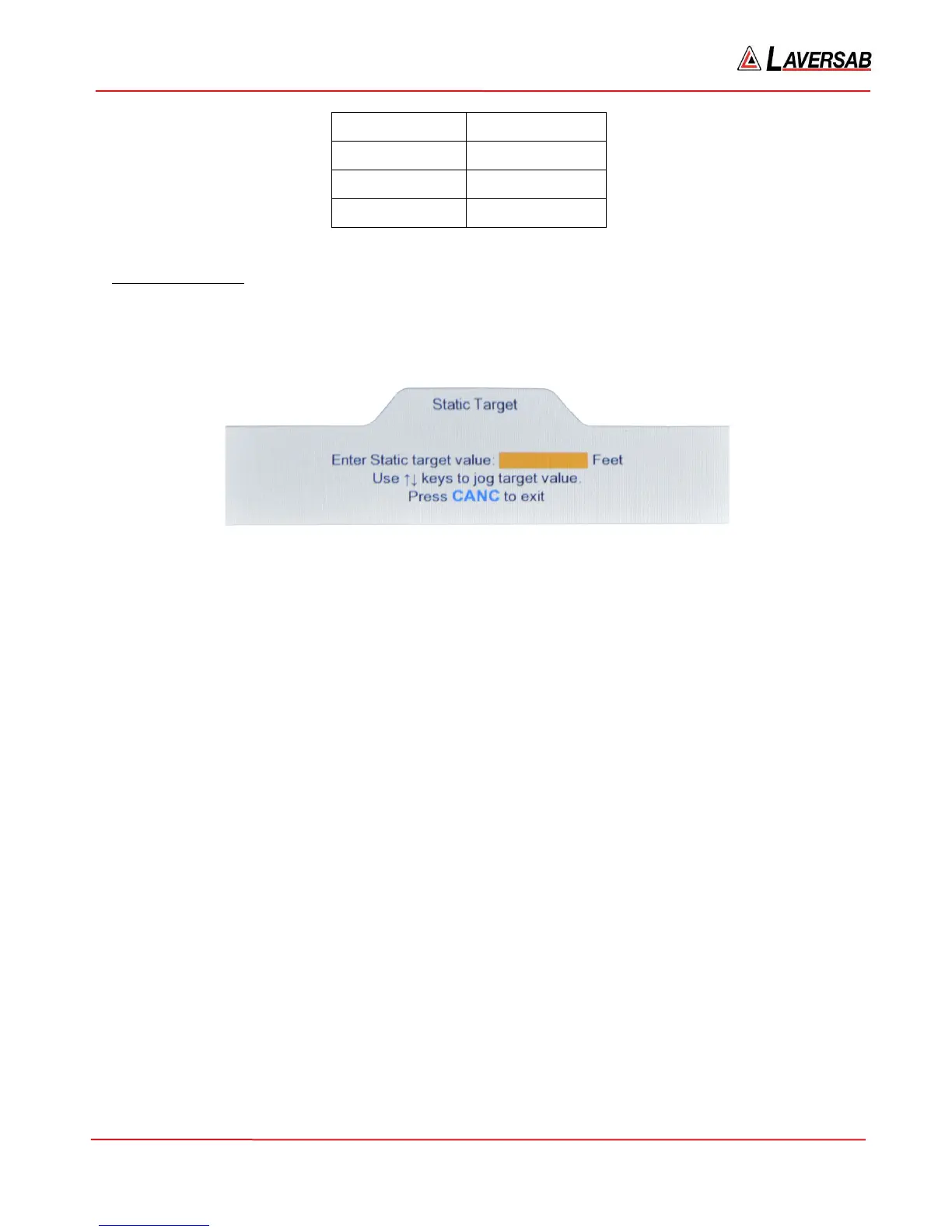
Static Target value
The Static Target value can be changed only if the key# symbol (6) is displayed to the right of the Static
Target value field. Press key ‘6’ on the keypad and the Lower section of the display will appear as shown
in Figure 3.9 below.
Figure 3.9 : Static Target value
Use the keypad to enter the desired value in the field shown. To clear an entry, press CLR. To accept the
entry, press ENTER. To exit this screen without changing the Target value, press CANC. If the number
of digits entered (either before or after the decimal) exceeds the maximum allowed for the current units, a
long beep will be heard.
If the entered value exceeds the programmed limits, the following message will appear.
Static target exceeds limit. Press CLR
If the Target value needs to be changed in small increments, instead of entering a value, the arrow keys
may be used to Jog the Target value up or down. If the current Static Target value is 0 Feet, and the
Lower screen appears as in Figure 3.9 above, pressing the Up-Arrow key will make the screen appear as
shown in Figure 3.10 below.



 To Next Page