8
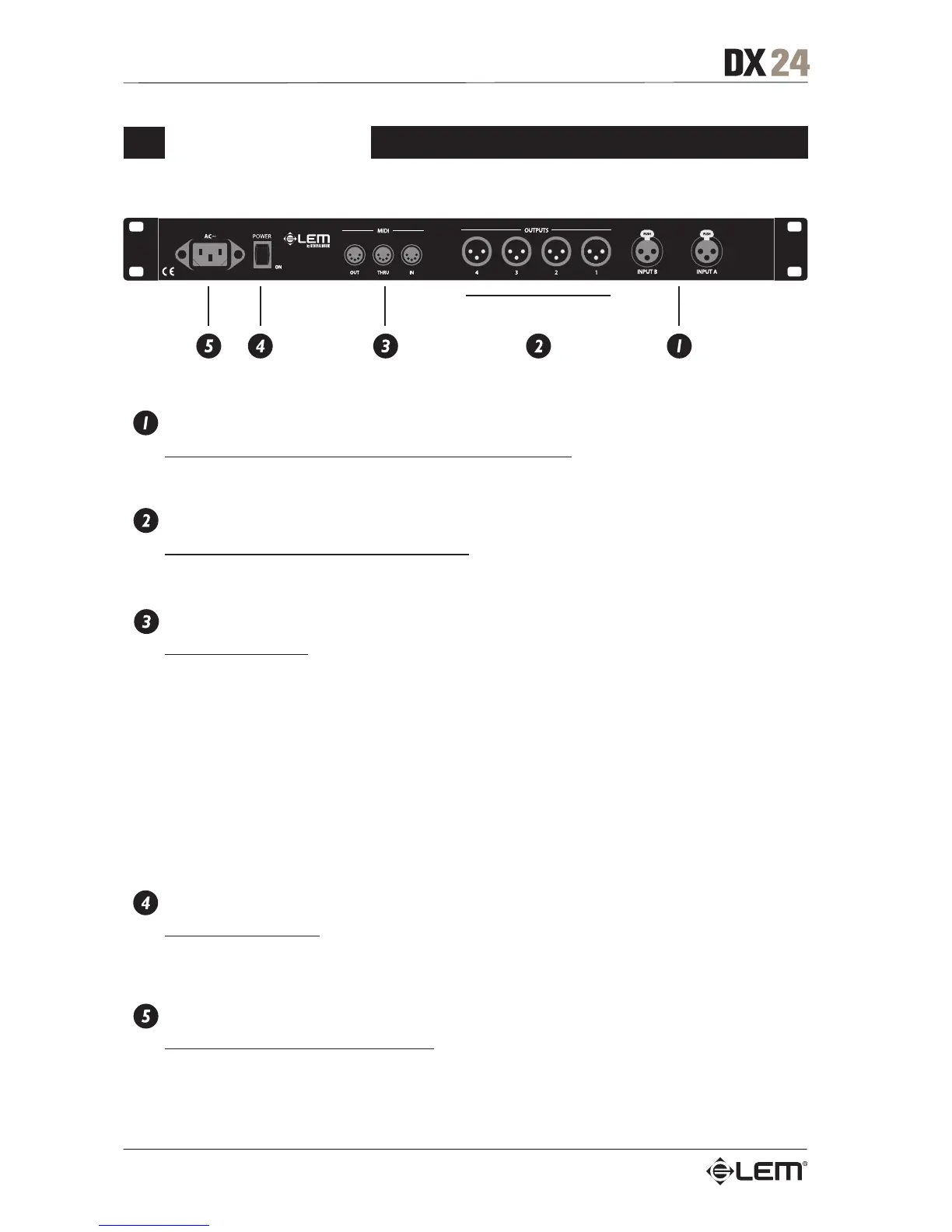
Rear Panel
INPUTS A-B
Audio inputs of the respective sections. XLR-F Connectors.
The A/D conversion is made with 20 bit converters.
OUTPUTS 1-2-3-4
Audio outputs. Balanced XLR-M connectors.
The D/A conversion is made with 24 bit converters.
MIDI IN, THRU, OUT
MIDI Interface Ports.
Allows MIDI communications between a DX 24 and a PC or other DX 24 units.
Communication protocol includes:
- Remote control: connecting the DX 24 to a PC and using the LEM editing software is possible
to remotely control all the processor functions.
- PRESET DUMP: connecting two DX 24 it’s possible to DUMP the single PRESETS from one
unit to the other (see DUMP procedure).
- PROGRAM CHANGE commands send/receive: connecting two DX 24 it’s possible, when a
PRESET is recalled on the first one, to send a PROGRAM CHANGE command to the second one
to recall the same PRESET number (see LOAD PRESET procedure).
NOTE: the DX 24 remote control is NOT available in the O/S Release 1.0.
POWER
Unit’s ON/OFF switch.
Before switching on or off, make certain that the sound system’s amplifiers are off to avoid signal
peaks, which are annoying and sometimes dangerous.
AC ~
Connector for the power supply cable.
Before switching on the unit, make certain that the mains voltage matches that shown on the rear
(a tolerance of up to ±10% is acceptable). Before connecting or disconnecting the power cord,
make certain the ON/OFF switch is in the OFF position.
Rear Panel



 To Next Page