28
EDIT menu
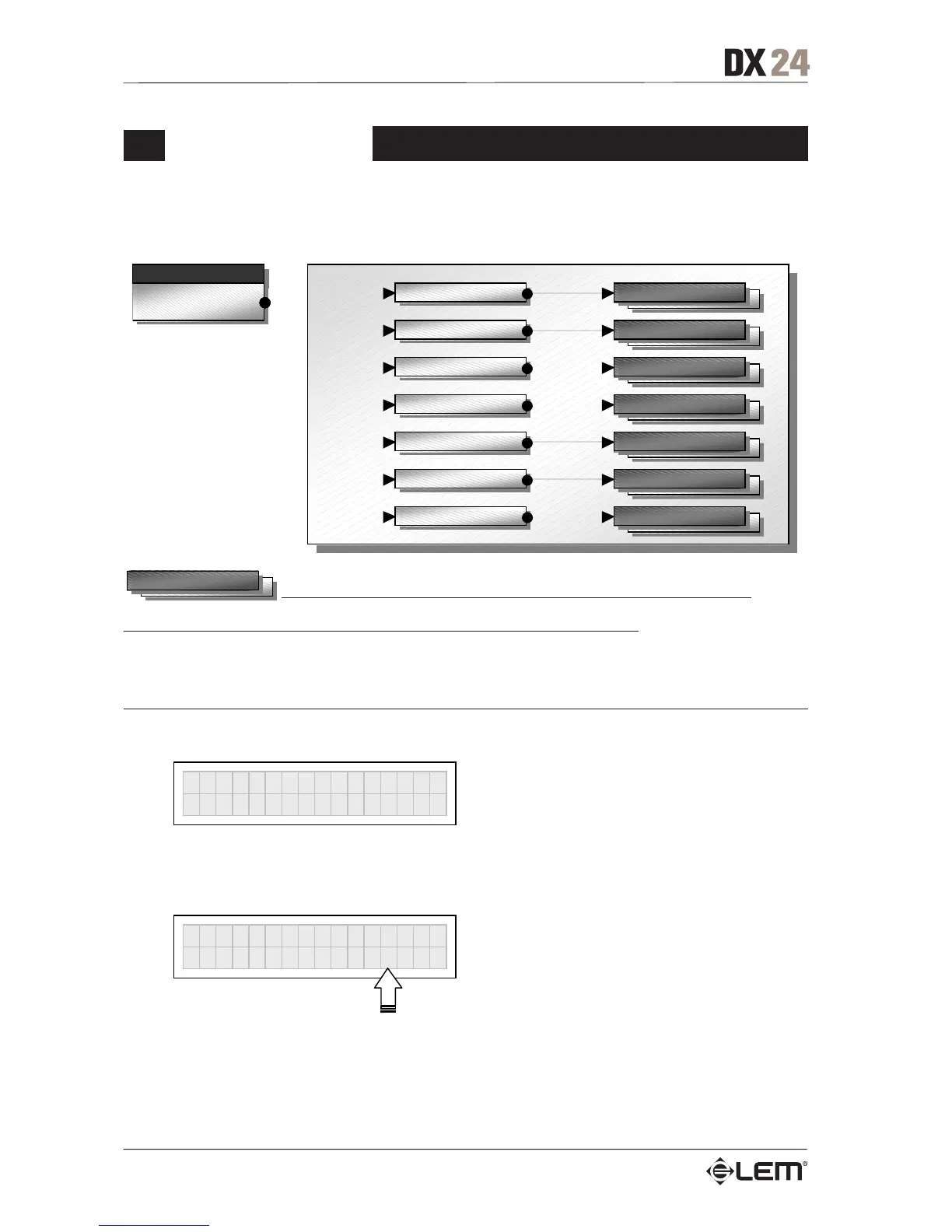
This menu allows to edit the system’s actual audio parameters.
menu
EDIT
Input Gain
Xover
Input EQ
Output EQ
Output Gain
Output Pol.
Output Limiter
parameters
parameters
parameters
parameters
parameters
parameters
parameters
parameters
In these pages, the number of the parameters and how they are presented varies according
to the configuration of the PRESET and according to Ganging and Units settings (UTILITY menu). In fact, these pages
only show the parameters that can actually be used, in the most suitable form of editing.
Input Gain
Input gain control.
Ò
In
ut Gain
Allows to adjust the amplification of the signal fed in through Inputs A and B.
Editing values are in the range +6dB ÷ -30dB, with 0.5dB steps.
INA GAIN
-2.5dB
N.B.: setting the input signal of a digital unit is particularly important, much more than on an analog unit, as any
saturation of the A/D converter due to an excessively high input signal causes a typical particularly distinct noise. To
achieve a good signal/noise ratio, i.e. an up-front distortion-free signal, feed a signal in on the DX 24’s input and
watch the INPUT LEVEL A-B LED ladders. Keep the signal quite high, but make certain the red CLIP LED doesn’t
light up continually.
EDIT menu



 To Next Page