2.Removethe3.5-inchhard-disk-drivebracketoutofthechassis.See“Installingorreplacinganoptical
drive”onpage66.
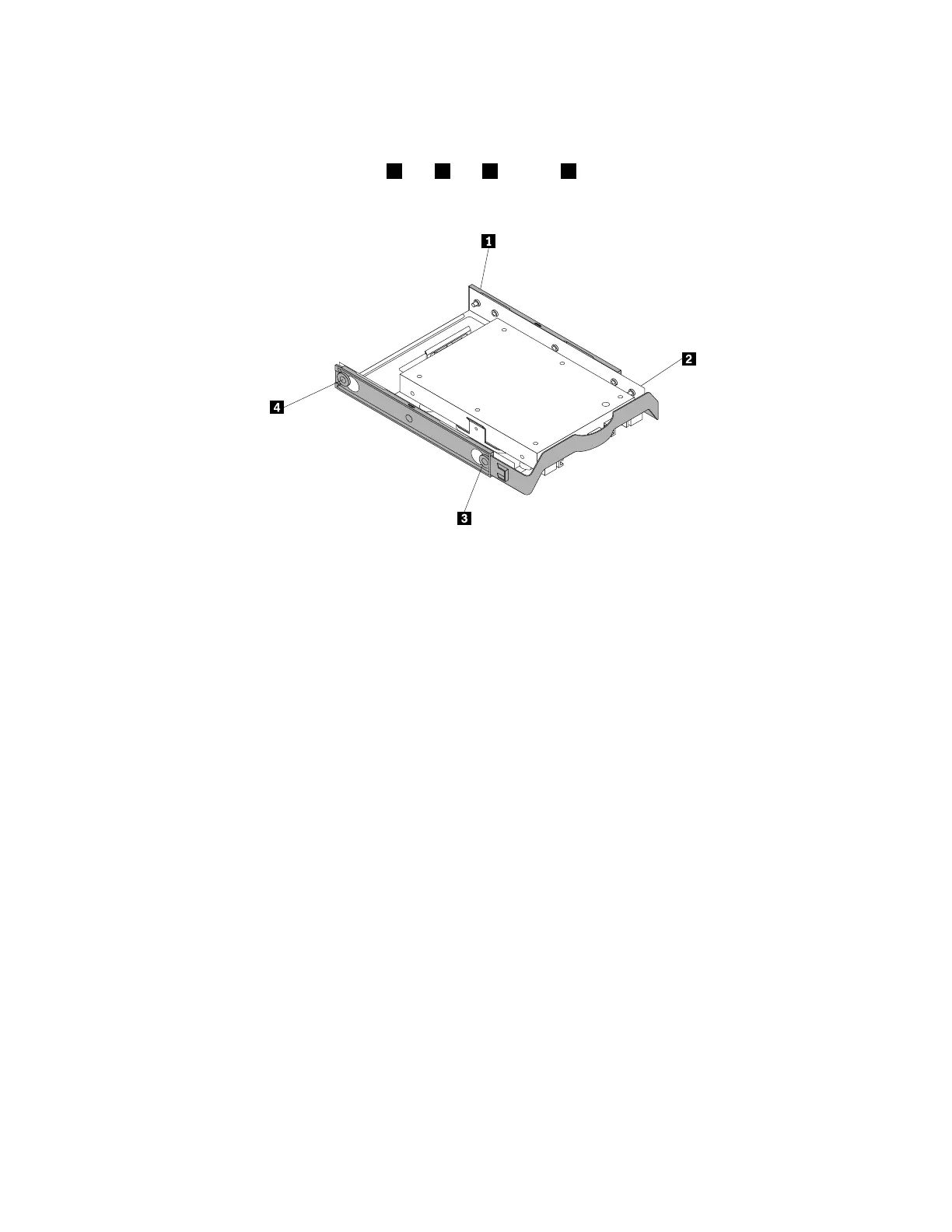
3.Toinstallthestorageconvertertogetherwiththesolid-statedriveintothe3.5-inchhard-disk-drive
bracket,flexthebracketandalignpin1,pin2,pin3,andpin4onthebracketwiththecorresponding
holesinthestorageconverter.
Figure61.Installingthestorageconvertertogetherwiththesolid-statedriveintothehard-disk-drivebracket
4.Installthestorageconverterwiththebracketintothedesiredhard-disk-drivebay.See“Replacingthe
primaryharddiskdrive”onpage91or“Replacingthesecondaryharddiskdrive”onpage92.
5.Connectthesignalcableandthepowercabletothesolid-statedrive.
Whattodonext:
•Toworkwithanotherpieceofhardware,gototheappropriatesection.
•Tocompletetheinstallationorreplacement,goto“Completingthepartsreplacement”onpage105.
Replacingthesolid-statedrive
Attention:Donotopenyourcomputerorattemptanyrepairbeforereadingandunderstandingthe“Read
thisfirst:Importantsafetyinformation”onpagev.
Toreplacethesolid-statedrive,dothefollowing:
1.Removeanymediafromthedrivesandturnoffallconnecteddevicesandthecomputer.Then,
disconnectallpowercordsfromelectricaloutletsanddisconnectallcablesthatareconnectedtothe
computer.
2.Removethecomputercover.See“Removingthecomputercover”onpage58.
3.Locatethedesiredhark-disk-drivebay.See“Internaldrives”onpage8.
4.Disconnectthesignalcableandpowercablefromthesolid-statedrive.
5.Removethestorageconverterwiththesolid-statedrivefromthehard-disk-drivebay.See“Replacing
theprimaryharddiskdrive”onpage91or“Replacingthesecondaryharddiskdrive”onpage92.
88ThinkStationP310UserGuide













 To Next Page