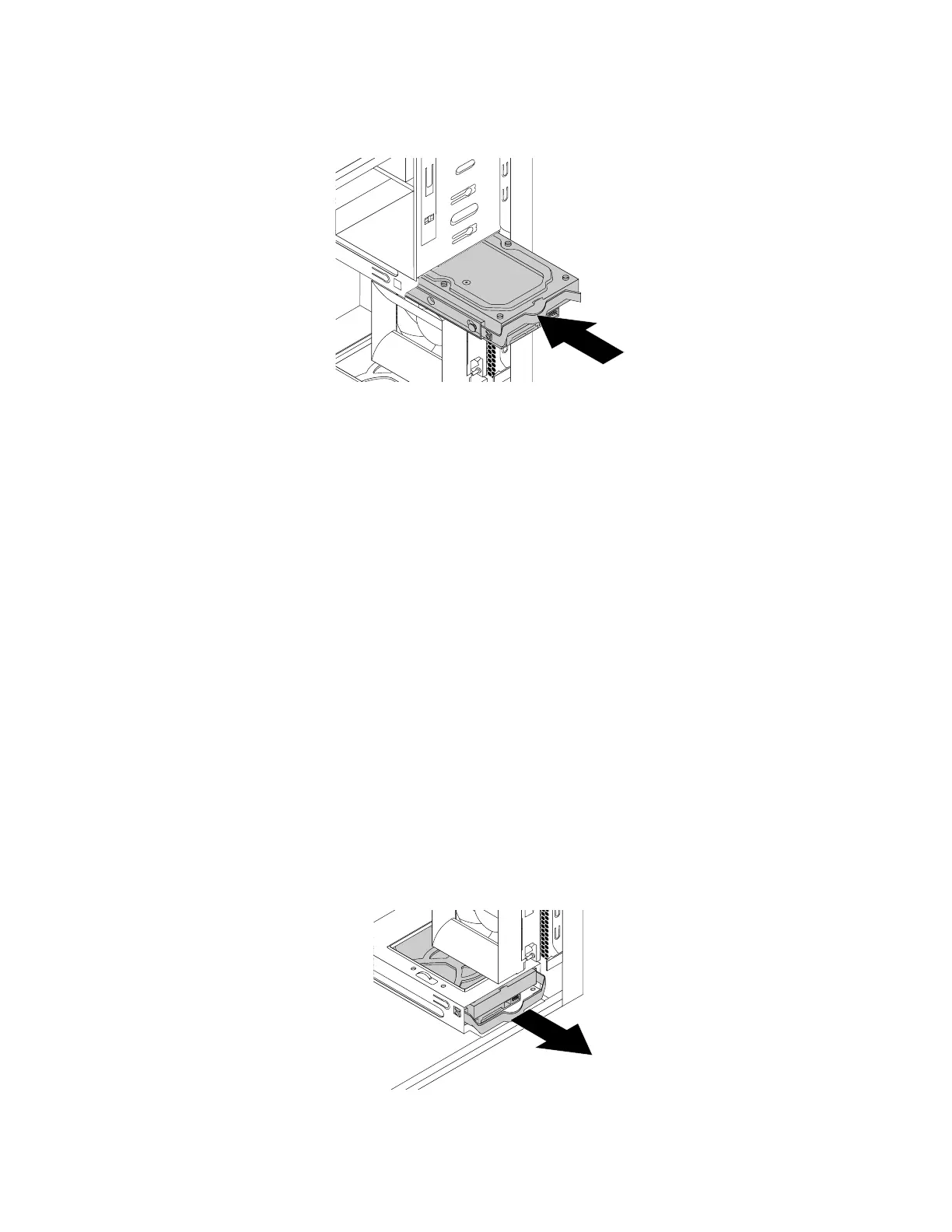
8.Slidethenewharddiskdriveintothedrivecageuntilitsnapsintoposition.
Figure68.Installingtheprimaryharddiskdrive
9.Connectthesignalcableandthepowercabletothenewharddiskdrive.
Whattodonext:
•Toworkwithanotherpieceofhardware,gototheappropriatesection.
•Tocompletetheinstallationorreplacement,goto“Completingthepartsreplacement”onpage105.
Replacingthesecondaryharddiskdrive
Attention:Donotopenyourcomputerorattemptanyrepairbeforereadingandunderstandingthe“Read
thisfirst:Importantsafetyinformation”onpagev.
Note:Yourcomputercomeswithasecondaryhard-disk-drivebayforinstallingorreplacingasecondary
3.5-inchharddiskdriveora2.5-inchsolid-statedrive.
Toreplacethesecondaryharddiskdrive,dothefollowing:
1.Removeanymediafromthedrivesandturnoffallconnecteddevicesandthecomputer.Then,
disconnectallpowercordsfromelectricaloutletsanddisconnectallcablesthatareconnectedtothe
computer.
2.Removethecomputercover.See“Removingthecomputercover”onpage58.
3.Locatethesecondaryharddiskdrive.See“Computercomponents”onpage6.
4.Disconnectthesignalcableandthepowercablefromtheharddiskdrive.
5.Pullthebluehandletoreleaseandremovetheharddiskdrivefromthehard-disk-drivecage.
Figure69.Removingthesecondaryharddiskdrive
92ThinkStationP310UserGuide













 To Next Page