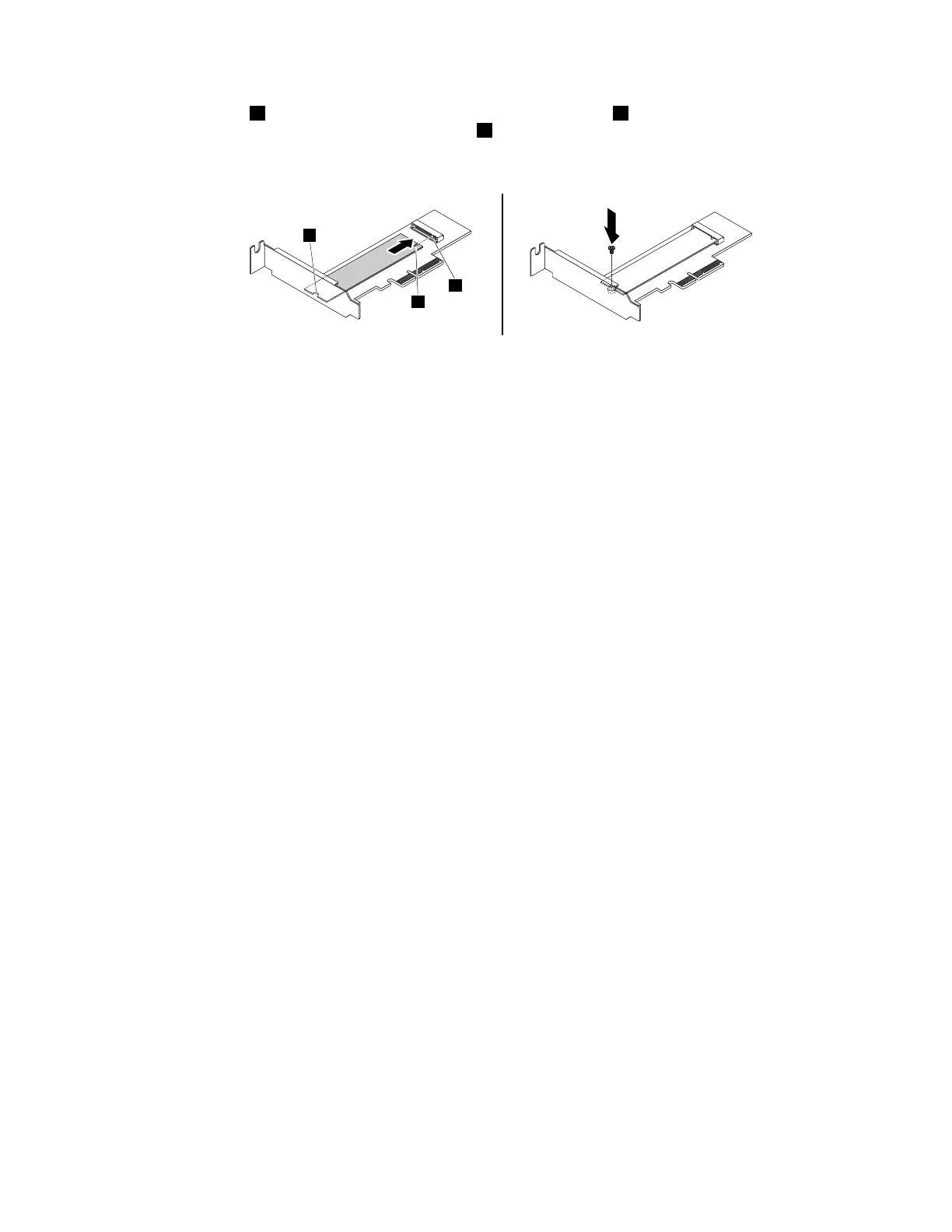
5.Alignthenotch1onthenewM.2solid-statedrivewiththeslotkey2intheM.2slot.Then,insertthe
solid-statedriveintotheM.2slotuntilthenotch3isalignedwiththecorrespondingscrewholeinthe
driveadapter.Installthescrewtosecurethenewsolid-statedrive.
Figure17.InstallingtheM.2solid-statedrive
6.InstalltheM.2solid-statedriveadapterintotheappropriatePCIExpresscardslotonthesystemboard.
See“InstallingorreplacingaPCIcard”onpage59.
Note:ItisrecommendedthatyouinstalltheM.2solid-statedriveadapterintothePCIExpressx16card
slot.See“Partsonthesystemboard”onpage7
.
Whattodonext:
•Toworkwithanotherpieceofhardware,gototheappropriatesection.
•Tocompletetheinstallationorreplacement,goto“Completingthepartsreplacement”onpage105.
Installingorreplacingamemorymodule
Attention:Donotopenyourcomputerorattemptanyrepairbeforereadingandunderstandingthe“Read
thisfirst:Importantsafetyinformation”onpagev.
YourcomputerhasfourmemoryslotsforinstallingorreplacingDDR4UDIMMsthatprovideuptoa
maximumof32GBsystemmemory.Wheninstallingorreplacingamemorymodule,use4GB,8GB,or
16GBDDR4UDIMMsinanycombinationuptoamaximumof64GB.DonotmixECCUDIMMsand
non-ECCUDIMMswithinthesamesystem.
Chapter7.Installingorreplacinghardware63













 To Next Page