•Tocompletetheinstallationorreplacement,goto“Completingthepartsreplacement”onpage105.
Installingorreplacingadeviceinthe5.25-inchflexmodule
Attention:Donotopenyourcomputerorattemptanyrepairbeforereadingandunderstandingthe“Read
thisfirst:Importantsafetyinformation”onpagev
.
A5.25-inchflexmodulemightbeequippedwithsomeorallofthefollowingcomponents:
•Slimopticaldrive
•Cardreader
•eSATAconnector
•IEEE1394connector
Installingorreplacingadeviceinthe5.25-inchflexmoduleinvolvesthefollowingoperations:
•“Installingorreplacingaslimopticaldriveintheflexmodule”onpage69
•“Installingorreplacingacardreaderintheflexmodule”onpage72
•“InstallingorreplacinganeSATAconnectororIEEE1394connectorintheflexmodule”onpage74
Installingorreplacingaslimopticaldriveintheflexmodule
Toinstallorreplaceaslimopticaldriveintheflexmodule,dothefollowing:
1.Removetheflexmoduleoutofthechassis.See“Installingorreplacinganopticaldrive”onpage66.
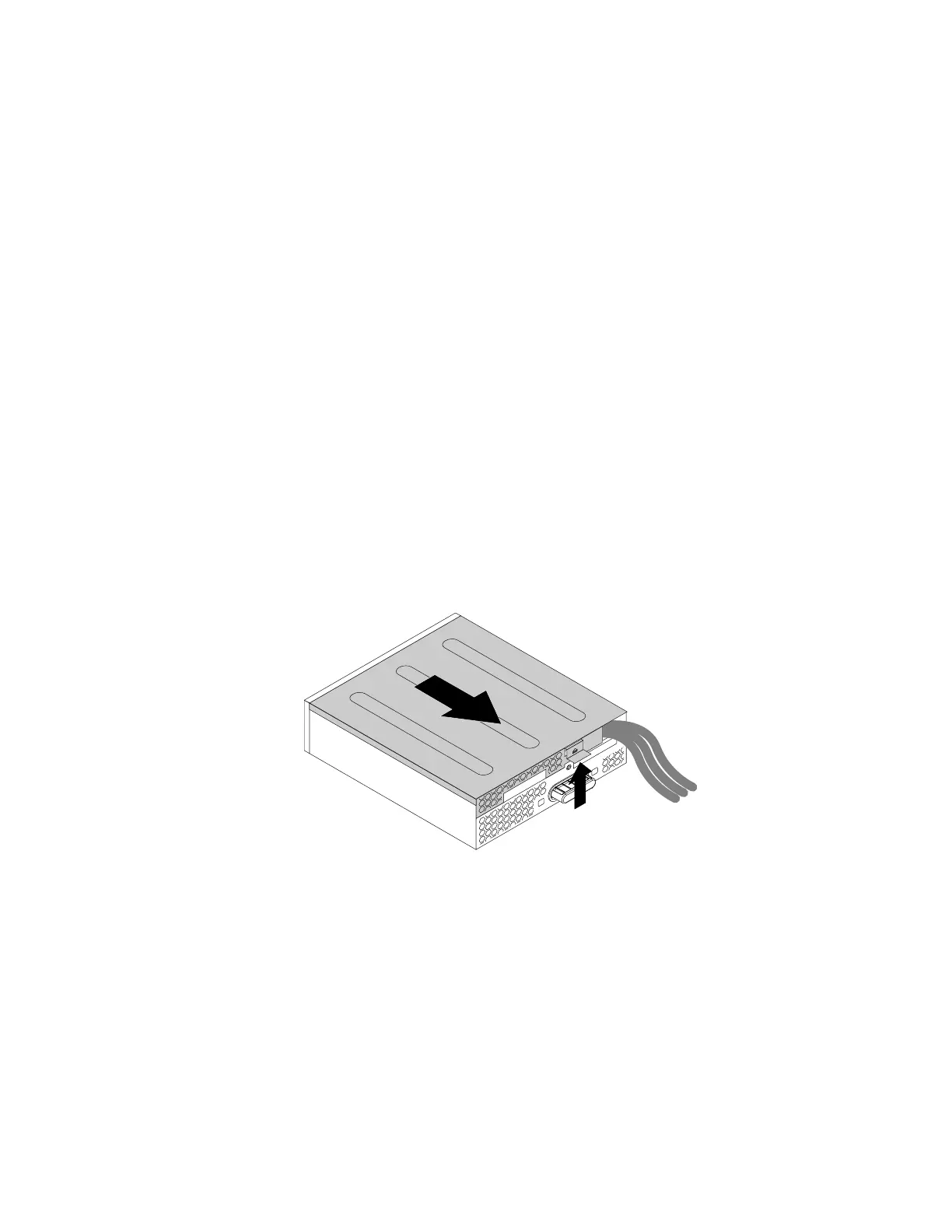
2.Lifttheclipontherearoftheflexmoduleandslidetheflexmodulecovertothereartoremovethecover.
Figure27.Removingtheflexmodulecover
Chapter7.Installingorreplacinghardware69













 To Next Page