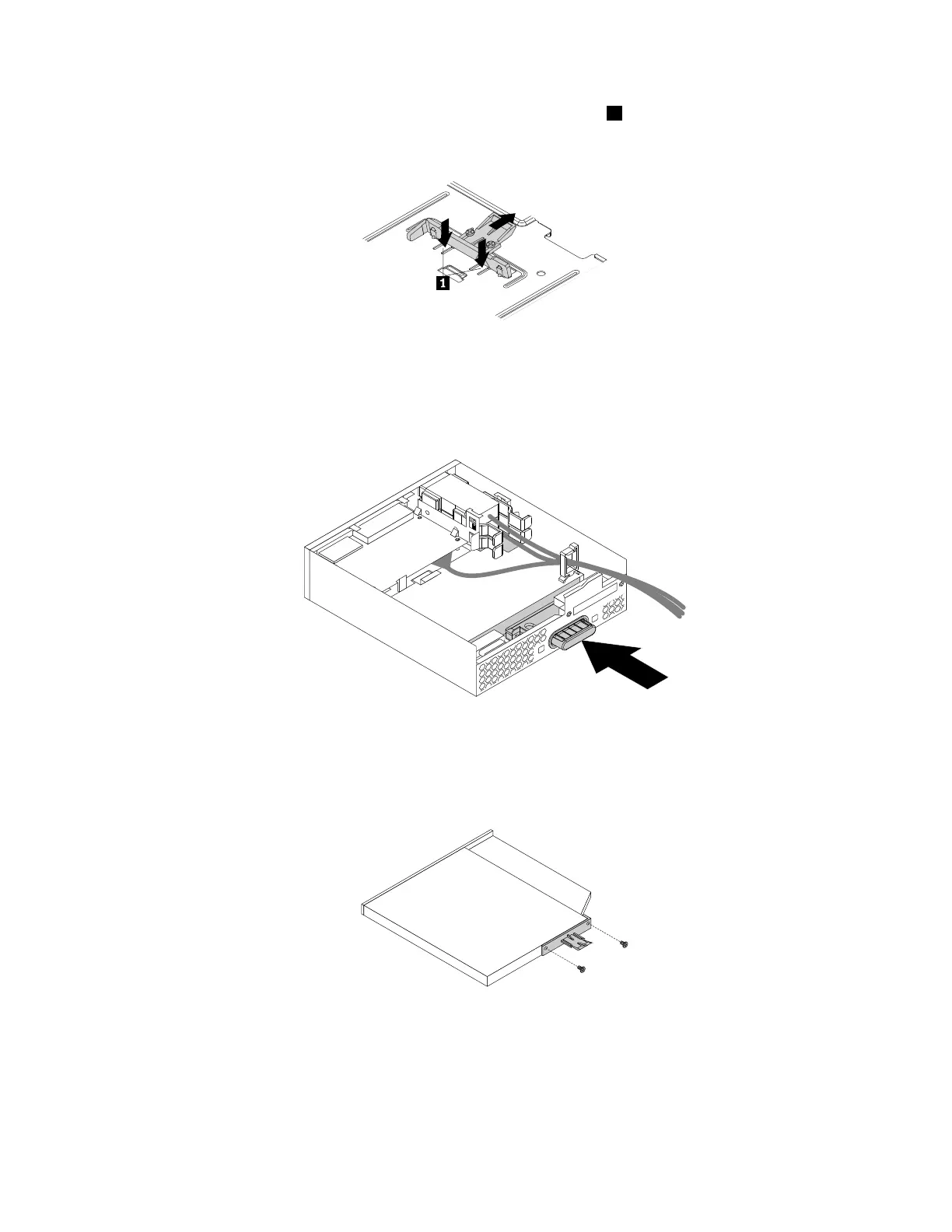
3.Ifyouareinstallinganewslimopticaldrive,pressthetwometalclips1toremovetheplasticclipwith
thetwoscrewsasshown.Removethetwoscrewsandthengotostep4.
Figure28.Removingtheplasticclipwiththetwoscrews
Ifyouarereplacinganoldslimopticaldrive,dothefollowing:
a.Pressthebuttonasshowntoremovetheslimopticaldrivefromtheflexmodule.
Figure29.Removingtheslimopticaldrivefromtheflexmodule
b.Removethetwoscrewsthatsecurethecliptoremovetheplasticclipfromtherearoftheslim
opticaldrive.
Figure30.Removingtheplasticclipfromtheslimopticaldrive
70ThinkStationP310UserGuide













 To Next Page