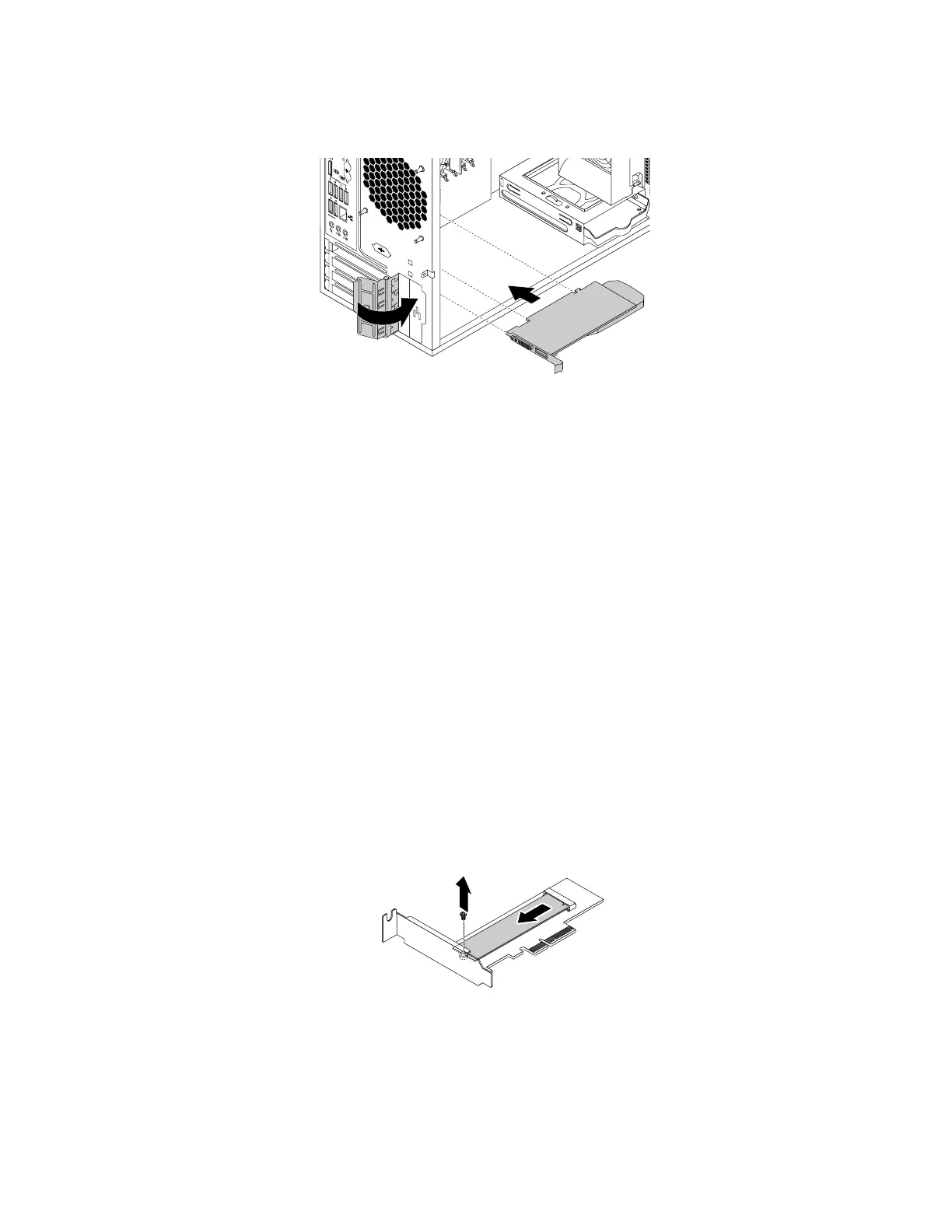
7.PivotthecardlatchtotheclosedpositiontosecurethePCIcard.
Figure15.InstallingaPCIcard
Whattodonext:
•Toworkwithanotherpieceofhardware,gototheappropriatesection.
•Tocompletetheinstallationorreplacement,goto“Completingthepartsreplacement”onpage105
.
InstallingorreplacinganM.2solid-statedrive
Attention:Donotopenyourcomputerorattemptanyrepairbeforereadingandunderstandingthe“Read
thisfirst:Importantsafetyinformation”onpagev.
ToinstallorreplaceanM.2solid-statedrive,dothefollowing:
1.Removeanymediafromthedrivesandturnoffallconnecteddevicesandthecomputer.Then,
disconnectallpowercordsfromelectricaloutletsanddisconnectallcablesthatareconnectedtothe
computer.
2.Removethecomputercover.See“Removingthecomputercover”onpage58.
3.Laythecomputeronitssideforeasieraccesstothesystemboard.
4.DependingonwhetheryouareinstallingorreplacinganM.2solid-statedrive,dooneofthefollowing:
•IfyouarereplacinganM.2solid-statedrive,locateandremovetheM.2solid-statedriveadapter.
See“InstallingorreplacingaPCIcard”onpage59
.RemovethescrewthatsecurestheoldM.2
solid-statedrive.Then,gentlypullthesolid-statedriveoutoftheM.2slot.
Figure16.RemovingtheM.2solid-statedrive
•IfyouareinstallinganM.2solid-statedrive,removethescrewthatisalignedwiththeM.2slot.
62ThinkStationP310UserGuide













 To Next Page