ReplacingtheWi-Fiunits
Attention:Donotopenyourcomputerorattemptanyrepairbeforereadingandunderstandingthe“Read
thisfirst:Importantsafetyinformation”onpagev.
ThissectionprovidesinstructionsonhowtoreplacetheWi-Fiunits.TheWi-FiunitsincludeaWi-Fiadapter
card,aWi-Ficardmodule,andarearWi-Fiantennacable.
ReplacingtheWi-Fiunitsinvolvesthefollowingoperations:
•“RemovingtheWi-Fiadaptercard”onpage100
•“RemovingtheWi-Ficardmodule”onpage101
•“InstallingtheWi-Fiunits”onpage103
RemovingtheWi-Fiadaptercard
ToremoveaWi-Fiadaptercard,dothefollowing:
1.Removeanymediafromthedrivesandturnoffallconnecteddevicesandthecomputer.Then,
disconnectallpowercordsfromelectricaloutletsanddisconnectallcablesthatareconnectedtothe
computer.
2.Removethecomputercover.See“Removingthecomputercover”onpage58.
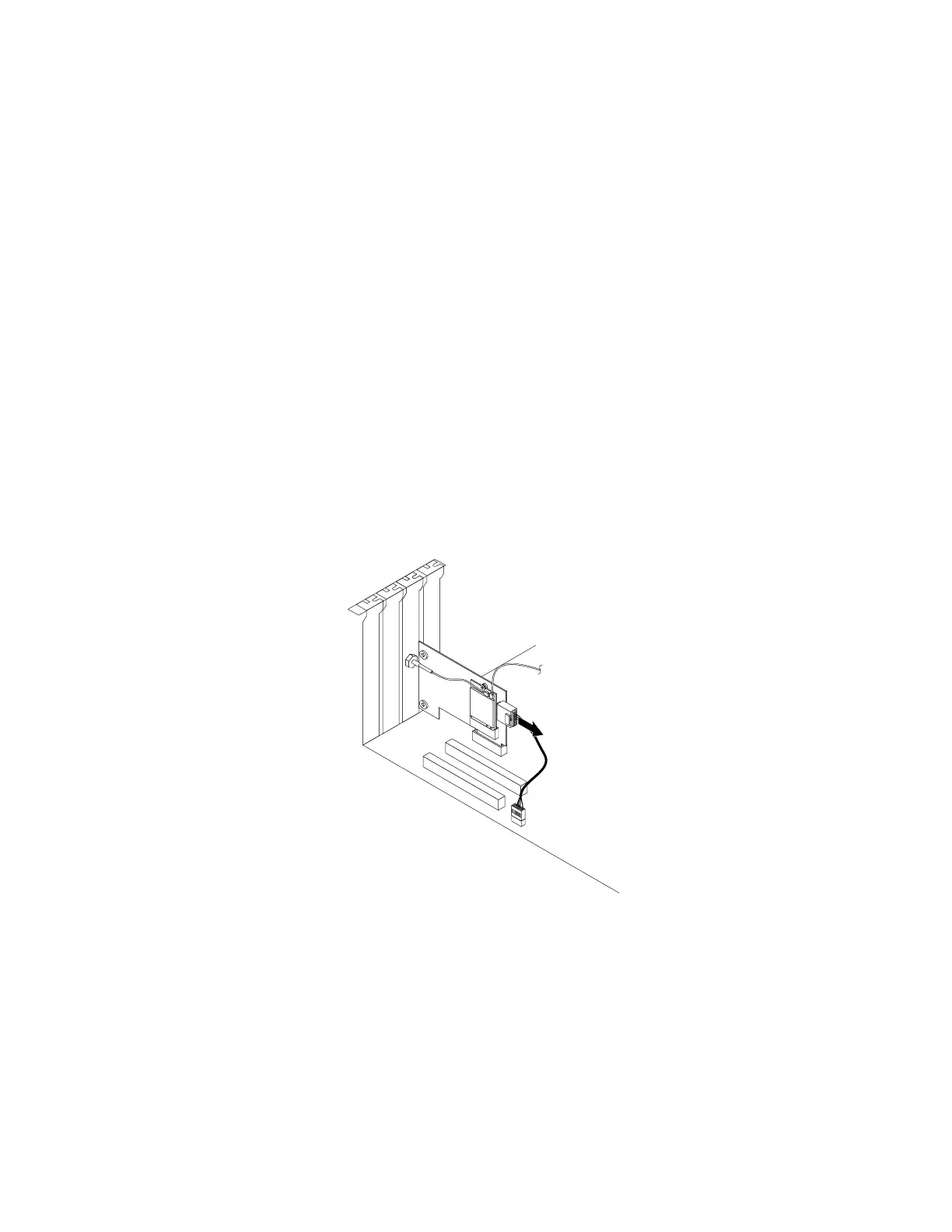
3.IfyourcomputercomeswithaWi-FicardmodulethatsupportstheBluetoothfunction,disconnect
theBluetoothcablefromtheWi-Fiadaptercard.
Figure82.DisconnectingtheBluetoothcable
Note:TheBluetoothcableconnectstheBluetoothconnectorontheWi-FiadaptercardtotheUSB
2.0connectoronthesystemboard.
100ThinkStationP310UserGuide













 To Next Page