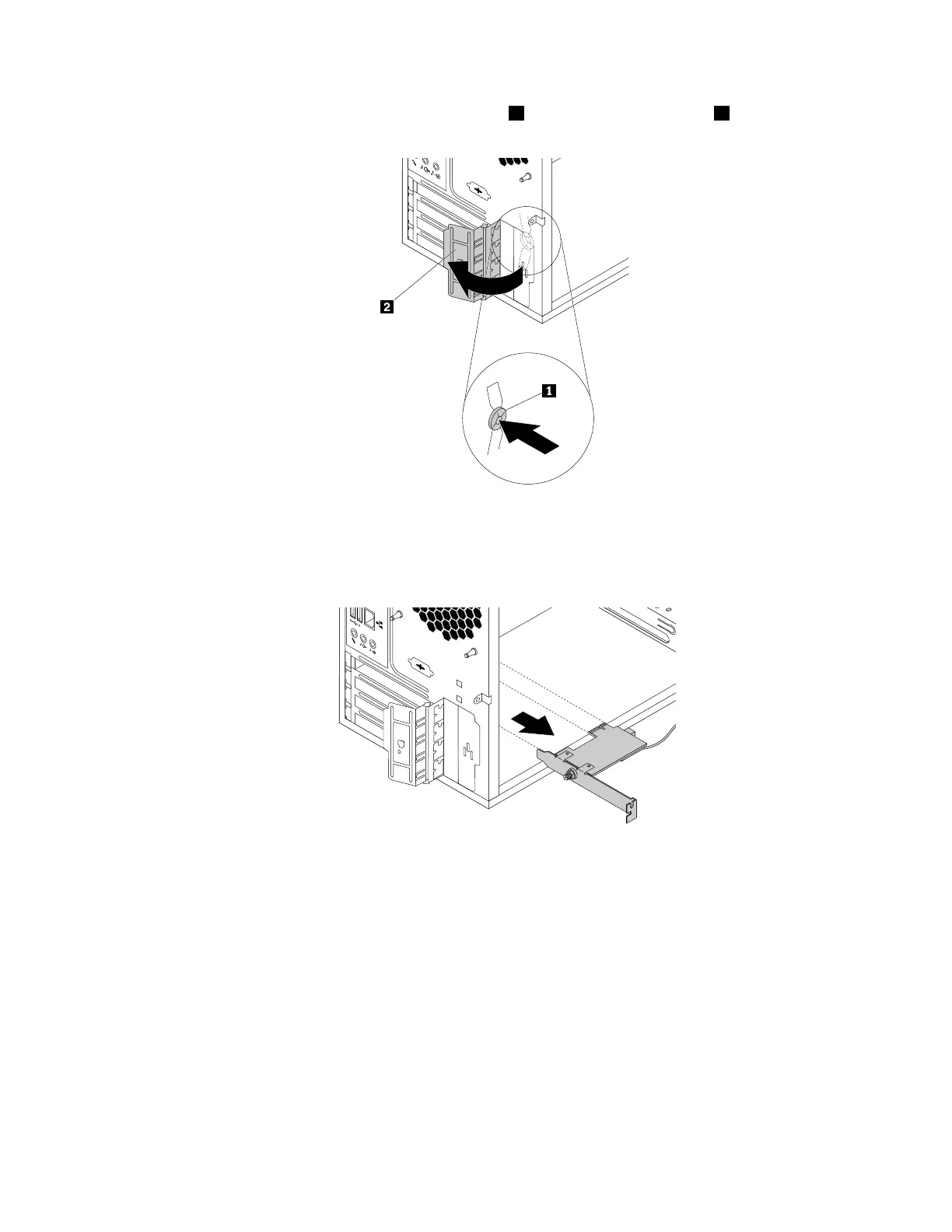
4.Attherearofthecomputer,pressthereleasebutton1toopenthePCIcardlatch2.
Figure83.OpeningthePCIcardlatch
5.GrasptheWi-Fiadaptercardthatiscurrentlyinstalledandgentlypullitoutoftheslot.
Figure84.RemovingtheWi-Fiadaptercard
Note:Thecardfitstightlyintotheslot.Ifnecessary,alternatelymoveeachsideofthecardasmall
amountuntilthecardisremovedfromtheslot.
RemovingtheWi-Ficardmodule
ToremovetheWi-Ficardmodule,dothefollowing:
Chapter7.Installingorreplacinghardware101













 To Next Page