Replacingthefrontfanassembly
Attention:Donotopenyourcomputerorattemptanyrepairbeforereadingandunderstandingthe“Read
thisfirst:Importantsafetyinformation”onpagev.
Note:Thefrontfanassemblyisonlyavailableonsomemodels.
Toreplacethefrontfanassembly,dothefollowing:
1.Removeanymediafromthedrivesandturnoffallconnecteddevicesandthecomputer.Then,
disconnectallpowercordsfromelectricaloutletsanddisconnectallcablesthatareconnectedtothe
computer.
2.Removethecomputercover.See“Removingthecomputercover”onpage58.
3.Removethefrontbezel.See“Removingandreinstallingthefrontbezel”onpage59.
4.Disconnectthefrontfanassemblycablefromthepowerfanconnectoronthesystemboard.See
“Partsonthesystemboard”onpage7.
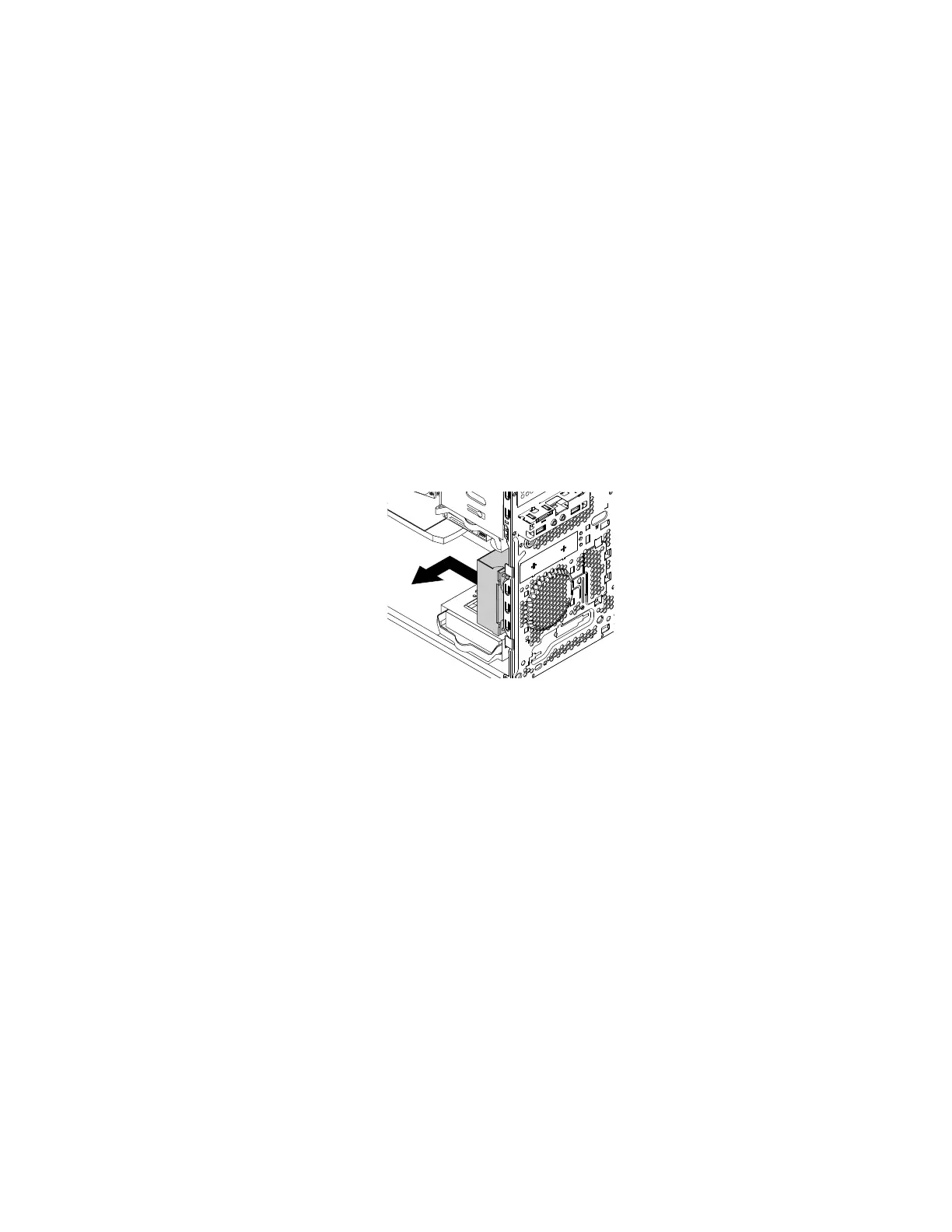
5.Thefrontfanassemblyisattachedtothechassisbyfourrubbermounts.Removethefrontfanassembly
bybreakingorcuttingtherubbermountsandgentlypullingthefrontfanassemblyoutofthechassis.
Note:Thenewfrontfanassemblycomeswithfournewrubbermountsattached.
Figure78.Removingthefrontfanassembly
6.Installthenewfrontfanassemblybyaligningthenewrubbermountswiththecorrespondingholesin
thechassisandpushtherubbermountsthroughtheholes.
Chapter7.Installingorreplacinghardware97













 To Next Page