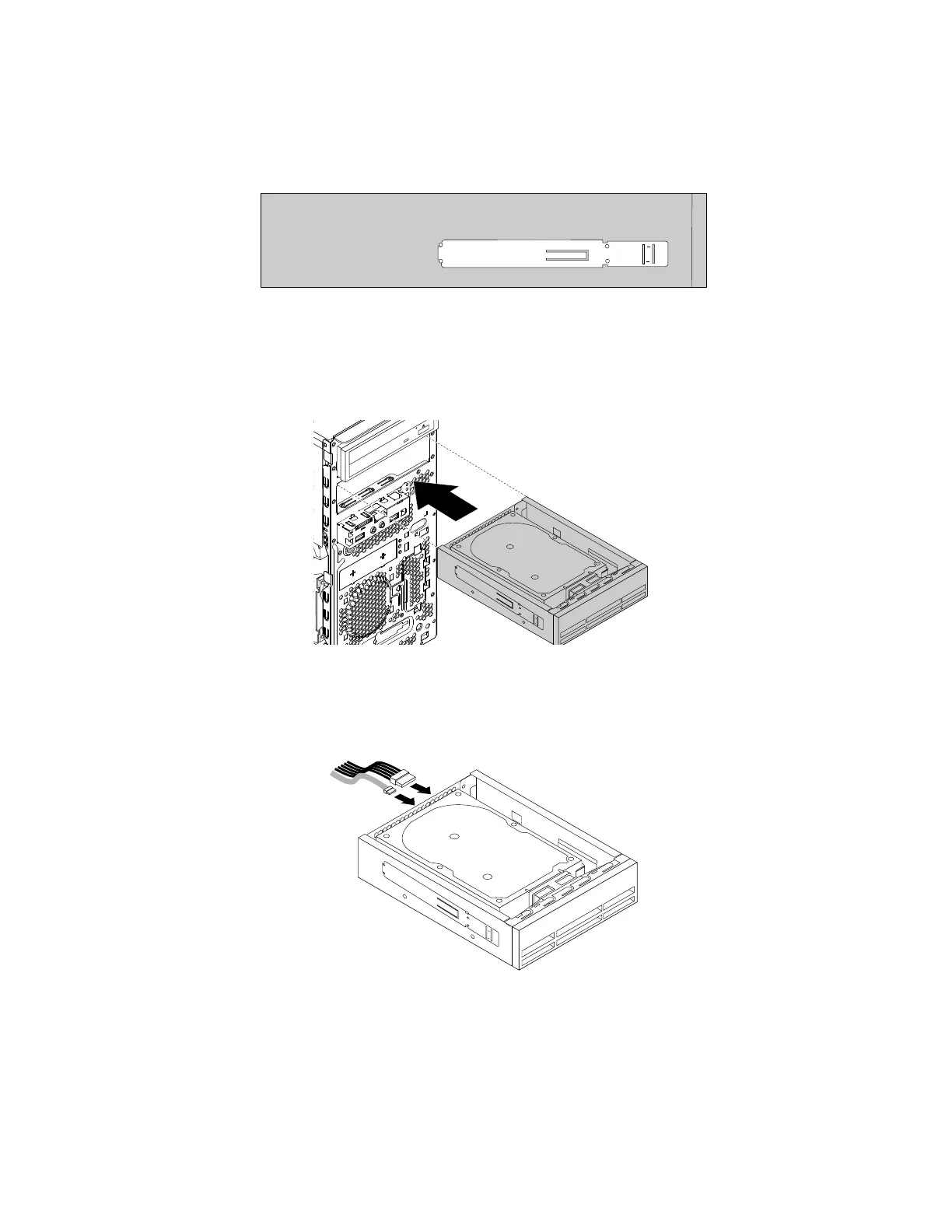
6.Installtheopticaldriveretaineronthesideoftheopticaldrivebracket.Forinformationaboutinstructions
onhowtoremovetheopticaldriveretainerfromthecomputer,see“Installingorreplacinganoptical
drive”onpage66.
Figure75.Installingtheopticaldriveretainer
7.Slidetheopticaldrivebracketintothesecondaryoptical-drivebayfromthefrontofthecomputer
untiltheopticaldrivebracketsnapsintoposition.
Figure76.Installingtheopticaldrivebracket
8.Connectthesignalcableandthepowercabletothenewharddiskdriveorsolid-statedrive.
Figure77.Connectingtheharddiskdriveorsolid-statedrive
Whattodonext:
•Toworkwithanotherpieceofhardware,gototheappropriatesection.
•Tocompletetheinstallationorreplacement,goto“Completingthepartsreplacement”onpage105.
96ThinkStationP310UserGuide













 To Next Page