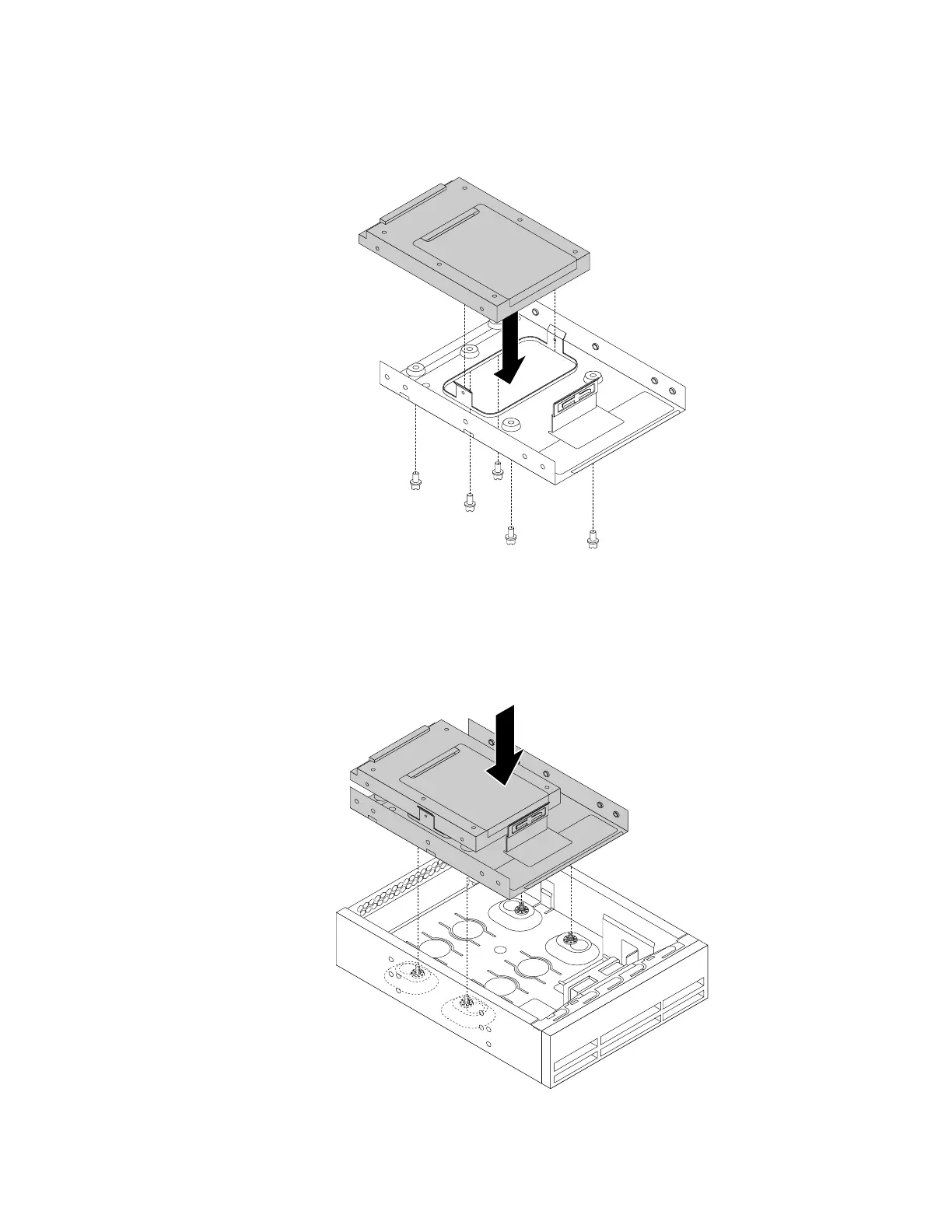
a.Installthesolid-statedriveintothestorageconverter.Then,installthefivescrewstosecure
thesolid-statedrivetothestorageconverter.
Figure73.Installingthesolid-statedriveintothestorageconverter
b.Installthesolid-statedrivewiththestorageconverterintothe5.25-inchopticaldrivebracket.
Then,fullytightenthefourscrewstosecurethesolid-statedrivewiththestorageconverterto
the5.25-inchopticaldrivebracket.
Figure74.Installingthesolid-statedrivewiththestorageconverter
Chapter7.Installingorreplacinghardware95













 To Next Page