Whattodonext:
•Toworkwithanotherpieceofhardware,gototheappropriatesection.
•Tocompletetheinstallationorreplacement,goto“Completingthepartsreplacement”onpage105.
Installingorreplacingthesolid-statedrive
Thesolid-statedriveisonlyavailableonsomemodels.Thissectionprovidesthefollowinginstructions:
•“Installingthesolid-statedrive”onpage87
•“Replacingthesolid-statedrive”onpage88
Installingthesolid-statedrive
Attention:Donotopenyourcomputerorattemptanyrepairbeforereadingandunderstandingthe“Read
thisfirst:Importantsafetyinformation”onpagev
.
Toinstallthesolid-statedrive,dothefollowing:
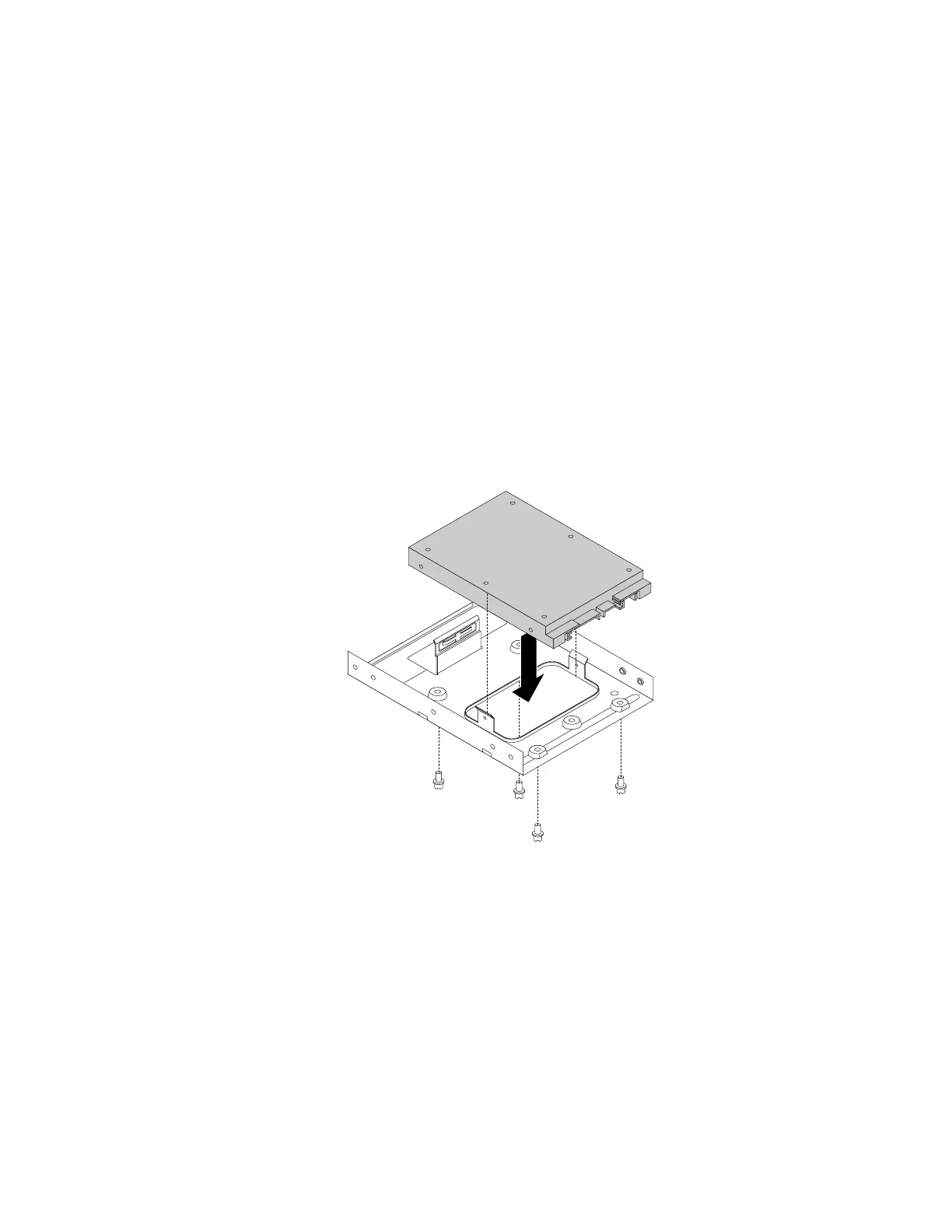
1.Installthesolid-statedriveintothestorageconvertershippedwiththesolid-statedrive.Theninstallthe
fourscrewstosecurethesolid-statedrivetothestorageconverter.
Figure60.Installingthesolid-statedriveintothestorageconverter
Chapter7.Installingorreplacinghardware87













 To Next Page