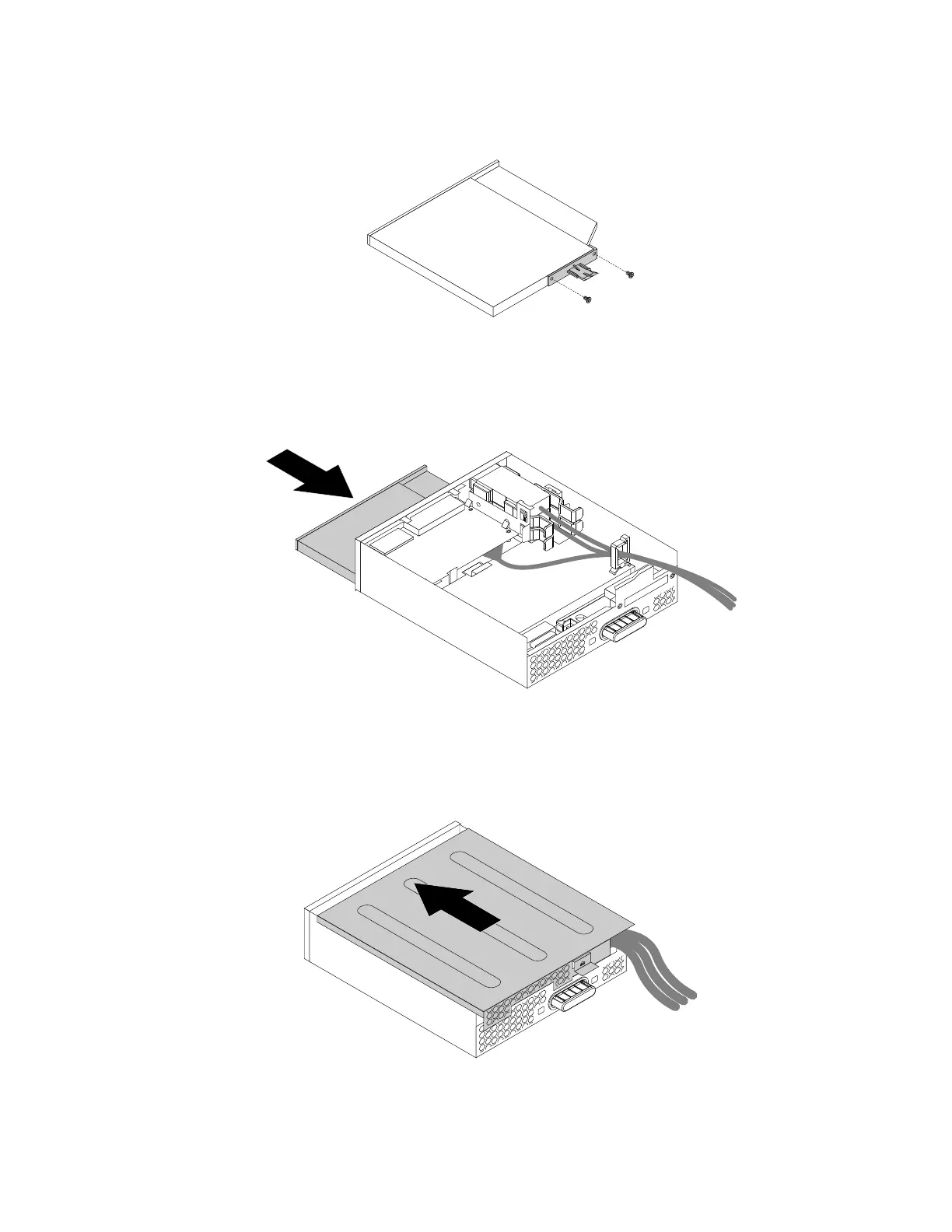
4.Installthetwoscrewstosecuretheplasticclipontherearofthenewslimopticaldrive.
Figure31.Installingtheplasticcliptotheslimopticaldrive
5.Slidethenewslimopticaldrivewiththeplasticclipintotheflexmoduleuntiltheslimopticaldrive
snapsintoposition.
Figure32.Installingtheslimopticaldriveintheflexmodule
6.Positiontheflexmodulecoverontheflexmodule.Ensurethattherailguidesonthebottomofthecover
engagetherailsontheflexmodule.Then,pushthecovertothefrontuntilitsnapsintoposition.
Figure33.Reinstallingtheflexmodulecover
Chapter7.Installingorreplacinghardware71













 To Next Page