Whattodonext:
•Toworkwithanotherpieceofhardware,gototheappropriatesection.
•Tocompletetheinstallationorreplacement,goto“Completingthepartsreplacement”onpage105.
Installingorreplacingacardreaderintheflexmodule
Toinstallorreplaceacardreaderintheflexmodule,dothefollowing:
1.Removetheflexmoduleoutofthechassis.See“Installingorreplacinganopticaldrive”onpage66.
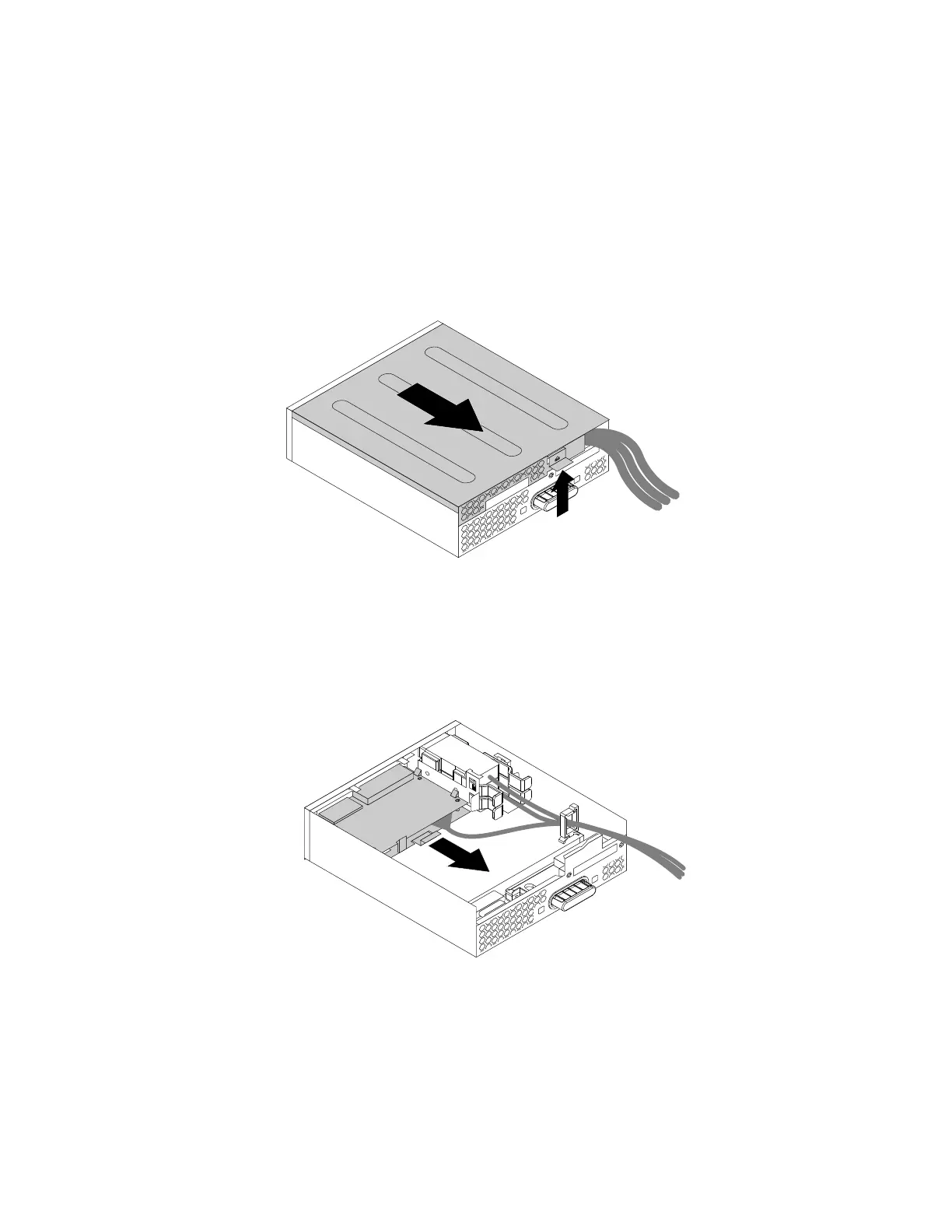
2.Lifttheclipontherearoftheflexmoduleandslidetheflexmodulecovertothereartoremovethecover.
Figure34.Removingtheflexmodulecover
3.Ifyouarereplacingacardreader,dothefollowing:
a.Disconnectthecardreadercablefromthesystemboard.See“Partsonthesystemboard”onpage7.
b.Pulltheclipasshowntoremovethecardreaderwithitsretainingbracketoutoftheflexmodule.
Figure35.Removingthecardreaderfromtheflexmodule
72ThinkStationP310UserGuide













 To Next Page