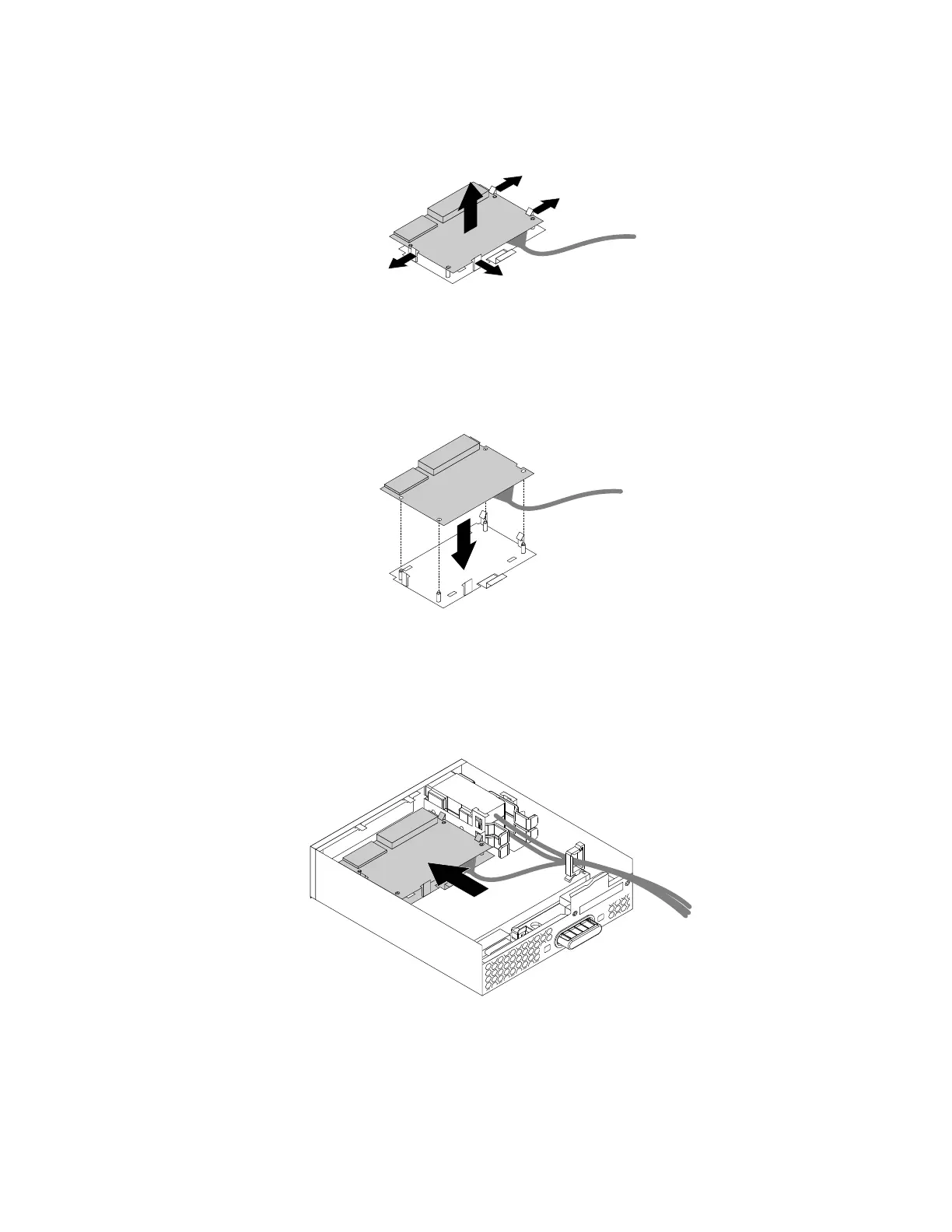
c.Flexthefourclipsonthesidesofthecard-readerretainingbrackettoremovethecardreader
fromthebracket.
Figure36.Removingthecardreaderfromthecard-readerretainingbracket
4.Toinstallanewcardreaderintothecard-readerretainingbracket,alignthefourholesinthecard
readerwiththecorrespondingstudsonthebracket.Pressthenewcardreaderdownwarduntil
itsnapsintoposition.
Figure37.Installingthecardreaderintothecard-readerretainingbracket
5.Notetheorientationofthenewcardreaderandroutethecardreadercableintothecableclip.Hold
thecliponthecard-readerretainingbrackettoinsertthenewcardreaderintothecard-readerslotin
theflexmodule.Ensurethatthecardreadersnapsintoposition.
Figure38.Installingthecardreaderintheflexmodule
Chapter7.Installingorreplacinghardware73













 To Next Page