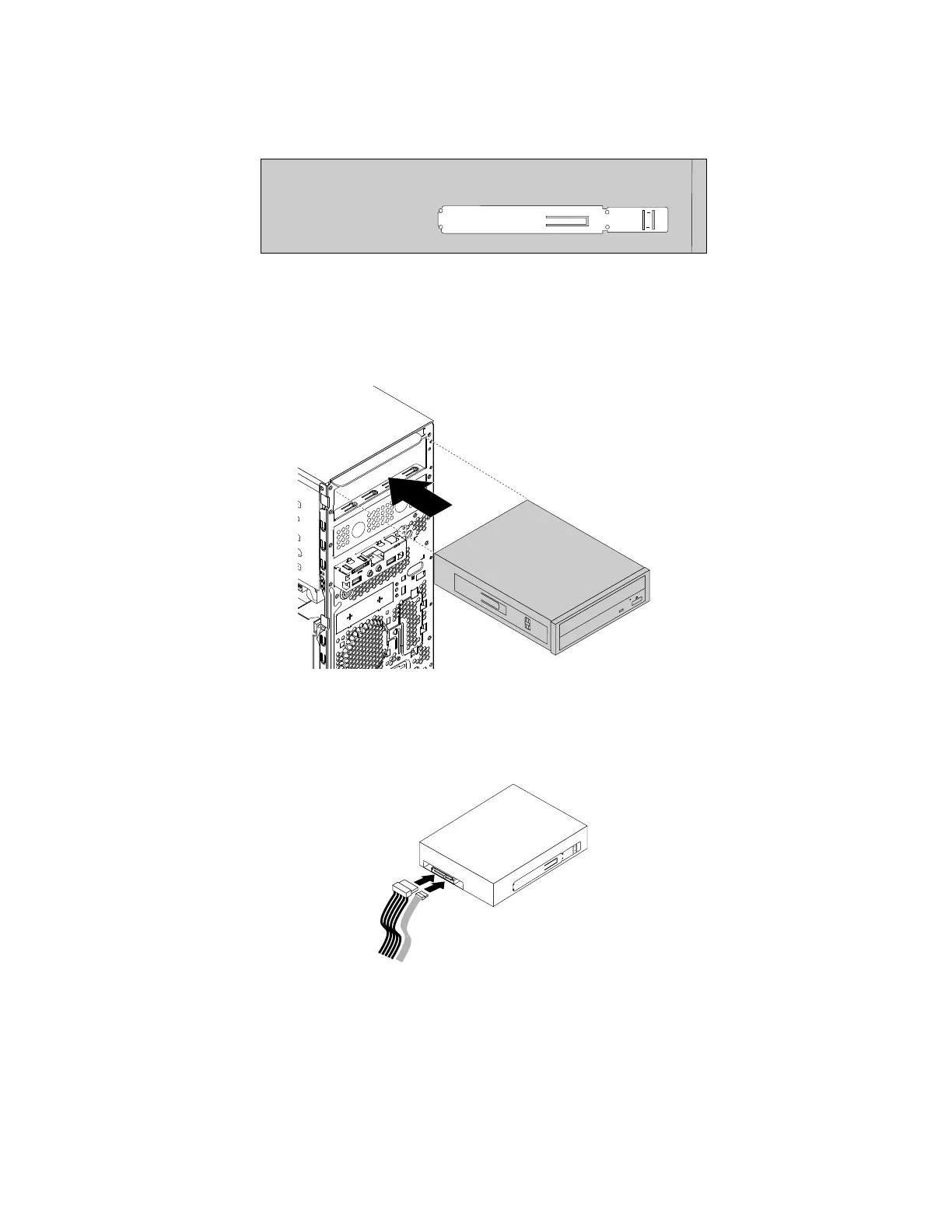
5.Installtheopticaldriveretainerontotheleftsideofthenewopticaldrive.
Figure24.Installingtheopticaldriveretainer
6.Slidethenewopticaldriveintothedrivebayfromthefrontofthecomputeruntiltheopticaldrive
snapsintoposition.
Figure25.Installingtheopticaldrive
7.Connectthecablestotherearofthenewopticaldrive.
Figure26.Connectingthecablestotherearofthenewopticaldrive
8.Ifyouareinstallinganewopticaldrive,removetheplasticpanelinthefrontbezelforthedesired
drivebay.
Whattodonext:
•Toworkwithanotherpieceofhardware,gototheappropriatesection.
68ThinkStationP310UserGuide













 To Next Page