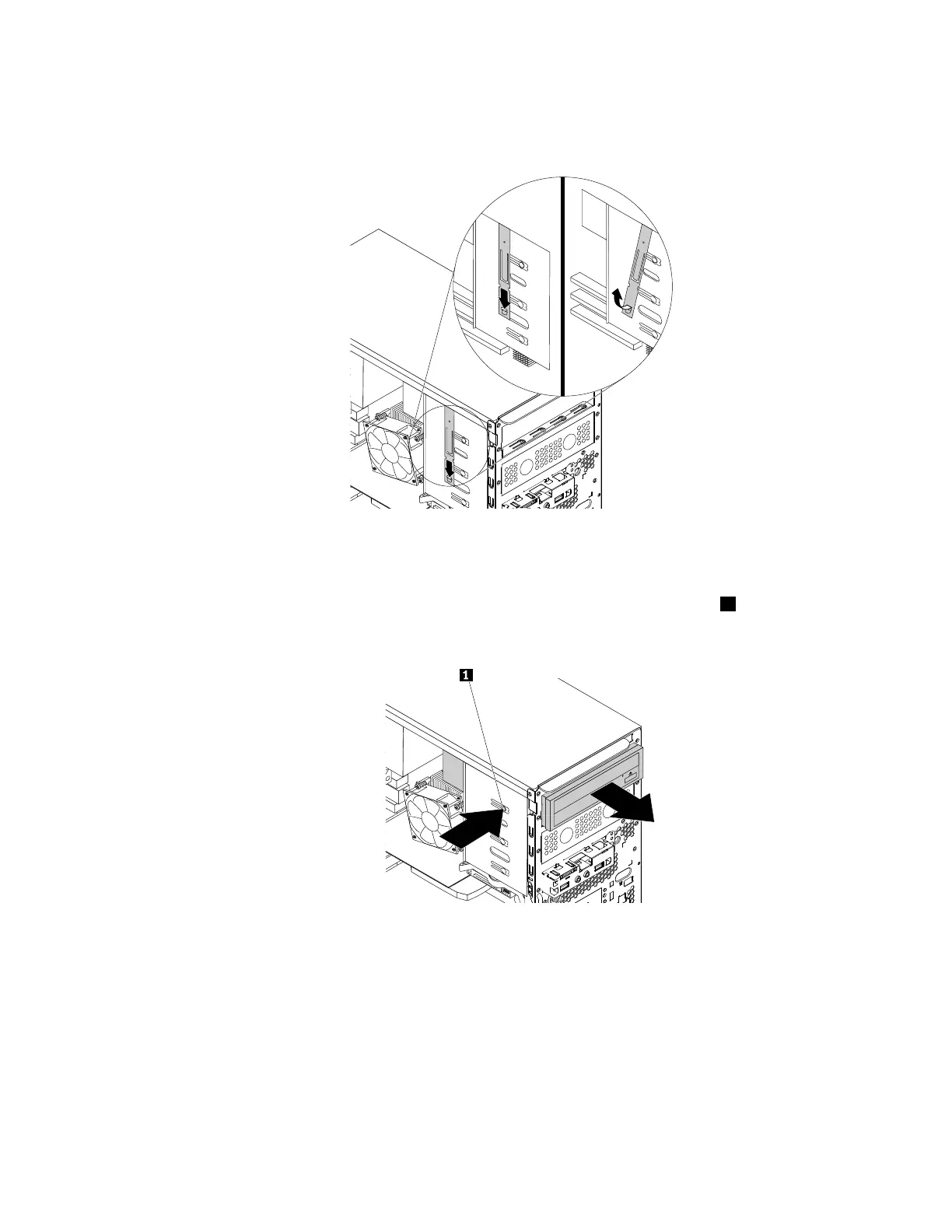
b.Locatetheopticaldriveretainerfromtheleftsideofthecomputer.Pushtheretainerdownwards
tounlocktheretainer.Thenlifttheretaineroutofthechassis.
Figure22.Removingtheopticaldriveretainerfromthecomputer
•Ifyouarereplacinganopticaldrive,dothefollowing:
a.Disconnectcablesfromtherearoftheopticaldrive,pressthereleasebutton1,andthenslide
theopticaldriveoutofthechassis.
Figure23.Removingtheopticaldrive
b.Removetheopticaldriveretainerfromtheleftsideoftheopticaldrive.
Chapter7.Installingorreplacinghardware67













 To Next Page