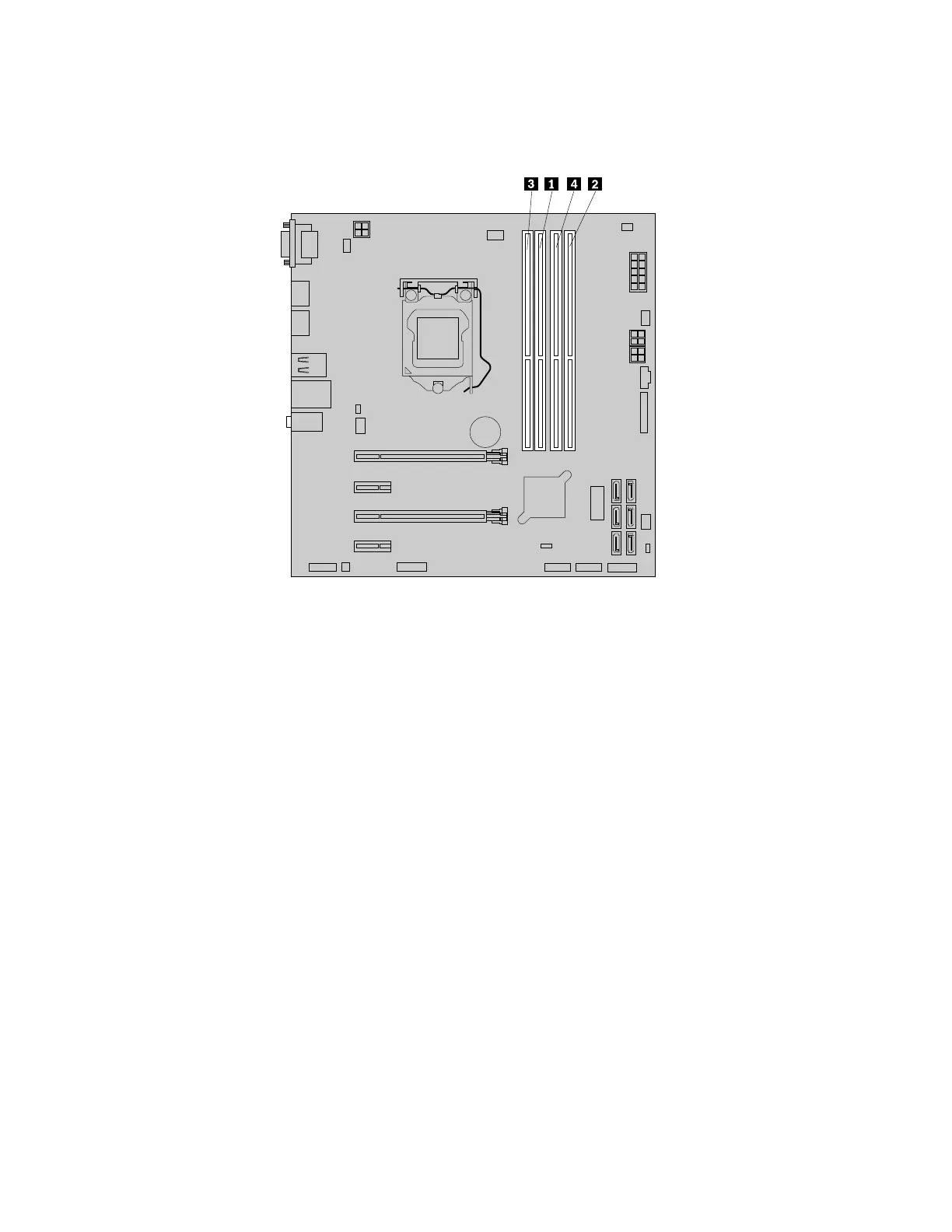
Installmemorymodulesinthenumericalorderasshown.Thenumbers1,2,3,and4indicatetheinstallation
sequence.
Figure18.Memorymoduleinstallation–order
Toinstallorreplaceamemorymodule,dothefollowing:
1.Removeanymediafromthedrivesandturnoffallconnecteddevicesandthecomputer.Then,
disconnectallpowercordsfromelectricaloutletsanddisconnectallcablesthatareconnectedtothe
computer.
2.Removethecomputercover.See“Removingthecomputercover”onpage58.
3.Laythecomputeronitssideforeasieraccesstothesystemboard.
4.Locatethememoryslots.See“Partsonthesystemboard”onpage7.
5.Removeanypartsthatmightpreventyouraccesstothememoryslots.Dependingonyourcomputer
model,youmightneedtoremovethePCIExpressx16graphicscardforeasieraccesstothememory
slots.See“InstallingorreplacingaPCIcard”onpage59.
6.Dependingonwhetheryouareinstallingorreplacingamemorymodule,dooneofthefollowing:
64ThinkStationP310UserGuide













 To Next Page