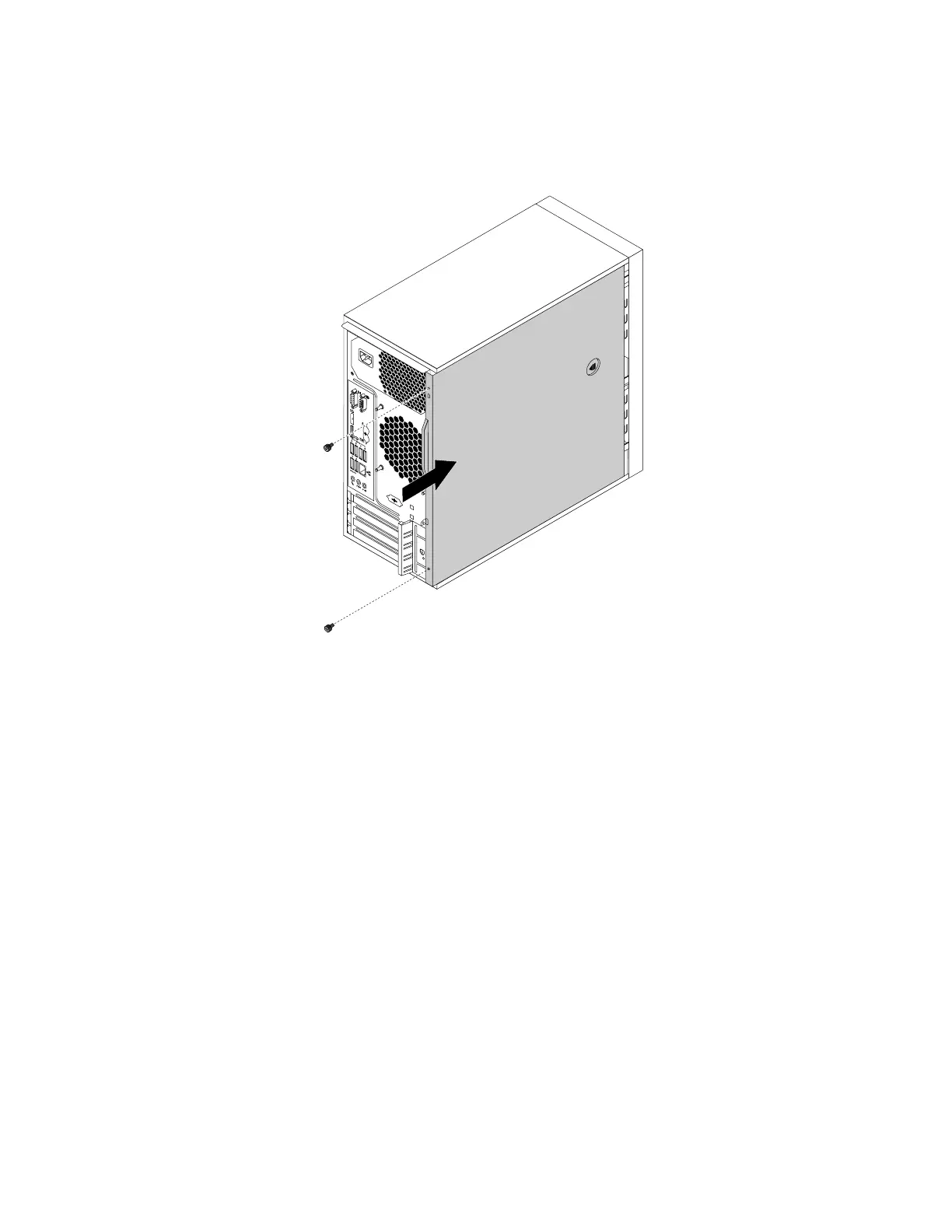
3.Positionthecomputercoveronthechassissothattherailguidesonthebottomofthecomputer
coverengagetherailsonthechassis.Then,pushthecovertothefrontofthecomputeruntilitsnaps
intoposition.
Figure92.Reinstallingthecomputercover
4.Installthescrewstosecurethecomputercover.
5.Placethecomputerinanuprightposition.
6.Ifthereisanylockingdeviceavailable,lockthecomputercover.See“Attachingapadlock”onpage29.
7.Reconnecttheexternalcablesandpowercordstothecorrespondingconnectorsonthecomputer.
See“Hardwarelocations”onpage1.
8.Updatetheconfigurationofyourcomputerifnecessary.See“UsingtheSetupUtilityprogram”on
page35.
9.Ifanewlyinstalledhardwarecomponentdoesnotworknormally,updatethedevicedriver.See
“Keepingyourcomputercurrent”onpage26.
106ThinkStationP310UserGuide













 To Next Page