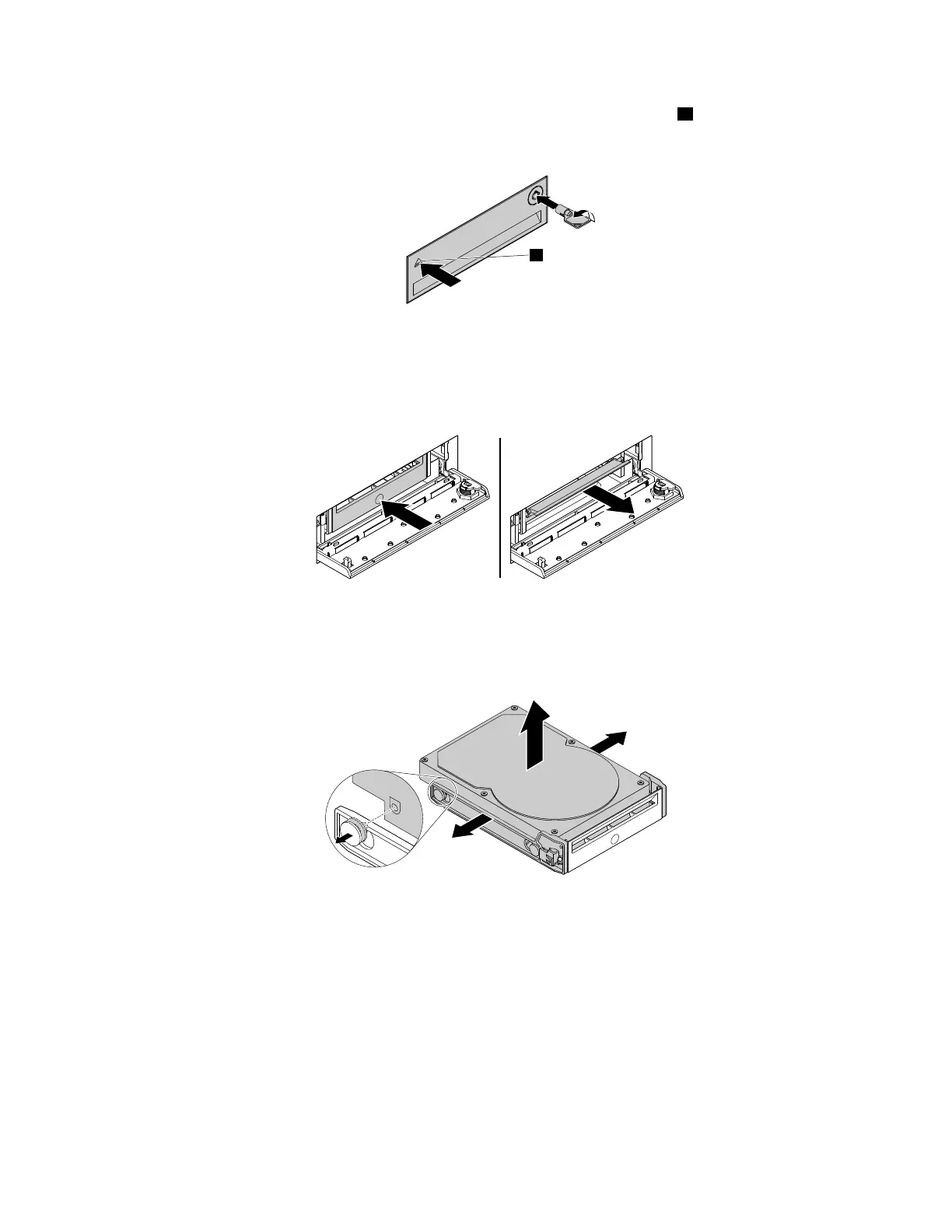
2.Unlocktheenclosurecoverwiththeprovidedkeyasshown.Pressthenotchatoopentheenclosure
cover.
Figure44.Openingthefront-accessstorageenclosurecover
3.Pressthepitonthebracketcover,andthengraspthetiltedcovertopullthebracketoutofthe
front-accessstorageenclosure.
Figure45.Removingtheharddiskdrivefromthefront-accessstorageenclosure
4.Flexbothsidesofthebrackettoremovetheharddiskdrivefromthebracket.
Figure46.Removingtheharddiskdrivefromthebracket
Chapter7.Installingorreplacinghardware77













 To Next Page