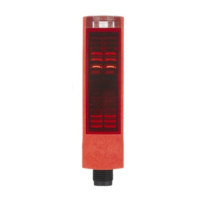
Description ODSL 30
Leuze electronic ODSL 30 45
TNT 35/7-24V
3.7.5 Operating example
The following values are to be configured for an ODSL 30/V…:
• calibrated current output 4 … 20mA, characteristic curve with positive gradient and
measurement range 500 … 3500mm.
• upper switching point for output Q1 at 3000mm and
lower switching point for output Q1 at 2000mm.
The device is set to factory settings and is in measurement mode.
Configuring the calibrated current output
Action Display Explanation / Notes
Press an arbitrary key , , or .
Input Menu
You get to the configuration menu for the
ODSL 30…
Press the keys and to change to the
menu item "Analog Out Menu".
Analogue Out
Menu
This menu item configures the analogue
output.
Select menu item with the key.
Cal Ana. Output
Current 4-20mA
Current output 4 … 20mA is already set
as the calibrated output.
Press the keys and to change to the
menu item "Pos for min. val".
Pos for min. val
Value: 000200
This menu item sets the distance value for
the minimum analogue value.
Press the key to edit the value.
Pos for min. val
act Value: 00200
Ready for editing.
Press the and keys to change the pres-
ent value to "500".
Pos for min. val
new Value->00500
New value has been edited.
Apply the new value by pressing the key.
to store press
new Val.: 00500
Applying.
Save the new value by pressing the key.
Pos for min. val
Value: 000500
Saving.
Press the keys and to change to the
menu item "Pos for max. val".
Pos for max. val
Value: 005000
This menu item sets the distance value for
the maximum analogue value.
Press the key to edit the value.
Pos for max. val
act Value: 05000
Ready for editing.
Press the and keys to change the pres-
ent value to "3500".
Pos for max. val
new Value->03500
New value has been edited.
Apply the new value by pressing the key.
to store press
new Val.: 03500
Applying.
Save the new value by pressing the key.
Pos for max. val
Value: 003500
Saving.
Change to the menu item "Return" by pressing
the and keys.
Return
This menu item leads to the parent level.
ENTER
ENTER
ENTER
ENTER


 To Next Page
 Loading...