Software
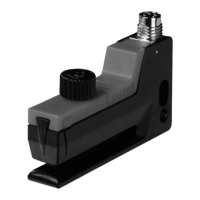
Leuze electronic ODSL 30 67
TNT 35/7-24V
Without connected ODSL 30, the following window appears after the program start, letting
you choose a device:
Additional window without connected ODSL 30
Figure 7.3: Device selection
If an ODSL 30… is connected, the following window appears:
Figure 7.4: Start menu before measurement
The software automatically recognises the connected sensor with its default settings.


 To Next Page
 Loading...