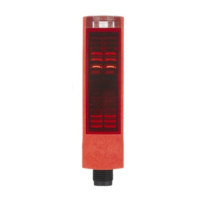
Description ODSL 30
48 ODSL 30 Leuze electronic
3.8 Advanced Menu (for software versions V01.10 and newer)
Notice!
For information on querying the device software version, see chapter 3.6.5.
In addition to the described functions, additional, new functions are available in the
Advanced Menu:
• Setting an offset/preset value to compensate for mounting tolerances
• Reduction in measurement time to as little as 30ms
• Changing the display resolution
Also available in the Advanced Menu is the menu item Applic. Param.. This can be used
to change the measurement value output of the ODSL 30.
Notice!
To protect against unintentional access, the Advanced Menu is hidden from view by default
and must first be activated by the user.
Attention!
Please be certain to read the following notices before you activate the advanced mode and
change parameters in the menu item Applic. Param..
Activation of the advanced mode
Hold down the button during measurement operation for longer than 5s.
The Advanced Menu? display appears.
Press the or button to cancel activation of the Advanced Menu.
Confirm Yes by pressing the button.
The Advanced Menu is activated now display appears briefly.
The menu item Applic. Param. is now also available in menu level 1.
3.8.1 Setting an Offset/Preset Value - Compensating for Mounting Tolerances
Deviations which occur during mounting of the ODSL 30 can be compensated for with the
offset or preset parameter:
•For Offset, a fixed value and sign are specified.
•For Preset, a nominal measurement value is specified; a measurement is then per-
formed using an object located at the desired nominal distance.
Attention!
If the offset or preset results in negative measurement values, zero is output at the interface
and on the display.


 To Next Page
 Loading...