User’s Manual
WAB-3003 108M 11g Outdoor PoE CPE/ AP/ Bridge
16
Step 4
: SSID Settings
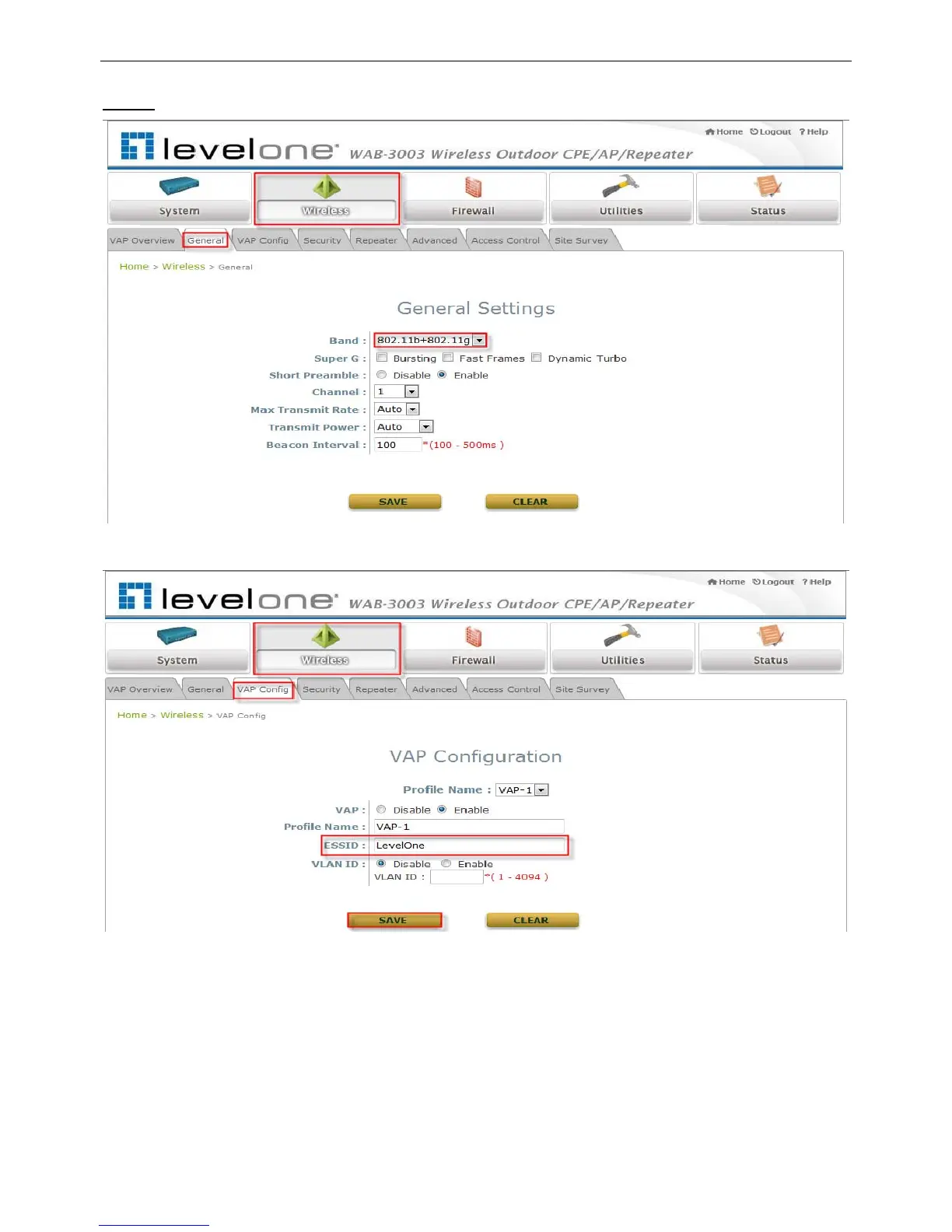
Click on the Wireless button and then select the General tab.
Band: Select an appropriate band from the drop-down list box.
Click on the Wireless button and then select the VAP Config tab.
ESSID: Enter respective ESSID for each VAP in the ESSID field or use the default. ESSID
(Extended Service Set Identifier) is a unique identifier used for networking devices to get
associated with WAB-3003
Note:
For QoS classification, please enable VLAN ID and specify a VLAN ID with respective ESSID.
Click SAVE to save the settings.















 To Next Page