User’s Manual
WAB-3003 108M 11g Outdoor PoE CPE/ AP/ Bridge
20
Step
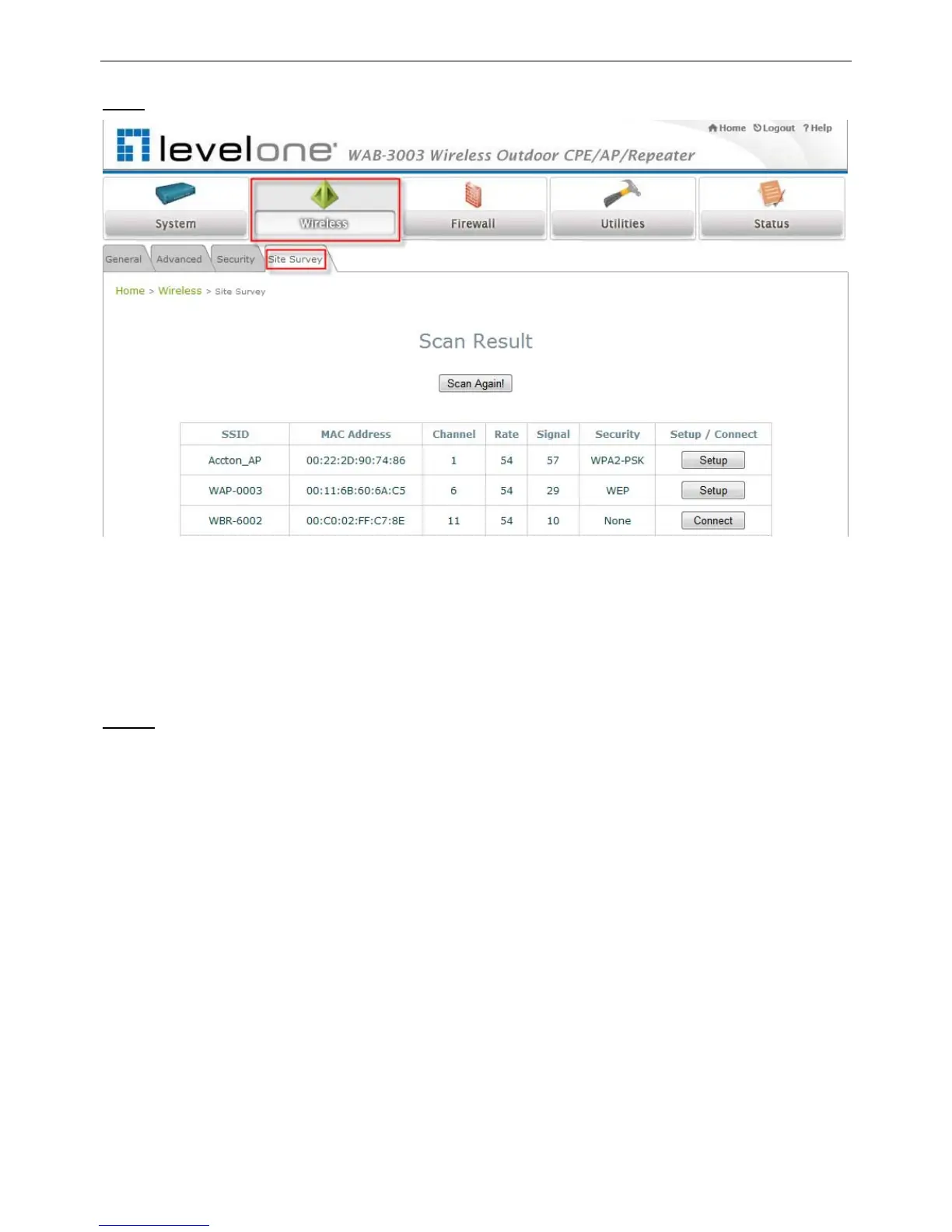
3: Site Survey
【The scan result displayed here is an example only.】
Click on the Wireless button and then select the Site Survey tab.
The system will automatically scan and display all available APs in the same WAB-3003’s
coverage area.
Click Scan Again if the APs to be associated with are not listed on the Scan Result list.
Step 4
: Select AP to be Associated
Select an AP to be associated with from the Scan Result list provided in Step 3.















 To Next Page