a-2000 User Guide
a-2000 Page 53
Dimmer Cabinets with Digital Controls
Revision G November 2006
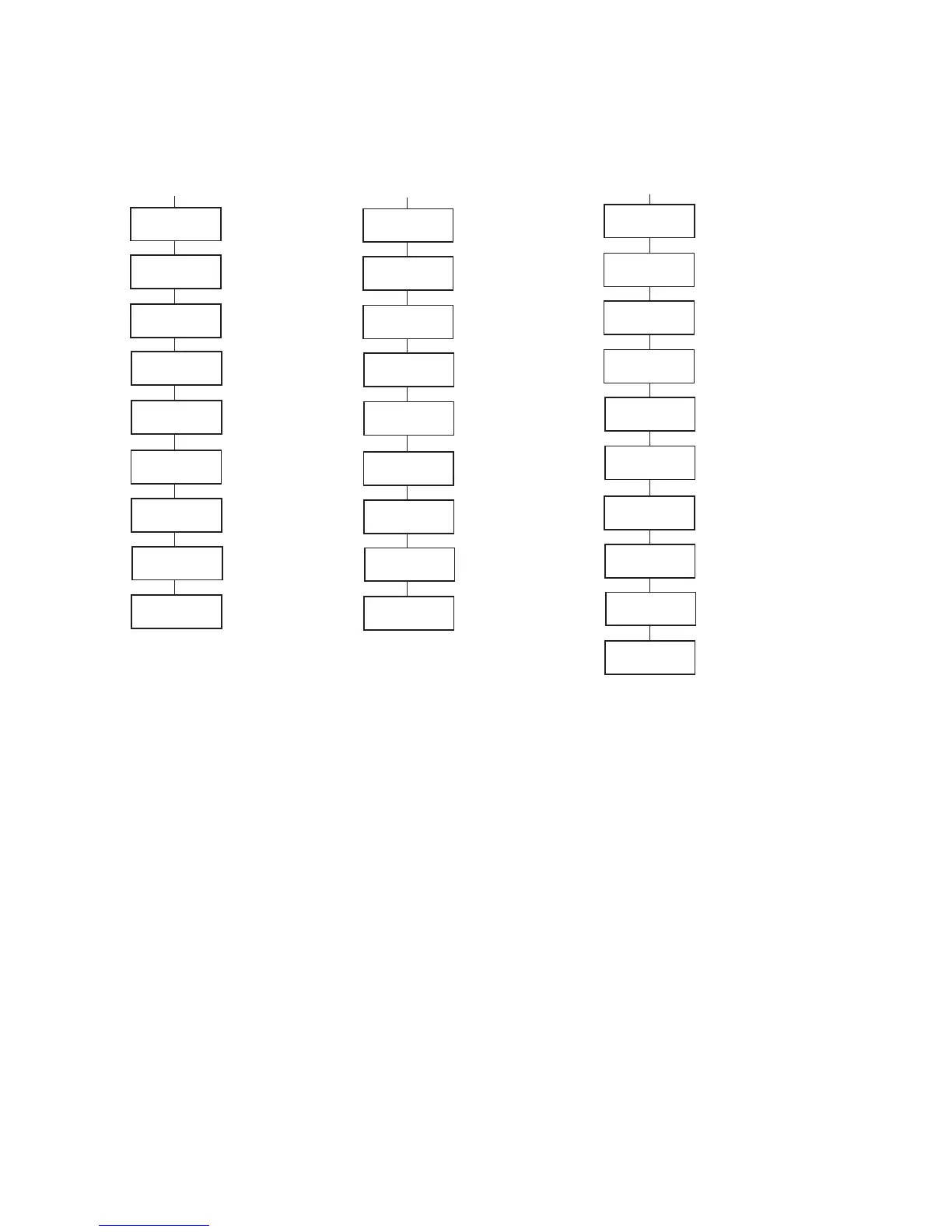
Figure 34- Module Set Up Screen Shots and Sub-Menu Options
Basic Concepts
The a2000D system automatically senses dimmer module types. These are
physical differences in the modules themselves. There are four types: Dual
Dimmer, (Dual) Constant Circuit, High Rise Time Dimmer (Single), and Dual
Universal Dimmer. (See Appendix A for details on these module types.) When
power to a system is turned on the system senses the modules in each location. If
the module types match those stored in its memory "STATUS=OK" is displayed on
the LCD Display. If the module types don't match "MODULE ERROR" is displayed.
This error condition will occur if the system has not been programmed, if the
modules haven't been installed, if the modules have been installed in the incorrect
locations, or if the module types have been changed. To re-program the system
for this feature and remove the "MODULE ERROR" see Section 13A
In addition some dimmer module types have several dimmer function types.
These are software-based differences that are not automatically sensed and must
be selected manually. Examples of dimmer function types are: dimmer, non-dim.
Mark VII (fluorescent). Mark X (fluorescent). For programming these password-
protected function types see Section 13C
3%450-/$!-8
#54/&&,%63
3%450-/$!-8
&5,"2).0549%3
3%450-/$!-8
%84&").0549%3
3%450-/$!-8
).054!
3%450-/$!-8
$-8!$$XXX
3%450-/$!-8
,5-!.%4!$$XXXX
3%450-/$!-8
$-8&%%$"!#+9%3
3%450-/$!-8
!.!,/').054XX
3%450-/$!-8
0(!.!WWXXYZZ
,#$-ENUSFOR
-ARK83ETUP
3ETS,EVELATWHICH
,IGHTS4URN/FF
!CTIVATE&ULL"RIGHT"UTTON
/NTHE#ONTROL-ODULE
9ESOR.O
!LLOW%XTERNAL&ULL"RIGHT
&EATURE
9ESOR.O
!BILITYTO3ET3PECIFIC#ONTROL
)NPUT4YPE
!ALL%XT&"&ULL"R!NALOG
,UMANET$-8
3ETS$-8!DDRESS
3ETS,UMA.ET!DDRESS
3ETS$IMMER&EEDBACK
9ESOR.O
3ETS!NALOG)NPUT!DDRESS
3HOWS0HOTOCELL3ETTINGS
3%450-/$!-
#54/&&,%63
3%450-/$!-
&5,"2).0549%3
3%450-/$!-
%84&").0549%3
3%450-/$!-
).054!
3%450-/$!-
$-8!$$XXX
3%450-/$!-
,5-!.%4!$$XXXX
3%450-/$!-
$-8&%%$"!#+9%3
3%450-/$!-
!.!,/').054XX
3%450-/$!-
0(!.!WWXXYZZ
3%450-/$!-
!.!,/'/5488
3ETS,EVELATWHICH
,IGHTS4URN/FF
!CTIVATE&ULL"RIGHT"UTTON
/NTHE#ONTROL-ODULE
9ESOR.O
!LLOW%XTERNAL&ULL"RIGHT
&EATURE
9ESOR.O
!BILITYTO3ET3PECIFIC#ONTROL
)NPUT4YPE
!ALL%XT&"&ULL"R!NALOG
,UMANET$-8
3ETS$-8!DDRESS
3ETS,UMA.ET!DDRESS
3ETS$IMMER&EEDBACK
9ESOR.O
3ETS!NALOG)NPUT!DDRESS
3HOWS0HOTOCELL3ETTINGS
!UTOMATICALLYASSIGNSFIRST
5NUSED!NALOG/UTPUT
#HANNELL
,#$-ENUSFOR-ARKOR
6$#BALLASTS3ETUP
)FMULTIPLEMODULESHAVESAME,UMA.ET
!DDRESSALLBUTONESHOULDBETURNEDOFF
3%450-/$!(,
#54/&&,%63
3%450-/$!(,
&5,"2).0549%3
3%450-/$!(,
%84&").0549%3
3%450-/$!(,
).054!
3%450-/$!(,
$-8!$$XXX
3%450-/$!(,
,5-!.%4!$$XXXX
3%450-/$!(,
$-8&%%$"!#+9%3
3%450-/$!(,
!.!,/').054XX
3%450-/$!(,
0(!.!WWXXYZZ
,#$-ENUSFOR
(I,UME
3ETS,EVELATWHICH
,IGHTS4URN/FF
!CTIVATE&ULL"RIGHT"UTTON
/NTHE#ONTROL-ODULE
9ESOR.O
!LLOW%XTERNAL&ULL"RIGHT
&EATURE
9ESOR.O
!BILITYTO3ET3PECIFIC#ONTROL
)NPUT4YPE
!ALL%XT&"&ULL"R!NALOG
,UMANET$-8
3ETS$-8!DDRESS
3ETS,UMA.ET!DDRESS
3ETS$IMMER&EEDBACK
9ESOR.O
3ETS!NALOG)NPUT!DDRESS
3HOWS0HOTOCELL3ETTINGS













 To Next Page