Page 60
2 With the type flashing, press the DOWN button until the LCD display
shows Function = Dimmer.
3 Press the Select/Save button.
Dimmer
flashes.
4 Press the UP or DOWN buttons until the LCD display shows MAX
LEVEL= 100%.
5 Press the Select/Save button to select the desired function.
6 Press the UP or DOWN buttons to select the desired maximum
level.
7 Press the Select/Save button.
8 Press the RIGHT or LEFT button to move on to another circuit
or press the Cancel/Clear button several times slowly to return to the
main menu.
Step 13E: Verifying Module Programming in a
Dimmer Cabinet
To determine how the modules are programmed in the dimmer cabinet, check the
module programming:
1 Make sure the powered on and in operating normally.
2 Press the UP button.
The LCD display shows
MENU SETUP
, with
MENU
flashing.
3 Press the UP button again.
The LCD display shows
MENU MODULE STATUS
.
4 Press the SELECT button.
The LCD display shows how the first circuit of the first dual dimmer
is programmed.
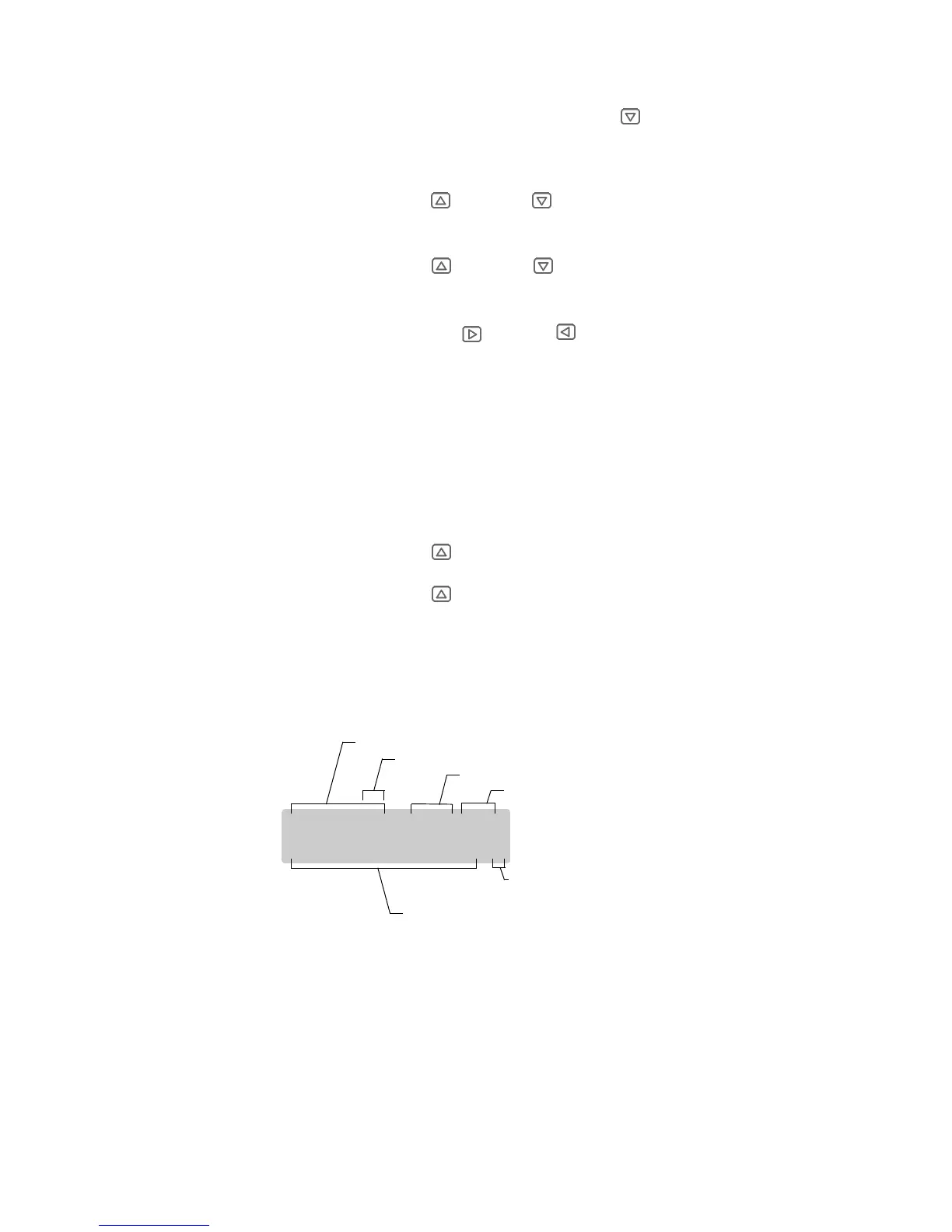
Module programming information is displayed in a two-line format, as in the
following example:
The above example indicates Module 01A, which is normally a dual dimmer, and
the A circuit of that dimmer is set to 50% of full brightness. DM indicates that it is
set up as a standard dimmer.
MOD 01A = 50% DM
INPUT=LUMANET S
Module number
Portion of dimmer set to this percent brightness
Percent of full brightness (FL for 100%)
Dimmer type
Whether dimmer can accept more than one
input type (blank if only assigned to one input type)
Type of signal driving this half of module
(could be LUMANET or DMX512 or ANALOG in this case)













 To Next Page