EXTERNAL EQUIPMENT SETUP
11
HD RECEIVER SETUP
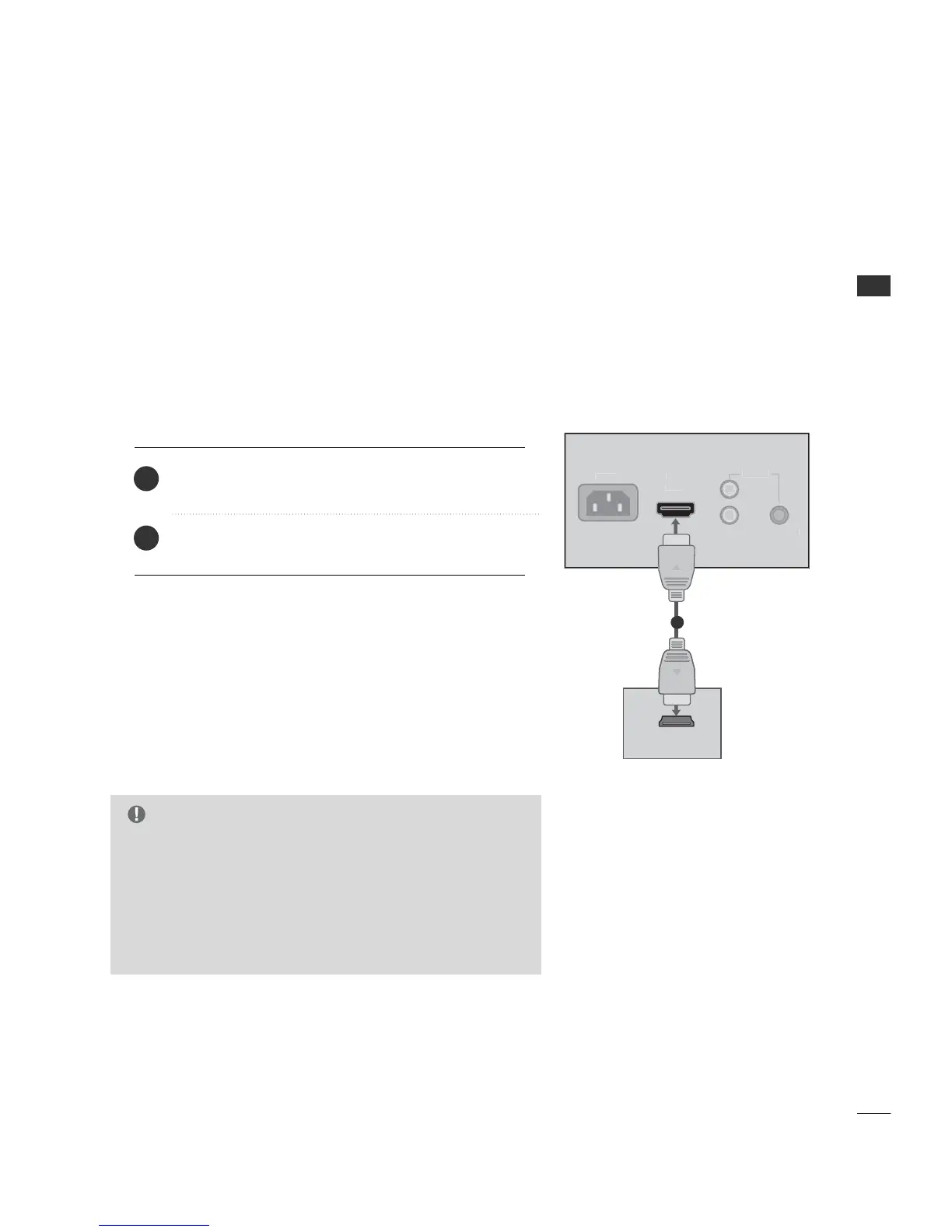
No separated audio connection is necessary.
HDMI supports both audio and video.
Connect the digital set-top box to HHDDMMII IINN jack on the
set.
1. How to connect
2. How to use
■
Turn on the digital set-top box.
(Refer to the owner’s manual for the digital set-top box.)
■
Select HH DDMMII input source by using the 11 --33 --33 buttons
on the remote control. (Refer to p.65)
2
1
1
G
When connected, the TV will tell a connected device what
resolution it supports and the resolution it prefers. If the device
supports this Auto HDMI function, the player output resolution
will be automatically set to 720p.
G
If the device does not support Auto HDMI, you need to set the
output resolution appropriately.
NOTE
This TV can receive Digital Over-the-air/Cable signals without an external digital set-top box. However, if you do
receive digital signals from a digital set-top box or other digital external device, refer to the figure as shown below.
When connecting HDMI cable
■
To prevent the equipment damage, never plug in any power cords until you have finished connecting all
equipment.



 To Next Page