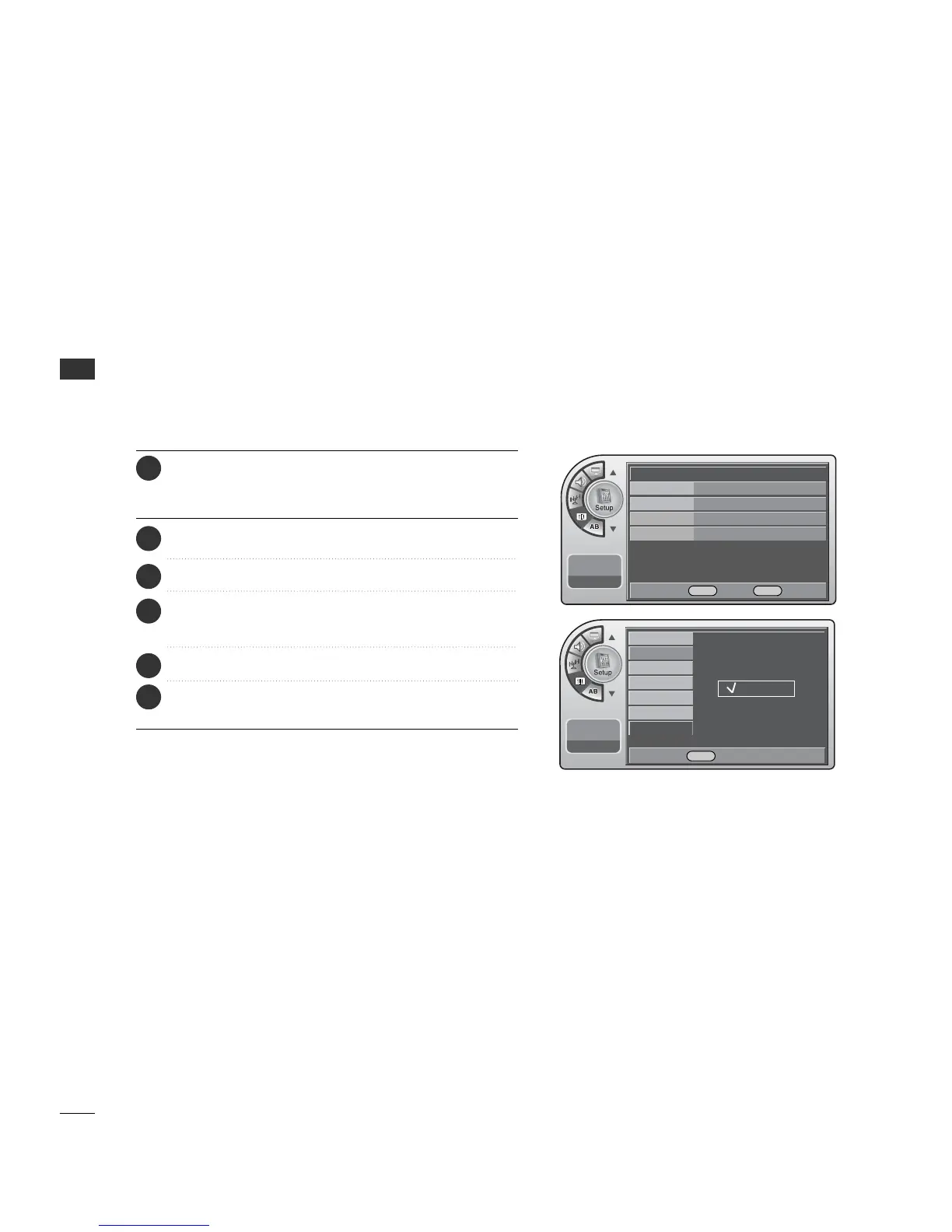
TIME SETTING
30
TIME SETTING
Auto Off
If there is no signal on the TV for 15 minutes or more, or if no
button is pressed for more than 3 hours, this function turns
off the TV automatically.
Press the MM EENNUU button and then use the AADDJJ D or E
button to highlight the SSeettuupp menu and press the OO KK
(( EEnn tteerr)) button.
1
Use the AADDJJ D or E button to the TT iimmee.
2
Use the AADDJJ D or E button to highlight AAuuttoo OOff ff and
press the OO KK (( EEnntteerr)) button.
4
Use the AADDJJ D or E button to choose OO nn or OO ff ff.
5
When finished, press MM EE NNUU repeatedly to remove the
menus.
6
11:20 PM
Sep.11, 2006
Clock
Manual Clock
Daylight Saving
Time Zone
On Timer
Off Timer
Auto Off
Off
On
DE Select MENU Back
Time
G
V-Chip
Menu Language English
Menu Transparency
Semi Opaque
Set ID 1
11:20 PM
Sep.11, 2006
DE Move OK Select MENU Back
Press the OO KK (( EE nn ttee rr )) button to highlight CClloocckk.
3



 To Next Page