PICTURE CONTROL
46
PICTURE CONTROL
Mode Standard
Color Temperature
Cool
Screen Format
4:3
Noise Reduction
Off
Film Mode Off
G
11:20 PM
Sep.11, 2006
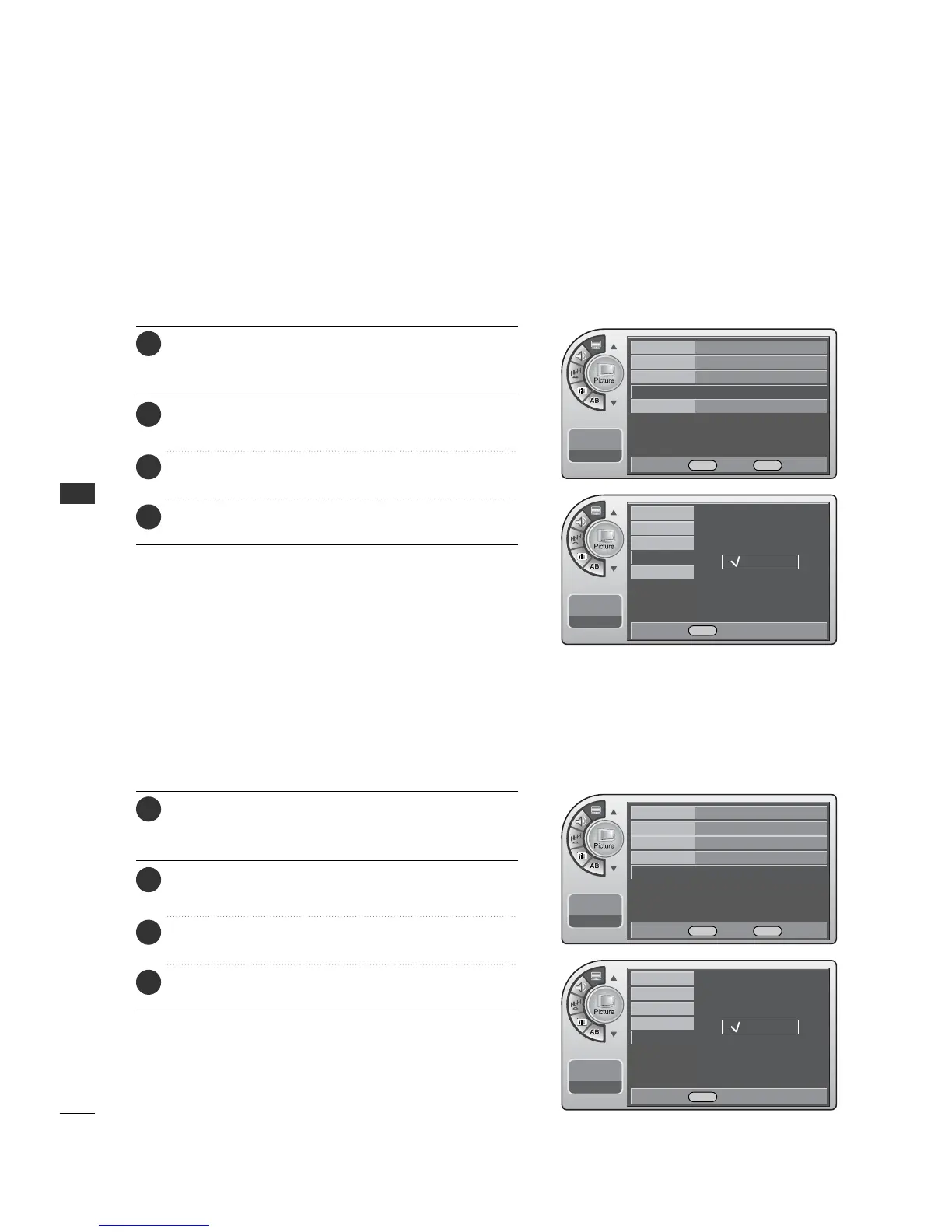
The user can watch movies with a more realistic picture on analog channels.
Turn Film Mode On to view movies with optimum preset picture settings.
Press the MM EENNUU button and then use the AADDJJ D or E
button to highlight the PPiiccttuurree menu and press the OO KK
(( EEnn tteerr)) button.
1
Use the AADDJJ D or E button to choose FFiillmm MMooddee and
press the OO KK (( EEnntteerr)) button.
2
Use the AADDJJ D or E button to choose OO nn or OO ff ff.
When finished, press the OOKK ((EE nn ttee rr )) button.
3
When finished, press MM EE NNUU repeatedly to remove the
menus.
4
Film Mode Options
The user can watch movies with a more realistic picture on
analog channels.
Noise Reduction
Press the MM EENNUU button and then use the AADDJJ D or E
button to highlight the PPiiccttuurree menu and press the OO KK
(( EEnn tteerr)) button.
1
Use the AADDJJ D or E button to choose NNooiissee RReedduuccttiioonn
and press the OO KK ((EE nn ttee rr )) button.
2
Use the AADDJJ
D
or
E
button to choose OO nn or OO ff ff.
When finished, press the OOKK ((EE nn ttee rr )) button.
3
When finished, press MM EE NNUU repeatedly to remove the
menus.
4
Mode Standard
Color Temperature
Cool
Screen Format
4:3
Noise Reduction
Off G
Film Mode Off
11:20 PM
Sep.11, 2006
Mode
Color Temperature
Screen Format
Noise Reduction
Film Mode
11:20 PM
Sep.11, 2006
Off
On
Mode
Color Temperature
Screen Format
Noise Reduction
Film Mode
11:20 PM
Sep.11, 2006
Off
On
DE Select MENU Back
DE Select MENU Back
DE Move OK Select MENU Back
DE Move OK Select MENU Back



 To Next Page