WATCHING TV / CHANNEL CONTROL
22
WATCHING TV /CHANNEL CONTROL
G
Auto Program finds channels being received by the TV’s
analog and digital tuners.
G
Cable will not work unless you subscribe to a cable
service.
NOTE
CHANNEL SEARCHCHANNEL SEARCH
With the optional Installer remote control in hand and
press the PPOOWWEERR button to turn the TV on.
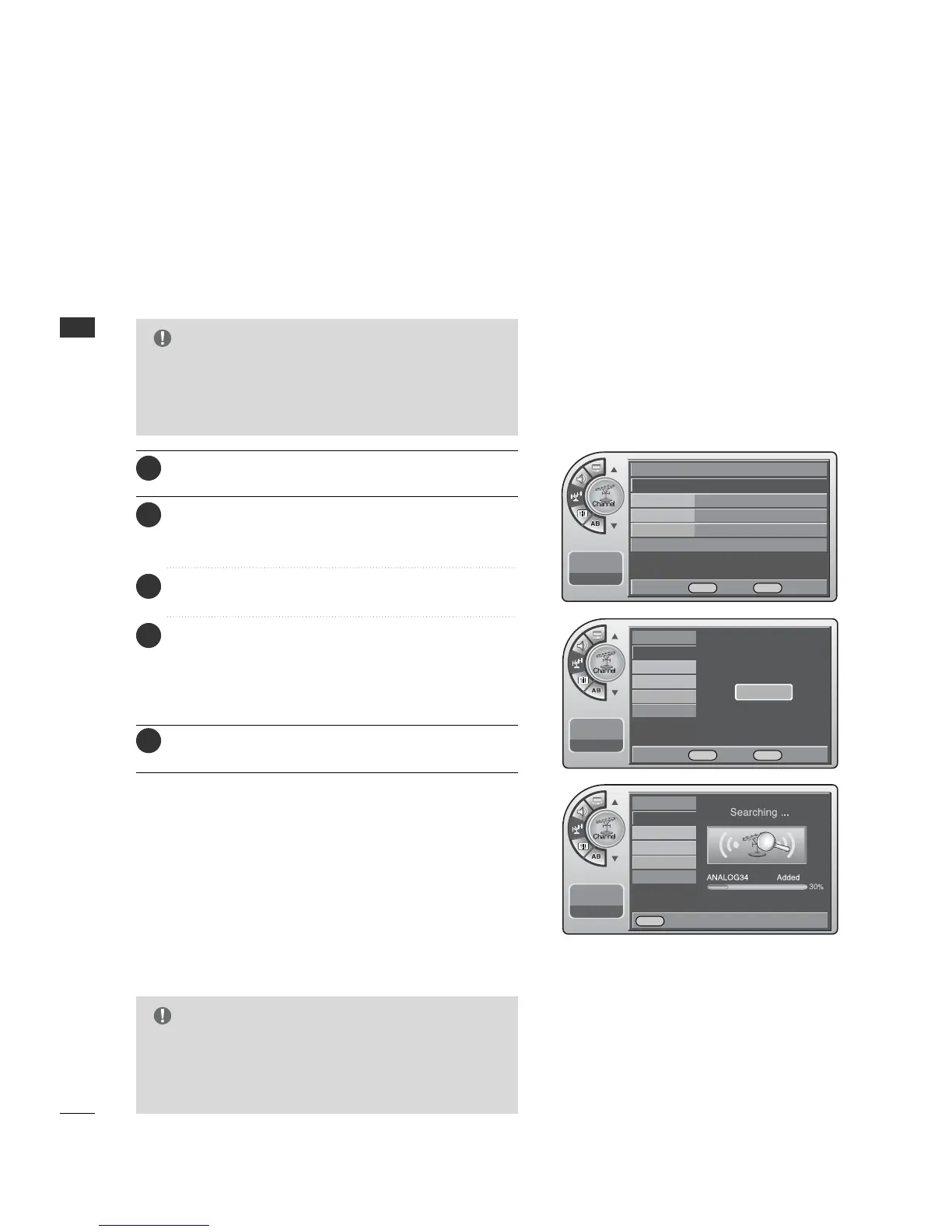
Use Auto Program to automatically find and store all of the
channels available in the selected Tuning Band.
1
When finished, press MM EE NNUU repeatedly to remove the
menus.
5
Press the MM EENNUU button and then use the AADDJJ D or E
button to highlight the CChhaannnneell menu and press the
OOKK ((EEnntteerr)) button.
2
Press the OO KK (( EEnntteerr)) button to highlight
AAuuttoo pprrooggrraamm.
3
Press the OO KK (( EE nn ttee rr )) button to start the channel
search.
After finding all available channels, a display appears
briefly showing the number of analog and digital channels
found.
4
Auto Program (Channel Search)
G
Tuning Band must be set before doing the channel
search. See Installer menu item 003 Band/AFC. Default
setting is 1, for CATV. When Auto Program is run, any
assigned channel labels are automatically removed.
NOTE
Antenna
Auto Program G
Channel Label
Channel List
Fine Tune Auto
Signal Strength
--:-- --
--. -- ----
Antenna
Auto Program
Channel Label
Channel List
Fine Tune
Signal Strength
--:-- --
--. -- ----
Antenna
Auto Program
Channel Label
Channel List
Fine Tune
Signal Strength
--:-- --
--. -- ----
Press OK to Search
Yes
DE Move OK Select MENU Back
F G Move OK Select MENU Back
MENU Back



 To Next Page