PICTURE CONTROL
44
PICTURE CONTROL
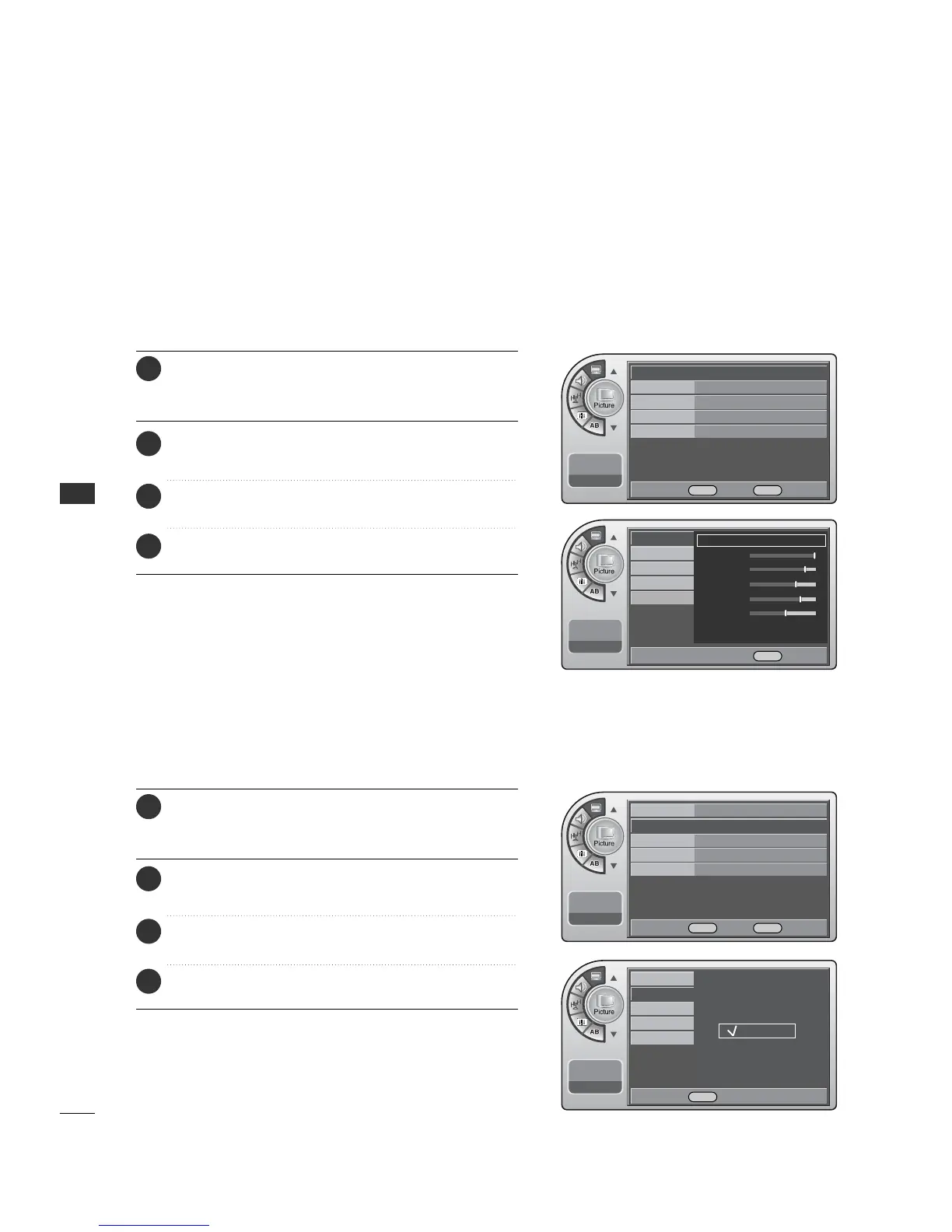
PRESET PICTURE SETTINGS
Set the picture mode to the program content, e.g. Dynamic or
Mild etc.
(This is only available for analog broadcasting.)
(This is only available for analog broadcasting.)
Picture - Preset
Press the MM EENNUU button and then use the AADDJJ D or E
button to highlight the PPiiccttuurree menu and press the OO KK
(( EEnn tteerr)) button.
1
Use the AADDJJ D or E button to highlight MMooddee and
press the OO KK (( EEnntteerr)) button.
2
Use the AADDJJ G button to choose a preset picture setup.
When finished, press the OOKK ((EE nn ttee rr )) button.
3
When finished, press MM EE NNUU repeatedly to remove the
menus.
4
Color Temperature Settings
Press the MM EENNUU button and then use the AADDJJ D or E
button to highlight the PPiiccttuurree menu and press the OO KK
(( EEnn tteerr)) button.
1
Use the AADDJJ D or E button to choose
CCoolloorr TTeemmppeerraattuurree and press the OO KK ((EEnnttee rr )) button.
2
Use the AADDJJ D or E button to choose Normal, Cool or
Warm. When finished, press the OO KK ((EEnnttee rr )) button.
3
When finished, press MM EE NNUU repeatedly to remove the
menus.
4
Mode Standard G
Color Temperature
Cool
Screen Format
4:3
Noise Reduction Off
Film Mode
Off
11:20 PM
Sep.11, 2006
Mode Standard
Color Temperature
Cool
G
Screen Format
4:3
Noise Reduction
Off
Film Mode Off
11:20 PM
Sep.11, 2006
Mode
Color Temperature
Screen Format
Noise Reduction
Film Mode
11:20 PM
Sep.11, 2006
Normal
Cool
Warm
Mode
Color Temperature
Standard
G
Contrast
Brightness
Sharpness
Color
Tint
Screen Format
Noise Reduction
Film Mode
11:20 PM
Sep.11, 2006
DE Move OK Select MENU Back
F G Move G Select MENU Back
DE Move OK Select MENU Back
DE Select MENU Back



 To Next Page