SOUND & LANGUAGE CONTROL
40
SOUND & LANGUAGE CONTROL
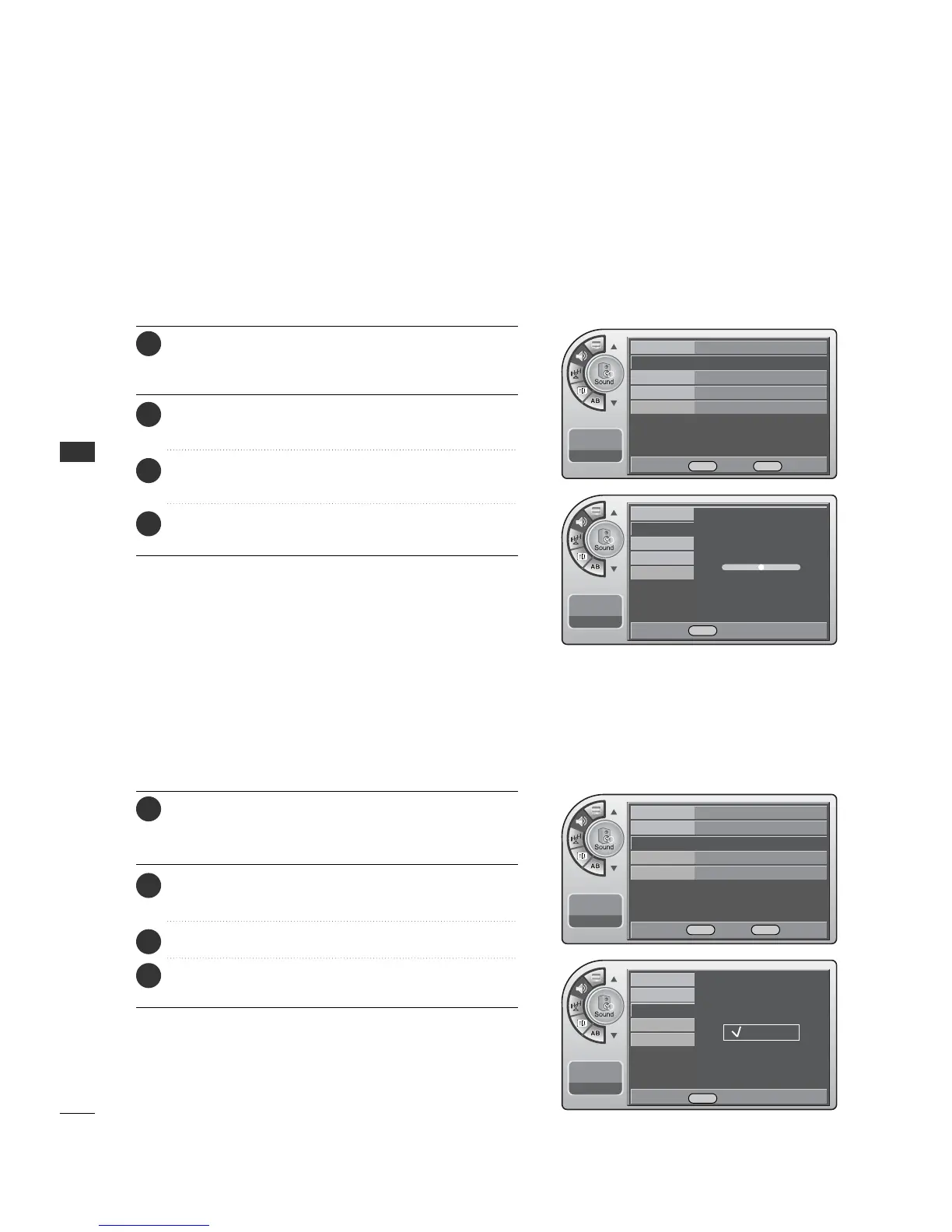
Adjust the speaker balance for optimum sound quality.
Sound Balance Setup
Press the MM EENNUU button and then use the AADDJJ D or E
button to highlight the SSoouunndd menu and press the OO KK
(( EEnn tteerr)) button.
1
Use the AADDJJ D or E button to highlight BB aall aanncc ee and
press the OO KK (( EEnntteerr)) button.
2
Use the AADDJJ F or G button to move the sound more to
the Left or Right.
3
When finished, press MM EE NNUU repeatedly to remove the
menus.
4
Mode
Balance
Auto Volume
Multi-Track
Internal Speaker
11:20 PM
Sep.11, 2006
Adjust left/Light balance.
0
0
Mode Standard
Balance G
Auto Volume On
Multi-Track Stereo
Internal Speaker
On
11:20 PM
Sep.11, 2006
Have the TV automatically maintain the sound level between
different channels.
Automatic Volume Control Settings
Press the MM EENNUU button and then use the AADDJJ D or E
button to highlight the SSoouunndd menu and press the OO KK
(( EEnn tteerr)) button.
1
Use the AADDJJ D or E button to highlight AAuuttoo VVoolluummee
and press the OO KK ((EE nn ttee rr )) button.
2
Use the AADDJJ
D
or
E
button to choose OO nn or OO ff ff.
3
When finished, press MM EE NNUU repeatedly to remove the
menus.
4
Mode Standard
Balance
Auto Volume On
G
Multi-Track Stereo
Internal Speaker
On
11:20 PM
Sep.11, 2006
Mode
Balance
Auto Volume
Multi-Track
Internal Speaker
11:20 PM
Sep.11, 2006
Off
On
DE Move OK Select MENU Back
F G Adjust MENU Back
DE Move OK Select MENU Back
DESelect MENU Back



 To Next Page