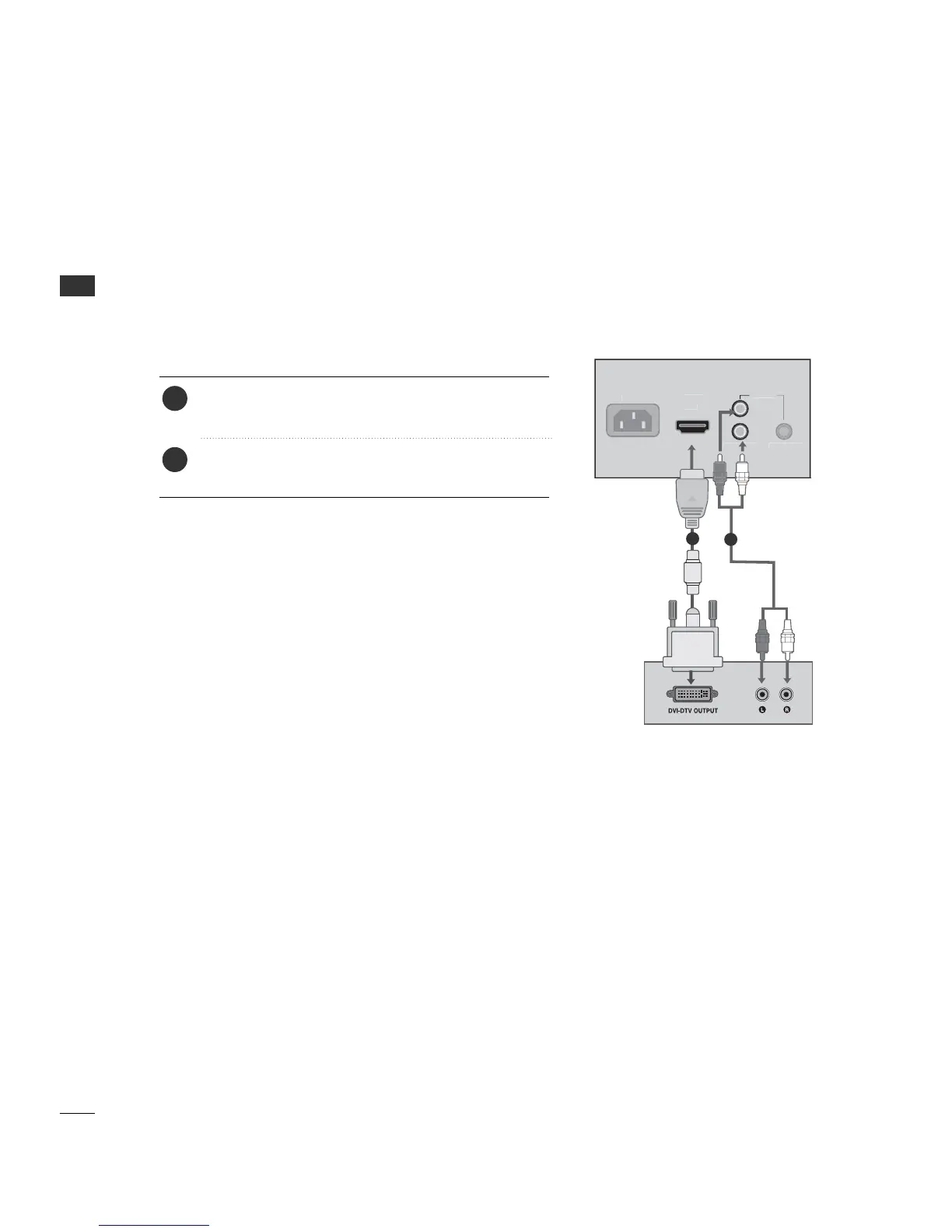
Connect the audio output of the digital set-top box to
the AAUU DDII OO II NN jack on the set.
Connect the DVI output of the digital set-top box to the
HHDDMMII IINN jack on the set.
1. How to connect
■
Turn on the digital set-top box. (Refer to the owner’s manual
for the digital set- top box.)
■
Select HH DDMMII input source by using the 11--33 --33 buttons on
the remote control. (Refer to p.65)
2. How to use
2
1
1
2
When connecting HDMI to DVI cable



 To Next Page