WATCHING TV / CHANNEL CONTROL
25
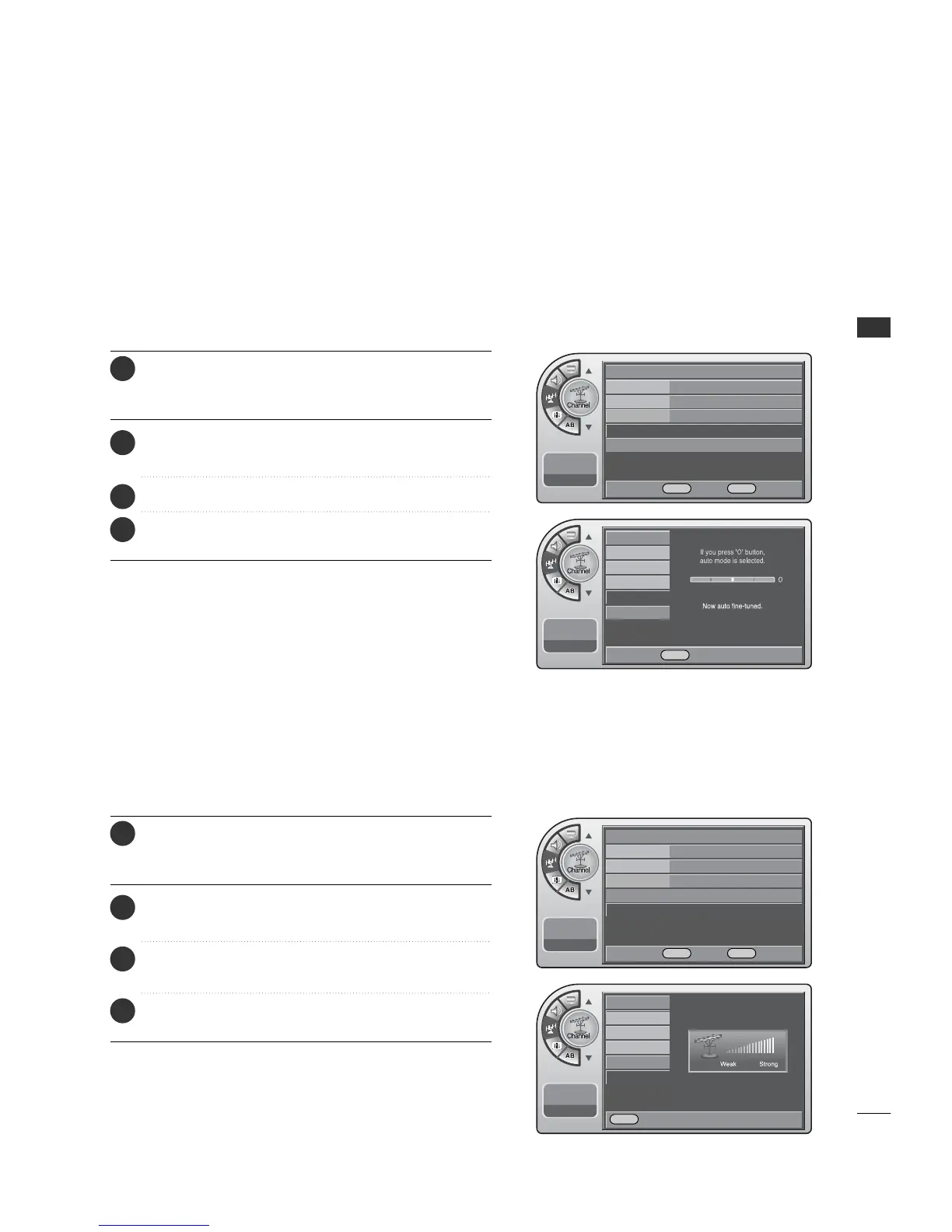
If a dashed line or no color appears, the screen is unstable,
therefore try channel adjustments.
(This is only available for analog broadcasting.)
Unstable Screen
Press the MM EENNUU button and then use the AADDJJ D or E
button to highlight the CChhaannnneell menu and press the
OOKK ((EEnntteerr)) button.
1
Use the AADDJJ D or E button to highlight FFiinnee TTuunnee and
press the OO KK (( EEnntteerr)) button.
2
Press the AADDJJ F or G button to adjust.
3
When finished, press MM EE NNUU repeatedly to remove the
menus.
4
This shows the current digital signal strength as a picture.
(This is only available for digital broadcasting.)
Checking the Strength of the Digital Signal
Antenna
Auto Program
Channel Label
Channel List
Fine Tune Auto
G
Signal Strength
--:-- --
--. -- ----
Antenna
Auto Program
Channel Label
Channel List
Fine Tune
Signal Strength
--:-- --
--. -- ----
Antenna
Auto Program
Channel Label
Channel List
Fine Tune
Signal Strength
G
--:-- --
--. -- ----
Antenna
Auto Program
Channel Label
Channel List
Fine Tune
Signal Strength
--:-- --
--. -- ----
DE Move OK Select MENU Back
F G Adjust MENU Back
DE Move OK Select MENU Back
MENU Back
Press the MM EENNUU button and then use the AADDJJ D or E
button to highlight the CChhaannnneell menu and press the
OOKK ((EEnntteerr)) button.
1
Use the AADDJJ D or E button to highlight SSiiggnnaall SSttrreennggtthh
and press the OO KK ((EE nn ttee rr )) button.
2
View the on-screen signal strength monitor to see the
quality of the signal being received.
3
When finished, press MM EE NNUU repeatedly to remove the
menus.
4



 To Next Page