SOUND & LANGUAGE CONTROL
42
SOUND & LANGUAGE CONTROL
Mode Standard
Balance
Auto Volume On
Multi-Track Stereo
Internal Speaker
On G
11:20 PM
Sep.11, 2006
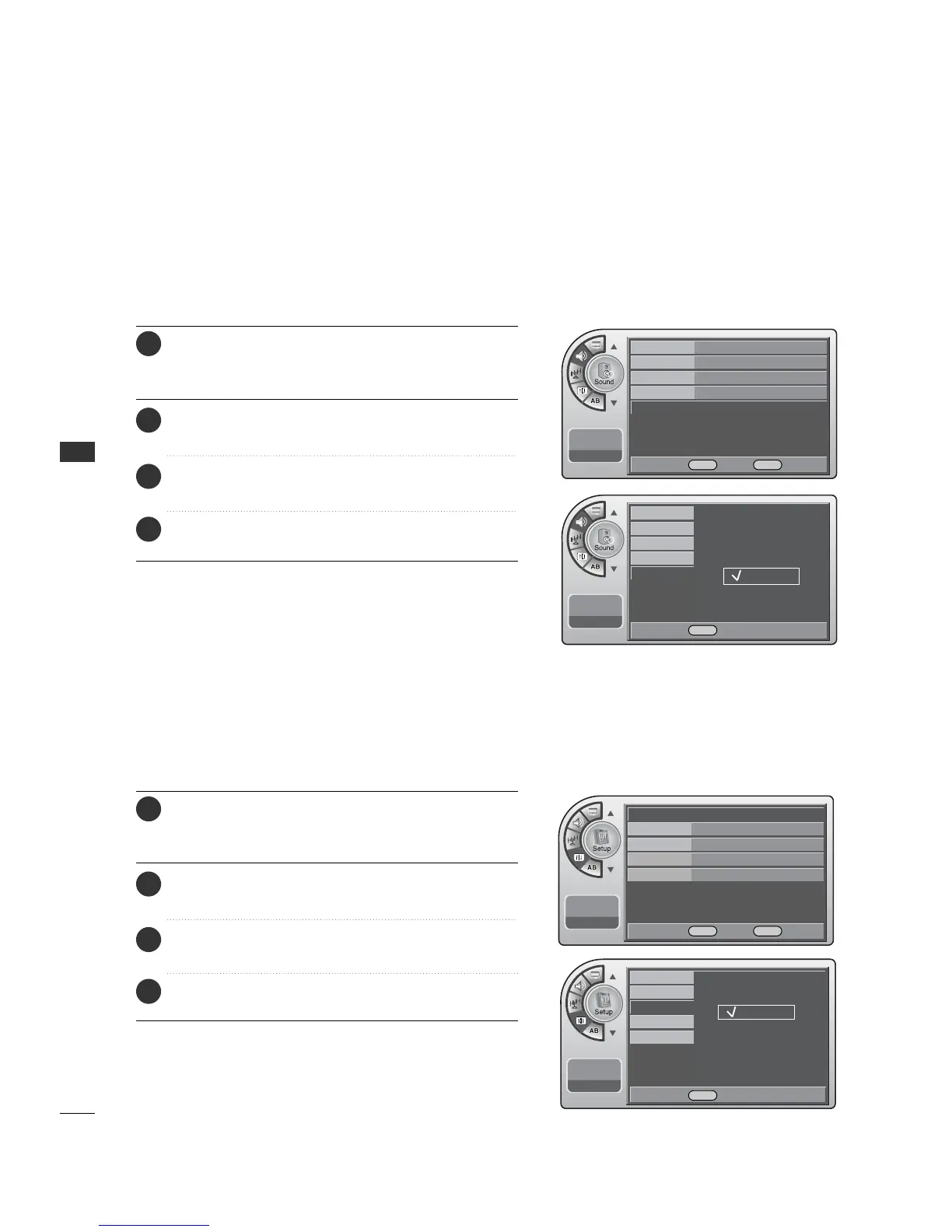
Press the MM EENNUU button and then use the AADDJJ D or E
button to highlight the SSoouunndd menu and press the OO KK
(( EEnn tteerr)) button.
1
Use the AADDJJ D or E button to highlight IInntteerrnnaall SSppeeaakkeerr
and press the OO KK ((EE nn ttee rr )) button.
2
Use the AADDJJ D or E button to choose OO nn or OO ff ff and
press the OO KK (( EEnntteerr)) button.
3
When finished, press MM EE NNUU repeatedly to remove the
menus.
4
Using External Speakers
Set the internal speaker to Off to listen to the TV through an
external audio system, the TV sound will not be heard.
11:20 PM
Sep.11, 2006
Time
V-Chip
Menu Language
Menu Transparency
Set ID
English
Español
Français
Time
G
V-Chip
Menu Language English
Menu Transparency
Semi Opaque
Set ID 1
11:20 PM
Sep.11, 2006
Menu Language
The menus can be shown on the screen inter selected language.
First select your language.
Press the MM EENNUU button and then use the AADDJJ D or E
button to highlight the SSeettuupp menu and press the OO KK
(( EEnn tteerr)) button.
1
Use the AADDJJ D or E button to highlight MMeennuu LL aanngguu aaggee
and press the OO KK ((EE nn ttee rr )) button.
2
Use the AADDJJ D or E button to highlight and set the
Menu Language: English, Español or Français.
3
When finished, press MM EE NNUU repeatedly to remove the
menus.
4
Mode
Balance
On
Multi-Track
Internal Speaker
11:20 PM
Sep.11, 2006
Off
On
DE Select MENU Back
DE Move OK Select MENU Back
DE Move OK Select MENU Back
DE Select MENU Back



 To Next Page