PICTURE CONTROL
45
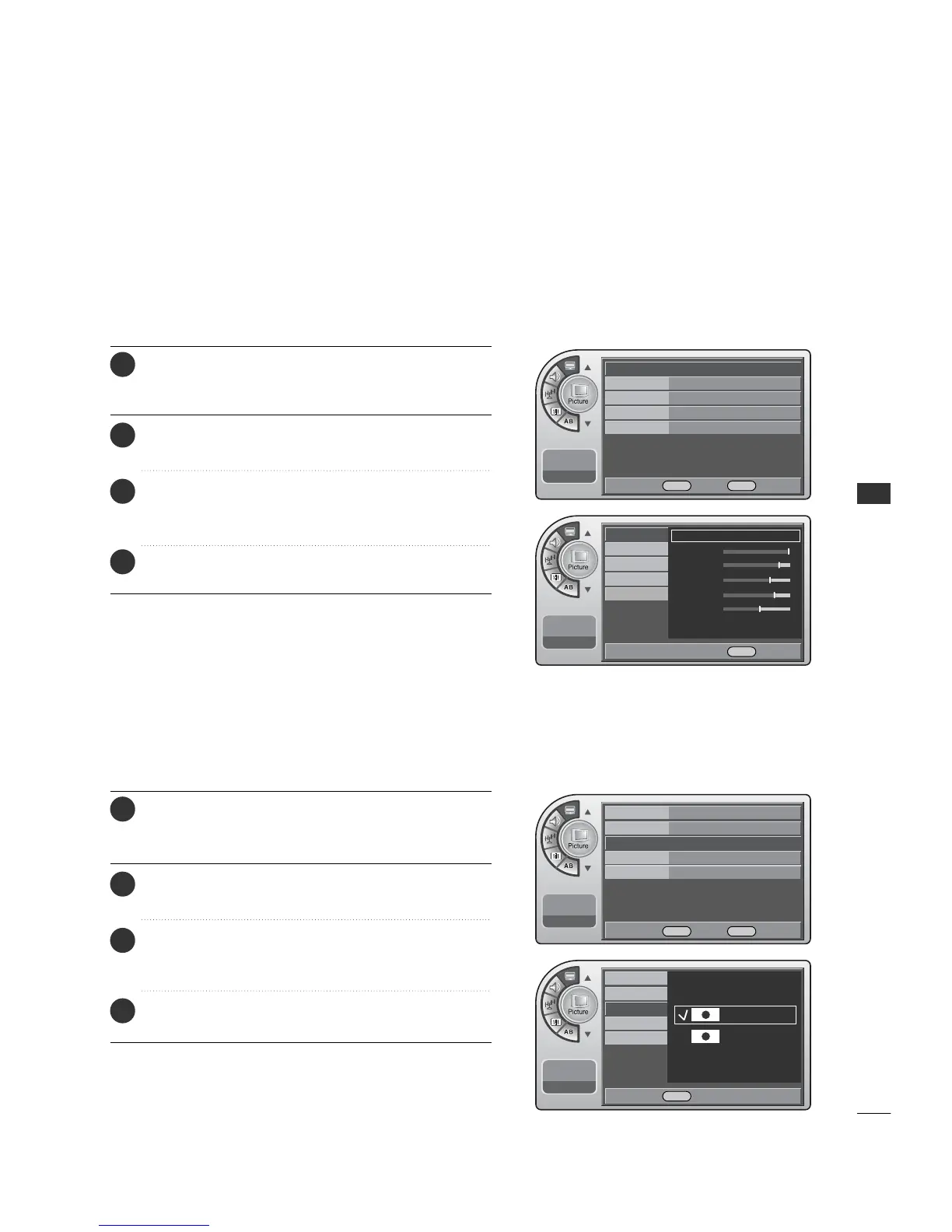
The user can choose preset formats for the picture on analog channels.
Press the MM EENNUU button and then use the AADDJJ D or E
button to highlight the PPiiccttuurree menu and press the OO KK
(( EEnn tteerr)) button.
1
Use the AADDJJ D or E button to choose SSccrreeeenn FFoorrmmaatt
and press the OO KK ((EE nn ttee rr )) button.
2
Use the AADDJJ D or E button to choose a preset screen
format: Set By Program or 4:3. When finished, press the
OOKK ((EEnntteerr)) button.
3
When finished, press MM EE NNUU repeatedly to remove the
menus.
4
To make custom picture settings, set the Mode to Manual on the menu.
Use the Manual settings for the best presentation of movies.
The patient will then be able to view movies with more realism.
Manual Picture Adjustment
Press the MM EENNUU button and then use the AADDJJ D or E
button to highlight the PPiiccttuurree menu and press the OO KK
(( EEnn tteerr)) button.
1
Use the AADDJJ D or E button to highlight MMooddee
and press the OO KK ((EE nn ttee rr )) button.
2
Use the AADDJJ G button to choose MMaann uuaall and use
AA DDJJ DEF Gbuttons to set your own settings for the
options. When finished, press the MMEE NN UU button.
3
When finished, press MM EE NNUU repeatedly to remove the
menus.
4
Screen Format Adjustments
Mode Standard G
Color Temperature
Cool
Screen Format
4:3
Noise Reduction
Off
Film Mode Off
11:20 PM
Sep.11, 2006
Mode Standard
Color Temperature
Cool
Screen Format
4:3
G
Noise Reduction
Off
Film Mode Off
11:20 PM
Sep.11, 2006
Mode
Color Temperature
Screen Format
Noise Reduction
Film Mode
11:20 PM
Sep.11, 2006
Mode
Color Temperature
Manual
G
Contrast
Brightness
Sharpness
Color
Tint
Screen Format
Noise Reduction
Film Mode
11:20 PM
Sep.11, 2006
Set By Program
4:3
DE Move OK Select MENU Back
DE Move OK Select MENU Back
DE Select MENU Back
F G Move G Select MENU Back



 To Next Page