27
TIME SETTING
Time
G
V-Chip
Menu Language English
Menu Transparency
Semi Opaque
Set ID 1
--:-- --
--. -- ----
If you select auto time setting, time will be set from the
digital broadcast information.
Automatic Time Settings
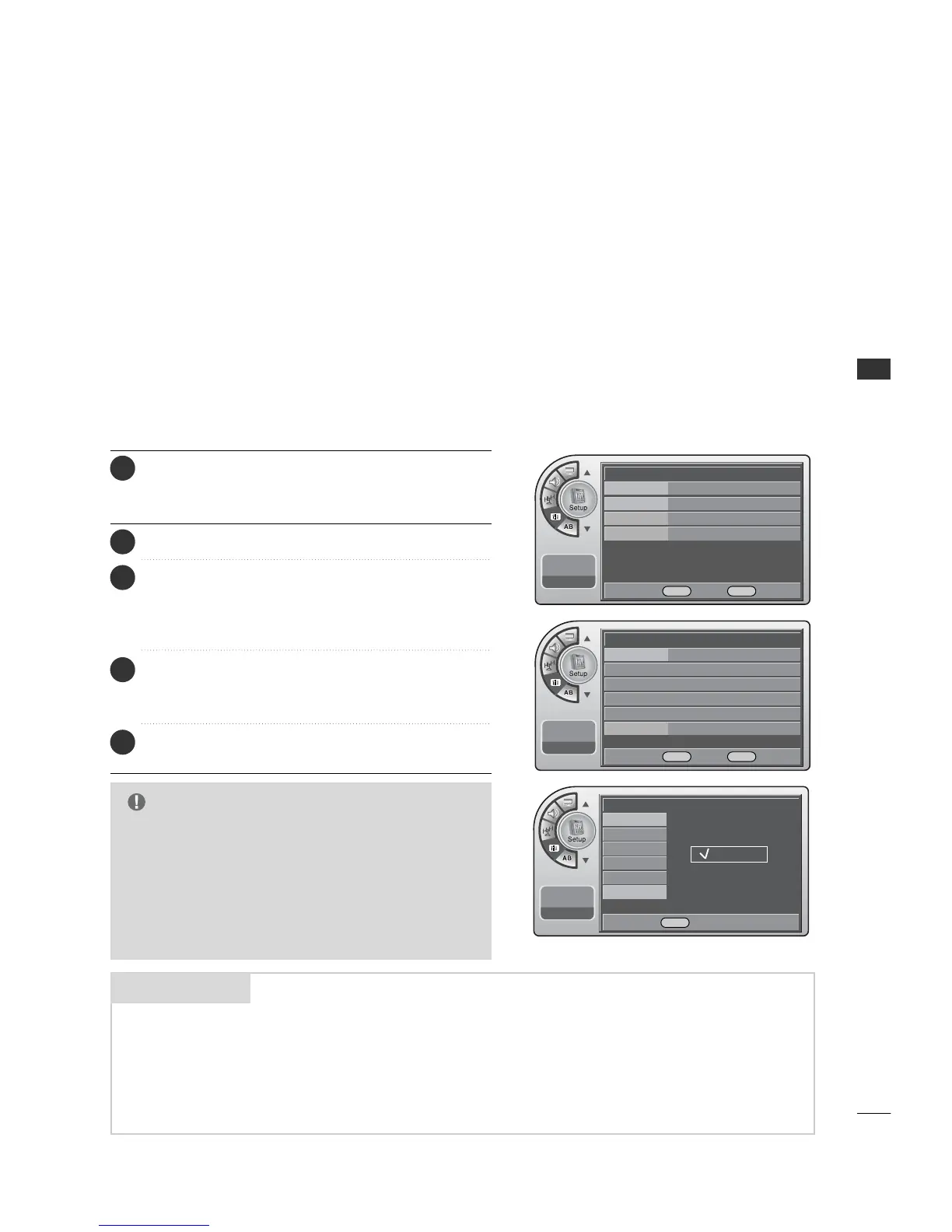
Press the MM EENNUU button and then use the AADDJJ D or E
button to highlight the SSeettuupp menu and press the OO KK
(( EEnn tteerr)) button.
1
Use the AADDJJ D or E button to the TT iimmee.
2
Press the OO KK (( EE nn ttee rr )) button to highlight CClloocckk.
Manual or Auto will appear on the menu next to clock.
Select Auto on the sub-menu with the AADDJJ D or E
button and press the OO KK ((EE nn ttee rr )) button.
3
Use the AADDJJ DEF Gbuttons to set the Daylight
Savings and Time Zone options for your local area.
See the next page.
4
When finished, press MM EE NNUU repeatedly to remove the
menus.
5
G
Caution: Some digital channels may change the time
incorrectly using the Automatic Clock Set feature.
G
In this event, the Alarm may not function as intended
and the TV may not turn on at the expected time.
G
If the end user will have access to the Alarm, it may be
best to use the Manual Clock Set mode and set the
clock to local time manually.
NOTE
A four-digit figure broken down into hours and minutes, used to enter the current
time when setting the clock or wake-up alarm.
First two digits that are entered when setting the clock or the wake-up alarm.
TIME
HOURS
The last two digits that are entered when setting the clock, or the wake-up alarm.
MINUTES
Mini glossary
--:-- --
--. -- ----
--:-- --
--. -- ----
Clock Manual G
Manual Clock
Daylight Saving
Time Zone
On Timer
Off Timer
Auto Off Off
Auto Off
Clock
Manual Clock
Daylight Saving
Time Zone
On Timer
Off Timer
Auto
Manual
DE Move OK Select MENU Back
DE Move OK Select MENU Back
DE Select MENU Back



 To Next Page