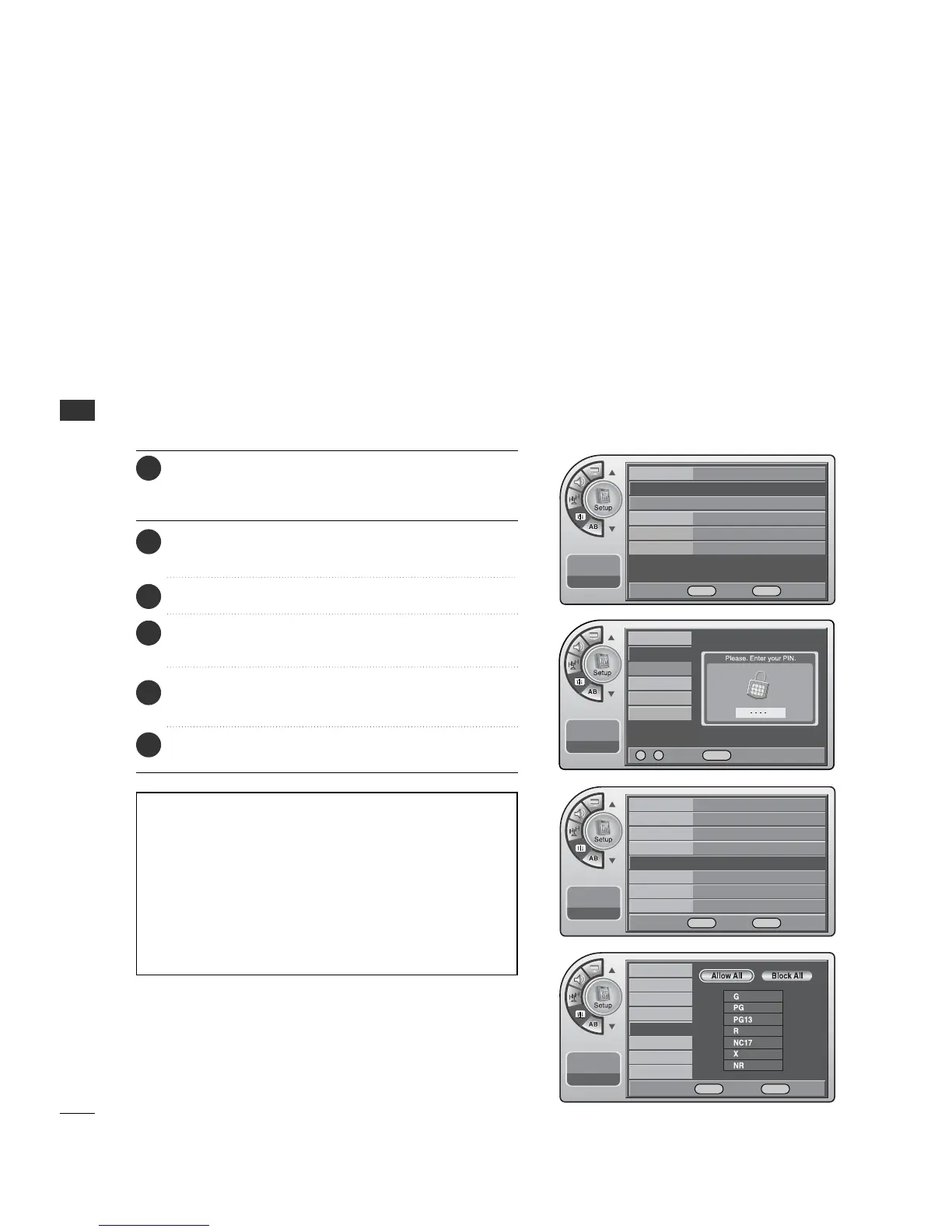
Restricting movies by their rating.
MPAA Ratings
Press the MM EENNUU button and then use the AADDJJ D or E
button to highlight the SSeettuupp menu and press the OO KK
(( EEnn tteerr)) button.
1
Use the AADDJJ D or E button to highlight VV--CChhiipp and
press the OO KK (( EEnntteerr)) button.
2
Use the AADDJJ DEFGbuttons to choose and set up
the menu options for MMPP AA AA RR aattii nngg.
5
When finished, press MM EE NNUU repeatedly to remove the
menus.
6
Use the AADDJJ D or E button to highlight the
MM PPAAAA RRaattiinngg and press the OO KK (( EEnntteerr)) button.
4
Description of the MPAA and TV (FCC) Rating Codes:
The MPAA Rating System (Movies)
G General Audience. No restrictions.
PG Children under 13 should be accompanied by an adult.
PG-13 Parental guidance suggested. Children under 13 should
be accompanied by an adult.
NC-17 Not classified. Viewers should be 17 or older.
X Adults only.
• MPAA ratings: The selected rating will be locked. In addition,
any ratings that are more restrictive will also be blocked.
PARENTAL CONTROL/RATINGS
34
PARENTAL CONTROL/RATINGS
Enter the 4 digits password.
3
Time
V-Chip
PC
Menu Language
Menu Transparency
Set ID
11:20 PM
Sep.11, 2006
On/Off
Changing PIN
Set Block Hour
TVPG Rating
MPAA Rating
D/L Rating
Can. English Rating
Can. French Rating
11:20 PM
Sep.11, 2006
Time
V-Chip
G
PC
Menu Language English
Menu Transparency
Semi Opaque
Set ID 1
11:20 PM
Sep.11, 2006
DE
Move OK Select Menu Back
On/Off On
Changing PIN
Set Block Hour 12
TVPG Rating
D/L Rating
MPAA Rating
G
Can. English Rating
Can. French Rating
11:20 PM
Sep.11, 2006
DE
Move OK Select Menu Back
0 ~ 9 Number Menu Back
DE F G Move OK Select Menu Back



 To Next Page